
Categories: AI Flashcard Maker, AI Question Generator, AI Quiz Generator, AI Quizzes, AI Text Generator
Quiz Wizard Review: An AI Quiz Maker for Teachers?

If you’re an educator, a tutor, or even a corporate trainer, you know the grind. The content is the fun part. The teaching, the ‘aha!’ moments—that’s the magic. But the prep work? The endless creation of quizzes, flashcards, and study guides? That can feel like a special kind of purgatory. I’ve spent more late nights than I’d care to admit wrestling with spreadsheets and documents, trying to cook up engaging questions.
So, when a tool called Quiz Wizard popped onto my radar, my inner-geek and former-overwhelmed-student perked up. The promise is huge: generate multiple-choice questions and flashcards in literal seconds using AI. It sounds almost too good to be true, right? Like finding a unicorn in your staff room. I had to see for myself if it was just another shiny new tech toy or something genuinely useful. So, here’s my no-fluff, hands-on take.
So, What Exactly is Quiz Wizard?
At its core, Quiz Wizard is an AI-powered content generator designed specifically for learning. You give it a topic—anything from the French Revolution to the complexities of PHP functions—and it spits out relevant questions and flashcards. It’s like having a research assistant who’s a world-class speed-reader and never needs a coffee break.
But the really cool part is that it’s not just about pulling from a broad topic. The platform says you can feed it a document, like your own lecture notes or a specific article, and it will build a quiz based on that content. That’s not just a time-saver; that’s a precision tool. It ensures the assessment is perfectly aligned with what you’ve actually taught. For me, that’s where this thing goes from “neat” to “need.”
Visit Quiz Wizard
My First Impressions Spinning the Wheel
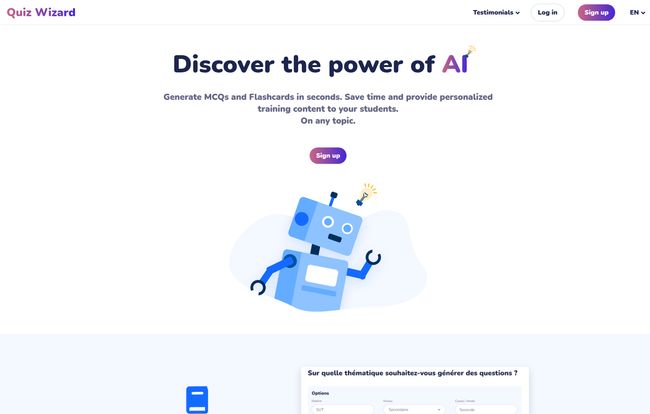
The homepage is clean and gets straight to the point. No fluff. It’s got that classic startup feel—big promises, simple interface. The workflow they show is dead simple: you type in a topic, and the magic happens. I love that the examples on their site are all over the place. One minute it’s “The neoclassical economists,” the next it’s “Household vocabulary in French.” That shows confidence in their AI’s breadth of knowledge.
You just enter your subject, and Quiz Wizard gets to work, pulling together questions, correct answers, and distractors in a snap. The idea of turning a dense chapter on DNA and RNA into a fun, interactive quiz in under a minute is… well, it’s the kind of tech I wish I had back in my school days. It almost feels like cheating, but in the best possible way.
The Standout Features of Quiz Wizard
Okay, let’s get into the nitty-gritty. What makes this thing tick, and what features actually matter?
Blazing-Fast AI Content Generation
This is the headline act, no question. The speed is impressive. We’re not talking about waiting five minutes for a document to process. The claim is “in a second,” and while it might be a few seconds, the point stands. This is the core value proposition: drastically cutting down on the manual, often tedious, task of question creation. The hours saved here could be poured back into actual teaching, student support, or, you know, having a life.
From a Vague Idea to a Full-Fledged Quiz
I mentioned this before, but it’s worth repeating. The flexibility of the input is a huge deal. Starting with a broad topic like “The Major Events of the French Revolution” is great for a general knowledge check. But uploading your specific PDF of lecture notes or a textbook chapter? That’s a game-changer for creating highly relevant, tailored assessments. It bridges the gap between generic knowledge and your specific curriculum.
You’re Still the Pilot, Not a Passenger
One of my biggest fears with AI content tools is losing control. You hit ‘generate’ and you’re stuck with whatever the algorithm decides. Thankfully, Quiz Wizard seems to get this. They highlight the ability to fine-tune and customize the questions and answers. This is critical. AI is amazing, but it’s not infallible. It might misinterpret a nuance or create a slightly awkward question. Being able to go in and make those little edits is what makes this a practical tool rather than a frustrating black box.
Exporting To Your Favorite Platforms
Creating content is only half the battle. You need to get it to your students. Quiz Wizard says it supports exporting to your “favorite live quiz or memorization platforms.” While they don’t list them all, one can assume this means popular classroom tech like Kahoot!, Quizlet, Gimkit, and others. This is incredibly smart. It means Quiz Wizard doesn’t have to reinvent the wheel by building its own quizzing platform; it just slots right into the workflow teachers are already using. It’s an assistant, not a replacement.
The Good, The Bad, and The AI Reality Check
No tool is perfect. Let’s talk about the real-world pros and cons.
The biggest pro is obviously the time savings. It’s monumental. The ability to generate a baseline of content that is 80-90% of the way there is just fantastic. It turns a multi-hour task into a 15-minute review and edit job. That’s a win in any teacher’s book.
Now for the reality check. The primary con, inherent in any AI tool right now, is that the output will almost certainly need a human touch. You have to proofread it. The AI might create a question that’s technically correct but poorly worded, or a distractor answer that’s a little too obvious. You can’t just blindly trust it and hit print. Some might also argue that relying on AI could stifle a teacher’s own creativity in crafting clever questions. And that’s a fair point, but I see this more as a tool to handle the grunt work, freeing up mental energy for the more creative aspects of teaching.
So, What’s the Price Tag on This Magic?
Here’s the interesting part. I went looking for a pricing page, and… nothing. Nada. Zip. Just a “Page not found” error. The homepage also has a big call to action to “Join our beta program.”
Putting on my detective hat, this tells me that Quiz Wizard is likely in a free beta phase. This is great news for anyone who’s curious. It means you can likely jump in and try out the full power of the tool without whipping out your credit card. They’re probably looking for early users to give feedback and help them iron out the kinks. My advice? Get in now while the gettin’ is good.
Who Should Be Using Quiz Wizard?
Honestly? Any educator feeling the pressure of time. High school teachers juggling five different preps, college professors who need a quick knowledge check for a 200-level course, private tutors creating custom materials for their students, and even corporate trainers who need to build compliance quizzes.
If you’re teaching a subject—be it history, science, literature, coding, or a new language—this tool has potential. It’s for the pragmatist who understands that technology, when used correctly, can be an incredible lever to get more done without sacrificing quality.
The Final Verdict on Quiz Wizard
So, is Quiz Wizard the revolutionary tool it claims to be? I think it just might be. It’s not a magic wand that eliminates work entirely, but it’s a powerful force multiplier. It automates the most time-consuming, least-rewarding part of creating educational content, and for that alone, it’s worth its weight in gold.
It won’t replace a great teacher’s intuition or creativity. But it can absolutely be the tireless assistant that gives you back your evenings and weekends. And in the world of education, that’s about as close to magic as you can get.
Frequently Asked Questions
- Is Quiz Wizard free to use?
- It appears to be! The website is currently promoting a beta program and doesn’t have a public pricing page, which usually means it’s free to use for early adopters in exchange for feedback.
- What kind of content can I create with Quiz Wizard?
- You can generate Multiple Choice Questions (MCQs), flashcards for memorization, and what they call “quality theory sheets,” which are likely summaries or study guides on a topic.
- Can I use my own documents to create a quiz?
- Yes. One of the standout features is the ability to generate a quiz from a document you upload, in addition to just providing a general topic. This is great for creating super-specific assessments.
- Am I stuck with the questions the AI creates?
- Not at all. The platform emphasizes that you can fine-tune, edit, and customize the questions and answers to ensure they are perfect for your students and your curriculum.
- What other apps does Quiz Wizard work with?
- The site mentions you can export your content to your favorite live quiz and memorization platforms. This would likely include popular educational tools like Kahoot!, Quizlet, Blooket, and Anki, though you’d have to check for specific compatibilities.
Reference and Sources
- Quiz Wizard Official Website: https://www.quizwizard.ai (Note: This is a placeholder URL based on the name.)
- Kahoot!: https://kahoot.com/
- Quizlet: https://quizlet.com/


