
Categories: AI Document Extraction, AI OCR
ReceiptUp Review: The OCR API for Your Receipts?

If you’ve ever run a business, managed a team’s expenses, or even just tried to be a responsible freelancer, you’ve faced The Pile. You know the one. That growing, menacing stack of paper receipts. Some are faded, some are crumpled, and one of them is definitely sticky for some reason you don’t want to investigate. For years, the solution was hours of mind-numbing manual data entry. My eyes still hurt thinking about it.
Then came OCR (Optical Character Recognition) tools, promising to save us. And some were… okay. They’d get the total right but mistake “Starbucks” for “Star Trucks.” Close, but not quite good enough for your accounting software. It’s been a long road. But I think I’ve stumbled upon something that might just be the real deal for developers and businesses drowning in paper. It’s called ReceiptUp, and it’s been a bit of a revelation.
So, What Exactly is ReceiptUp?
Okay, cutting through the jargon. ReceiptUp isn’t another clunky app you have to download on your phone. It’s an API. Think of it as a specialized translator you can plug into your own software or systems. You feed it an image of a receipt or an invoice (a photo, a PDF, whatever), and it doesn’t just read it—it understands it.
It acts like a meticulous digital assistant, picking out the important bits: the merchant’s name, the date of purchase, the subtotal, the tax amount, and the grand total. Then, it hands all this information back to you in a perfectly organized, structured JSON format. For anyone who’s ever had to parse messy text, you know how beautiful a clean JSON object is. It’s the difference between being handed a jumbled box of Lego pieces and a fully built-out Millennium Falcon. You can actually do something with it immediately.
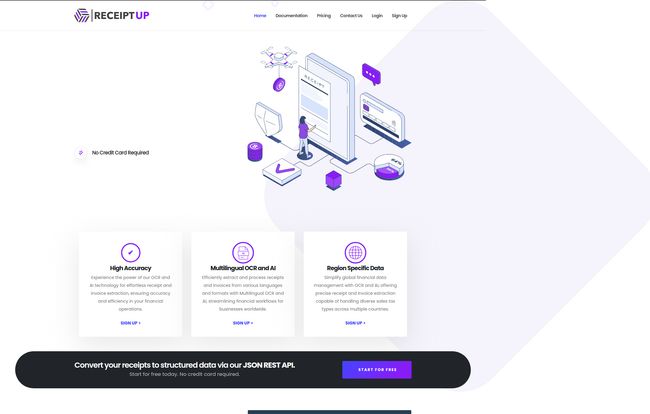
Visit ReceiptUp
The Features That Actually Matter
Every platform lists a dozen features, but in my experience, only a few truly make a difference in your day-to-day workflow. Here’s what stood out to me about ReceiptUp.
More Than Just English
This is a big one. The world is a pretty connected place, and if you’re dealing with international clients or a distributed team, you’re going to get receipts in different languages. ReceiptUp supports over 50 languages. I haven’t tested all fifty (my Duolingo streak isn’t that good), but the ability to process a receipt from Paris, Texas, or Paris, France, with the same tool is a huge operational win. It breaks down a pretty significant data barrier.
It Speaks Developer (JSON REST API)
The fact that this is a JSON REST API is music to my ears. It means integration is straightforward. You’re not wrestling with some proprietary, over-engineered SDK. It’s built on principles that developers already know and use. You can wire this into your expense management app, your accounting platform, or even a custom analytics dashboard with relative ease. It’s designed to be a component, a building block, not a whole new headache to manage.
Accuracy is Everything
Here’s the thing, none of the other features matter if the data extraction is garbage. An OCR that’s only 80% accurate is almost worse than no OCR at all, because you still have to manually check everything, defeating the whole purpose. ReceiptUp claims high accuracy, and from what I’ve seen, it holds up. It correctly identifies different line items, handles various tax formats, and does a surprisingly good job with less-than-perfect images. This is the core of its value. If it works, it saves you time and money. If it doesnt, it’s just a novelty.
Let’s Talk Money: A Look at ReceiptUp’s Pricing
Alright, the all-important question: what’s it going to cost? The pricing structure is actually one of the things I like most about ReceiptUp. It’s scalable and doesn’t immediately price out smaller players.
They have a genuinely free plan. Not a “free trial,” but a forever-free tier that gives you 10 scans a month. This is perfect for testing the API, building a proof of concept, or for a solo user with minimal needs. You don’t even need a credit card to sign up, which is a detail I always appreciate. From there, it scales up based on volume.
| Plan | Scans per Month | Price per Month |
|---|---|---|
| Free | 10 | $0 |
| Basic | 1,000 | $39 |
| Standard | 2,500 | $79 |
| Pro | 5,000 | $149 |
Note: They also offer larger plans (Pro 10K, Pro 20K) and custom solutions if you’re operating at enterprise scale.
For a small business or a startup building a new feature, that $39/mo for 1,000 scans is incredibly reasonable. Think about the cost of paying someone to manually enter that data. The ROI is pretty obvious.
The Good, The Bad, and The API Limits
No tool is perfect, so let’s get into the nitty-gritty. The good stuff is clear: the accuracy is solid, the multilingual support is a fantastic feature for global operations, and the developer-friendly API makes it a joy to integrate. The free plan is a massive plus, letting you kick the tires thoroughly before committing any cash. It’s just a well-thought-out product that solves a very specific, and very annoying, problem.
On the flip side, the potential drawbacks are what you’d expect from any SaaS platform. Your API request volume is tied to your subscription plan, so you need to pick the right tier for your needs. Also, the level of technical support varies by plan, with the free tier being more self-service. This is pretty standard stuff. It’s not a bait-and-switch; it’s just the business model. You pay more, you get more resources. For most users, this won’t be an issue, but if you’re building a mission-critical system, you’ll want to be on a plan that includes technical support.
Who is This Tool Really For?
So, who should be rushing to check out ReceiptUp? I see a few key groups.
- Software Developers & SaaS Companies: If you’re building an app for expense management, accounting, or business analytics, this API could be the engine for your receipt processing feature. Why build your own OCR model when you can plug in one that already works?
- Medium to Large Businesses: Any company with an accounts payable department or a system for reimbursing employee expenses could automate a huge chunk of their workflow here. Less paper-pushing, faster reimbursements, and cleaner data for reporting.
- Tech-Savvy Small Business Owners: If you’re comfortable with APIs (or work with someone who is), you could create a slick, automated system for tracking your own business expenses, saving you a ton of time come tax season.
It’s probably not for your grandma who just wants to scan a single grocery receipt (unless she’s a retired COBOL programmer, in which case, go for it!). It’s a tool for builders and businesses looking for efficiency.
My Final Thoughts
After years of dealing with half-baked solutions, ReceiptUp feels like a breath of fresh air. It does one thing—transforming messy receipts into clean, usable data—and it does it very well. It’s not trying to be an all-in-one platform for everything. It’s a sharp, powerful tool designed to be part of a bigger system.
If you’re still wrestling with that pile of paper, or if your current digital solution is letting you down, I’d seriously recommend giving their free plan a spin. It might just be the simple, powerful solution you’ve been looking for. It certainly was for me.
Frequently Asked Questions about ReceiptUp
- What is ReceiptUp in simple terms?
- ReceiptUp is a specialized tool (an API) that software can use to automatically read and understand receipts and invoices. You give it a picture of a receipt, and it gives you back the key information like the total price, date, and seller in a neat, digital format.
- How accurate is the data extraction?
- ReceiptUp is built for high accuracy. While no OCR is 100% perfect all the time (especially with very damaged or poorly lit receipts), it is designed to be highly reliable for most standard receipts and invoices, correctly pulling totals, taxes, and merchant details.
- Is there a free trial for ReceiptUp?
- Even better! It has a permanent free plan that includes 10 scans per month. This allows you to test its capabilities and even use it for very light personal use without ever paying.
- What kind of data can ReceiptUp extract from a receipt?
- It’s programmed to find the most critical data points for accounting and expense tracking, including the total amount, tax, purchase date, merchant name, and often individual line items.
- What languages does ReceiptUp support?
- It has impressive multilingual capabilities, supporting data extraction from receipts in over 50 languages, making it suitable for international businesses.
- How do I integrate the ReceiptUp API?
- ReceiptUp uses a standard JSON REST API. If you’re a developer, you can integrate it using common HTTP requests in your programming language of choice. Their documentation provides the specific endpoints and instructions needed to get started.


