
Categories: AI Assistant, AI Charting, AI Chatbot, AI Code Generator, AI For Data Analytics, AI Report Generator, AI Workflow
Relationchips Review: An AI Data Assistant for Teams?

You’re a marketing manager, a sales lead, or an ops wizard. You have a burning question. A simple one, you think. “How many new users from our last campaign actually converted in Germany?” You pop a message over to the data team, feeling all proactive and data-driven. And then… crickets. Or worse, the dreaded, “Sure, it’s in the backlog. We’ll get to it after the Q3 architecture migration.”
By the time you get the numbers, the moment has passed. The opportunity is gone. It’s a story as old as spreadsheets. This gap, this chasm between the people with the questions and the people with the SQL skills, is one of the biggest, most frustrating bottlenecks in modern business. I’ve seen it cripple campaigns and slow down smart decisions for years.
So when a new tool pops up claiming it can solve this, my inner skeptic raises an eyebrow. But my inner, overworked-marketer-from-a-past-life gets a little flutter of excitement. The tool in question today is Relationchips, an AI data assistant that promises to let you just… ask your data questions. In plain English. A wild concept, I know.
So, What Exactly is Relationchips?
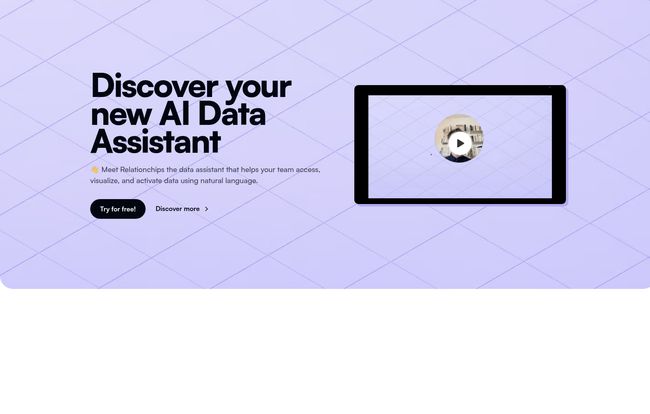
Imagine you could hire a junior data analyst who is infinitely patient, works 24/7, and speaks every data language fluently. That’s the pitch for Relationchips. At its core, it’s a platform that hooks into all your scattered data sources—your Google Sheets, your CRM like HubSpot, your company’s main database, your billing system—and puts them all in one room.
Visit Relationchips
Then, it gives you a simple search bar. Instead of writing SELECT COUNT(user_id) FROM users WHERE signup_date > '2023-10-01' AND country = 'DE' AND converted = TRUE;, you just type, “show me converted users from Germany since October.” The AI is meant to act as your translator, turning your human question into a machine query and spitting back an answer, often with a neat little graph to boot.
This whole idea of ‘self-service analytics’ isn’t new, but the approach of making it truly conversational is where things are getting interesting. It’s not for the hardcore data scientists building predictive models; it’s for the rest of us. The people on the front lines who just need an answer, now.
How It Aims to Unclog the Data Pipes
I like to break things down by the problems they solve. It’s easy to get lost in a list of features, but what are we actually fixing here?
The Magic of Asking in Plain English
This is the headline act. The whole no-SQL, no-code thing is a huge weight off a business team’s shoulders. The mental load of having to learn even a basic query language, or navigate a clunky, old-school BI tool interface, is a barrier. Relationchips removes it. This democratizes data in a way that’s more than just a buzzword. It means the person with the most context about the business question can find the answer themselves, without a game of telephone with the tech team.
All Your Data Under One Roof
Most companies have data living in a dozen different apartments. Your customer info is in HubSpot, your sales numbers are in a Postgres database, and your marketing spend is tracked on a chaotic series of Google Sheets. Trying to get them to talk to each other is a nightmare. Relationchips acts as the friendly landlord, giving them all a key to the same building. This multi-source integration means you can ask questions that cross-reference different systems, like “What’s the average customer lifetime value for users we acquired through our Facebook ads?” That’s a question that could normally take a data analyst half a day of exporting and merging CSVs.
From Numbers to Pictures, Automatically
Let’s be honest, nobody likes looking at a wall of numbers in a spreadsheet. The platform automatically generates visualizations—bar charts, line graphs, you name it. This isn’t just about making things pretty. It’s about pattern recognition. A sudden dip or a spike is instantly obvious in a chart in a way it just isn’t in a table. And you can get automated alerts, so the system can tap you on the shoulder when a key metric changes, which is a nice touch.
The Good, The ‘Hmm,’ and The Price Tag
Okay, it sounds great on paper. But no tool is a silver bullet. After digging around, here’s my take. The big win is obvious: empowerment. You’re giving your business teams the autonomy to answer their own questions, which not only speeds them up but also frees up your expensive data engineers to work on more complex, high-value projects. That’s a massive ROI right there.
But there are things to consider. The reliance on AI for interpretation is both its greatest strength and a potential weakness. An AI can still misunderstand a poorly phrased question. You still need to be clear and specific. It’s not magic; it’s a tool that requires thoughtful input. Some might also find the pricing a bit steep if they’re a tiny startup, but we’ll get to that. The free plan is also limited to CSVs and Google Sheets, which is a fair way to let you test the interface but you wont see the real power until you connect a proper database or CRM.
Let’s Talk Money: A Look at the Plans
Pricing can make or break a tool’s adoption, so let’s lay it out. I appreciate their transparency here. It’s not one of those “Contact us for a demo” black boxes.
| Plan | Price (Billed Monthly) | Who It’s For |
|---|---|---|
| Free Forever | $0 | Solo founders or individuals wanting to test the core functionality with spreadsheets (GSheets/CSV). Great for a test drive. |
| Starter | $125 /mo | Small teams ready to connect their first major data source (like HubSpot or a database). The 1-hour data refresh is decent for most operational reporting. |
| Pro | $400 /mo | Larger, data-driven teams that need to cross-reference multiple sources and want near-real-time updates (5-minute refresh). No branding on shared graphs is a professional touch. |
Note: They offer a discount of up to 20% for yearly billing, which is pretty standard and a good option if you decide to commit.
Who Is This Really For?
If you’re a data scientist who loves writing Python scripts in a Jupyter notebook, this isn’t for you. You’re not the target audience. But if you’re a Head of Marketing, a RevOps specialist, or a startup founder who feels like you’re flying blind, then you are precisely who Relationchips is built for.
It’s for the teams who are agile and can’t afford to wait a week for a simple data pull. It competes less with giants like Tableau or Power BI—which are more like industrial-strength toolkits for building complex, static dashboards—and more with the spreadsheet-and-a-prayer method that so many companies are still stuck with. It’s about speed and accessibility over exhaustive, pixel-perfect customization.
A Quick Word on Data Privacy
I was happy to see a section on their site about data privacy. They claim it’s a “core tenet.” When you’re handing over the keys to your most sensitive business information, this is non-negotiable. While I always advise doing your own security due diligence, it’s a good sign that they’re addressing it upfront rather than hiding it in the fine print. It shows they understand the gravity of what they’re asking customers to do.
My Final Verdict
So, is Relationchips the magic wand that will solve all your data problems? Of course not. But it is a very, very promising step in the right direction. It tackles a real, painful, and expensive problem: the communication gap around data.
For the right company—one that’s growing, has non-technical people who need answers, and a data team that’s stretched thin—this tool could be less of an expense and more of an investment. An investment in speed, in smarter decisions, and maybe, just maybe, in giving your data team the breathing room to do the deep work that actually moves the needle.
If you’re feeling that data friction, the free plan is a no-brainer to try out. Hook up a few Google Sheets and see how it feels to just ask for what you want. You might be surprised at how natural it feels.
Frequently Asked Questions
- 1. Do I really need zero SQL knowledge to use Relationchips?
- Yep, that’s the whole point. You ask questions in natural language, like you’re talking to a colleague. The AI handles the technical translation in the background.
- 2. What kinds of data sources can I connect to Relationchips?
- The free plan starts with multiple CSVs and Google Sheets. Paid plans let you connect to one (Starter) or multiple (Pro) enterprise sources, which include common databases (like Postgres, MySQL) and platforms like HubSpot.
- 3. How is this different from a tool like Tableau or Looker?
- Think of it as speed vs. power. Tableau and Looker are powerful BI tools for creating in-depth, complex, and often static dashboards, but they require significant technical skill and setup. Relationchips is designed for quick, ad-hoc querying and accessibility for non-technical users.
- 4. What if the AI misunderstands my question and gives me the wrong data?
- This is a valid concern with any AI tool. It requires a bit of a learning curve in how you phrase your questions for clarity. If you get an odd result, rephrasing your query to be more specific is usually the fix. For example, instead of “top users,” try “users with the most purchases last month.”
- 5. Is my company’s data safe with Relationchips?
- They state that data privacy is a top priority. As with any third-party tool that handles sensitive data, you should always review their security and privacy policies to ensure they meet your company’s standards.
Reference and Sources
- Relationchips Official Website
- Relationchips Pricing Page
- Harvard Business Review: What Great Data Analysts Do (For context on the analyst bottleneck)


