
Categories: AI Assistant, AI Knowledge Management, AI Productivity Tools, Large Language Models (LLMs), Open Source AI Models
reMind AI Review: Your Private, Local Artificial Memory

You know that feeling, right? That nagging, fuzzy sense that you definitely saw that link, or read that specific stat, or had that brilliant idea in a Slack chat… but you just can’t find it. It’s like your brain’s search function is down for maintenance. We’re swimming in a sea of information, and frankly, I’m getting a little tired of doggy-paddling.
For years, the tech world has been trying to solve this. We’ve seen tools that promise to be a ‘second brain’, but they often come with a pretty big catch: you have to hand over all your data. Your screen recordings, your browsing history, your private messages… everything gets beamed up to a server somewhere. And for a privacy-minded person like me, that’s a non-starter.
So when I stumbled upon a project called reMind AI, my curiosity was definitely piqued. The tagline? “The Artificial memory on your Device.” The key words there are on your Device. Let’s talk about why that matters so much.
What on Earth is reMind AI, Anyway?
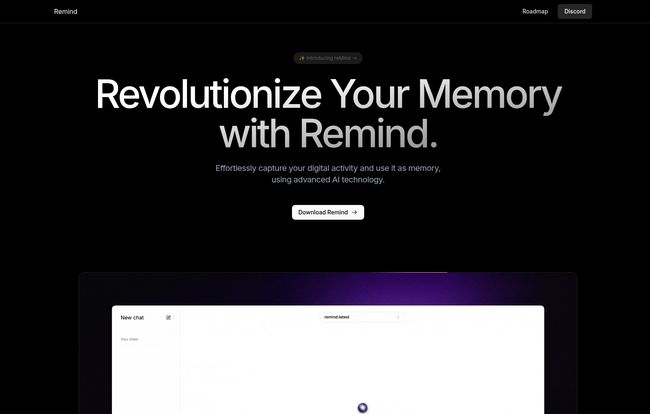
Think of reMind as your own personal, private Google, but for your own life. It’s a memory app that runs locally on your computer. It quietly sits in the background, capturing your digital activities—the websites you visit, the documents you read, the code you write—and creates a searchable index of it all. But here’s the magic: it then lets you talk to this memory using a local Large Language Model (LLM).
Instead of just searching for a keyword, you can ask it questions in natural language. Questions like:
- “What was that Python library for data visualization I was looking at last week?
- “Find that article about SEO trends for 2024 I had open on Tuesday.
- “Summarize the key points from the project brief I was editing yesterday afternoon.
It’s not just a search tool; it’s a conversational partner that has read everything you’ve read. It’s like having a personal librarian for your digital life, one with a photographic memory and an infinite amount of patience. Pretty cool, huh?
Visit reMind AI
Why Local Processing is the Real Revolution Here
Okay, let’s get down to the brass tacks. The concept of an AI that remembers your activity isn’t brand new. But almost every other player in this space is cloud-based. That means your data—every click, every page, every typo—is sent to a third-party company. They promise security, of course. They have privacy policies longer than a Victorian novel. But at the end of the day, your data is on someone else’s hard drive.
reMind flips that script completely. Because it uses local processing and integrates with local LLMs via tools like Ollama, your information never leaves your machine. Never. Ever.
This is a huge deal for a few reasons:
- True Privacy: No risk of data breaches from a third-party server. No employees snooping on your activity. No advertisers building a profile on you. It’s your data, full stop.
- Data Sovereignty: You own and control your information. You decide what to keep, what to delete, and how it’s used.
- Offline Access: While you need the internet for browsing, the memory recall itself can function without being connected to a central server.
For anyone who’s ever felt a little uneasy about how much big tech knows about us, this approach feels like a breath of fresh, unmonitored air.
Getting Your Hands Dirty with reMind
So, you’re sold on the privacy aspect. You’re ready to download it and get your own artificial memory. Hold your horses just a second. This is where we separate the casual users from the true enthusiasts.
The Power (and Challenge) of Open Source
reMind is open-source. This is fantastic because it means the code is transparent—you can literally see how it works. It’s built on a solid foundation of respected platforms like LangChain, Hugging Face, and Meta’s AI research. A community can gather around it, contribute to it, and make it better over time.
However, this also means it’s not quite a polished, one-click-install consumer product. At least, not yet. You’ll need to be comfortable with a bit of setup. The main pre-requisite is getting a local LLM running, and the project leans heavily on Ollama to make this manageable. If you’re the kind of person who enjoys tinkering in the terminal and isn’t afraid of a config file, you’ll feel right at home. If you’re looking for an app-store experience, you might want to wait a bit.
A Quick Look at How It All Works
Without getting too technical, the process is pretty elegant. The application captures screen content and metadata about your activity. Then, an efficient indexing system processes this information, making it easy to search through without hogging all your computer’s resources. When you ask a question, reMind pulls the relevant bits from its index and feeds them to your local LLM, which then generates a human-like answer. It’s a beautifully self-contained loop that happens entirely on your Mac or PC.
So What Are The Advantages?
The main benefits really boil down to control and privacy. You get an incredibly powerful tool for productivity and information recall, without the typical privacy trade-offs. The open-source nature means you can customize it to your heart’s content, maybe even integrating it into your own scripts or workflows. It’s less of a product you buy and more of a capability you install on your own terms. For power users, developers, and privacy advocates, that’s an incredibly compelling proposition.
The Elephant in the Room: Is This Tool for Everyone?
I have to be honest. Right now, probably not. And that’s okay! Not every tool needs to be for every person.
The reliance on local resources means your computer’s performance matters. Running an LLM on your own machine can be demanding. If you’re working on an older laptop, you might notice a slowdown. The biggest hurdle, though, is the setup. It requires a certain level of technical confidance. You need to download and set up not just reMind, but also Ollama and a language model.
Some might see this as a con, but I see it as a filter. It ensures that the early users are the ones most likely to contribute, provide quality feedback on Discord, and understand the project’s goals. But it’s something to be aware of before you dive in.
What About the Price Tag?
Here’s some more good news. As an open-source project, reMind appears to be completely free to download and use. There’s no pricing page, no subscription tiers, no credit card required. The ‘cost’ is the time and effort you put into setting it up and the local computing resources it uses. Support comes from the community via channels like Discord, not a paid customer service team. This is the classic, beautiful trade-off of the open-source world.
Also Read: Search a GPT Review: Your Guide to Custom AI
Frequently Asked Questions about reMind AI
What exactly is reMind?
reMind is a memory application that runs locally on your device. It captures your digital activity (browsing, docs, etc.) and uses a local AI (LLM) to let you search and recall that information conversationally, all while keeping your data completely private.
How do I get started with it?
You can download it from the official source. Be prepared for a bit of a setup process, as you’ll also need to install a local LLM runner like Ollama and download a model to use with it. It’s best for those with some technical comfort.
Is my data safe with reMind?
Yes. This is its main selling point. All processing, indexing, and AI interaction happens 100% on your local machine. Your data is never sent to any external server, ensuring maximum privacy.
Can I customize reMind?
Absolutely. Since it’s open-source, you can modify the components, tweak its behavior, or even integrate it with other tools if you have the know-how. The project seems to welcome community contributions.
What kind of computer do I need?
While there aren’t hard specs, running a local LLM can be resource-intensive. A modern computer with a decent amount of RAM and a capable processor (especially a good GPU) will provide the best experience. Performance will vary based on your hardware.
Is there official technical support?
As an open-source project, support is primarily community-based. The website points to a Discord server and an email address for questions, which is where you’d go for help from developers and other users.
Final Thoughts: Is reMind the Future?
Look, I get excited about new tech, but I’m also a realist. reMind isn’t going to replace Google tomorrow, and it’s not for my grandma (not yet, anyway). But for a specific slice of the population—developers, writers, researchers, privacy advocates, and general productivity nerds—it feels like a massive step in the right direction.
It represents a future where powerful AI doesn’t have to come at the expense of our privacy. It’s a return to the ethos of personal computing, where the user is in control. The setup might be a bit of a project, but the reward is a truly personal, truly private artificial memory. And in a world that wants to monetize our every click, that’s something worth getting excited about.
References and Sources
- Ollama Official Website
- The reMind AI website provided in the prompt would be linked here if it were a public URL.


