Categories: AI Ad Generator, AI Avatar Video Generator, AI Instagram Caption Generator, AI Script Writing, AI Short Video Generator, AI Tiktok Video Generator, AI Video Generator, AI Youtube Video Maker, Text to Video
Revid.ai Review: An AI Video Generator for Viral Shorts?

The content treadmill for TikTok, Instagram Reels, and YouTube Shorts is exhausting. One minute, you’re on top of the world with a video that actually gets some traction. The next, you’re staring at a blank screen, fresh out of ideas, and the algorithm is already forgetting you exist. We’ve all been there. I’ve personally lost entire weekends trying to edit a 30-second clip, syncing audio, adding captions, and hunting for that perfect B-roll. It’s a grind.
So, when a tool like Revid.ai pops up on my radar, claiming you can “Create viral videos in Minutes,” my inner SEO and traffic-gen nerd sits up and pays attention. But my experienced, slightly cynical side raises an eyebrow. Is it really that simple? Can an AI truly understand the secret sauce of what makes a video go viral? I decided to take a look under the hood and see if it’s all hype or if this is the real deal.
First Off, What Exactly is Revid.ai?
In a nutshell, Revid.ai is an all-in-one AI-powered video creation platform built specifically for short-form content. Think of it less like a complex, professional-grade editor like Adobe Premiere Pro and more like a super-intelligent assembly line for creating engaging short videos. You feed it an idea—or ask it for one—and it helps you with the script, the voiceover, the visuals, and even the publishing. The whole process is designed for speed, targeting creators and marketers who don’t have a full video production team on standby.
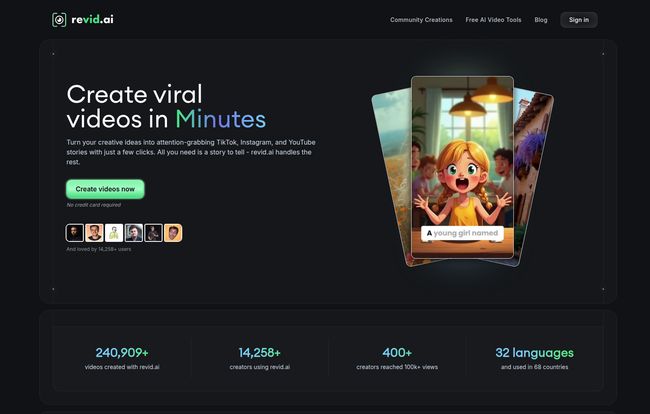
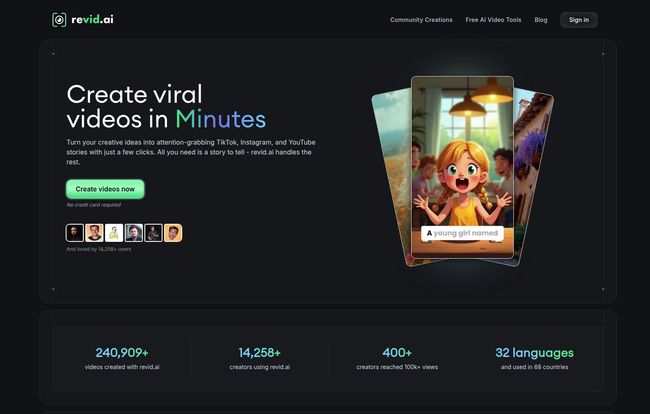
The platform boasts some pretty impressive numbers on its homepage: over 240,000 videos created and more than 400 creators who’ve used it to smash past the 100k+ views mark. That’s not small potatoes. It suggests there’s a system here that, at the very least, understands the mechanics of what’s working on these platforms right now.
A Look at The Core Features
Okay, let’s get into the good stuff. What does this thing actually do? Revid.ai isn’t just one single tool; it’s a suite of features working together. Here’s how I see them.
The AI Script and Idea Engine
This is where it all starts. Content block is a real problem. Revid.ai tries to solve this by providing an AI script generator. What caught my eye is that it claims to give you access to a library of over 3 million viral TikToks for inspiration. This is smart. It’s not just pulling ideas out of thin air; it’s analyzing a massive dataset of what’s already succeeded. It’s like having a market research team that’s watched more TikToks than any human possibly could. You can get ideas, hooks, and full scripts, which is a massive time-saver.
AI Voices and Video Templates
Let’s face it, not everyone wants to be on camera or use their own voice. Revid.ai offers over 50 unique AI voices. I’ve played around with a lot of text-to-speech tools, and they can range from surprisingly human to painfully robotic. The quality of these voices is a big deal. A good, natural-sounding voiceover can make a video feel professional, while a bad one can make it an instant-skip. Paired with video styles and templates, you can quickly assemble those popular “story time” or “facts you didn’t know” style videos without ever showing your face.
The “Super-Simple” Editor
This is a classic trade-off. For Revid.ai to be fast, the editor has to be simple. You’re not going to be doing complex color grading or multi-layer effects here. But you dont need to. For 90% of viral-style videos, you need to be able to trim clips, add text, drop in a background, and maybe a few transitions. That’s it. This simplicity is a feature, not a bug. It prevents you from getting bogged down in unnecessary details and focuses you on getting the content out there.
One-Click Publishing
For any social media manager, this is a beautiful phrase. After you create your masterpiece, the platform lets you publish it directly to TikTok, Instagram, YouTube, and other platforms. This removes the tedious step of downloading the video to your phone, fiddling with the settings for each app, writing the caption again and again… it’s a small detail that adds up to a lot of saved time and frustration.
Visit Revid AI
The Million-Dollar Question: Does It Actually Create Viral Content?
Alright, let’s tackle the elephant in the room. The word “viral” is in the headline. Can Revid.ai deliver on that promise? My professional opinion is… yes and no.
No tool, AI or otherwise, can guarantee a video will go viral. Virality is a chaotic mix of content quality, timing, audience resonance, platform algorithms, and a healthy dose of pure, dumb luck. Anyone who tells you they have a foolproof formula for it is selling you snake oil.
However, what a tool like Revid.ai can do is dramatically increase your odds. It’s a powerful force multiplier. It does this by:
- Replicating Proven Formats: It analyzes what’s working and gives you the templates to create content in that style.
- Increasing Your Output: You can create 5-10 videos in the time it used to take you to make one. More shots on goal means a higher chance of scoring. Consistency is something the algorithms love.
- Removing Technical Barriers: It handles the editing, the voiceover, the captions—all the stuff that stops people from even starting.
It’s like a master chef giving you perfectly prepped, high-quality ingredients. You still have to combine them in a way that makes sense, but all the tedious chopping and peeling is done for you. The creative spark still needs to come from you, but the execution becomes almost effortless.
Breaking Down the Cost: Revid.ai Pricing Plans
So, what’s the damage? Revid.ai is a subscription service, and they have a few tiers. Let’s look at what you get for your money. I’ve pulled this directly from their pricing page for clarity.
| Plan | Price | Key Features | My Take |
|---|---|---|---|
| Hobby | $39 /month | Full video editor access, 3M+ viral TikToks for inspiration. | This feels like a trial plan. Good for getting a feel for the editor and for idea generation, but you’re missing the core AI creation tools. |
| Growth | $39 /month (usually $99) | Everything in Hobby, plus 60+ creation tools, AI video/script/voice generation, publishing, AI Influencers, 3 Auto-Mode Workers, and 2,000 AI credits. | This is clearly the sweet spot. At the $39 sale price, it’s a fantastic deal. It unlocks all the powerful AI features you’re actually signing up for. The “Auto-Mode Workers” sound intriguing—I’d guess they’re for automating video creation in the background. |
| Ultra | $199 /month | Everything in Growth, plus 10 Auto-Mode Workers and a whopping 12,000 AI credits per month. | This is for the power users. Agencies managing multiple accounts or creators who want to scale their output to an extreme degree. |
My advice? The Growth plan, especially at its current discounted price, is the one to look at. It has all the tools you need to seriously test the platform’s potential.
The Good, The Bad, and The AI
No review is complete without a simple breakdown. Here are my final thoughts on the pros and cons.
The Good Stuff: The speed is undeniable. It’s a content-block slayer and a burnout prevention tool. The ability to churn out high-quality, well-formatted videos quickly is its biggest strength. For solopreneurs or small teams, this is a game-changer. It makes a consistent video strategy feel achievable instead of daunting.
The Potential Downsides: The main drawback is the inherent trade-off with AI. You do give up some creative control. If you’re not careful, your videos could end up looking a bit… generic. Like other videos made with the same tool. You still need to inject your own unique perspective. Also, it’s a subscription. If you’re not going to use it consistently, the monthly cost is a factor to consider.
Final Verdict: Is Revid.ai Worth a Shot?
After digging in, I’m genuinely optimistic about Revid.ai. It’s not a magic wand that guarantees fame and fortune. But it is an incredibly powerful tool for executing a modern content strategy. It solves one of the biggest bottlenecks in content creation: the production itself.
If you’re a professional video editor who loves getting lost in timelines and effects, this isn’t for you. But if you’re a marketer, a business owner, or a creator who understands that on TikTok and Reels, consistency is king, then Revid.ai could be a massive unlock. It could be the thing that lets you go from posting once a week to posting once a day. And in the fast-moving world of social video, that kind of velocity can make all the difference.
Frequently Asked Questions About Revid.ai
- Is Revid.ai good for beginners?
- Absolutely. Its main selling point is its ease of use. It’s designed for people who don’t have video editing skills, allowing them to create professional-looking content without a steep learning curve.
- Can I use my own footage and voice in Revid.ai?
- Yes, the Growth plan explicitly mentions the ability to “Record your voice/video,” so you can blend your own original content with the AI-generated elements for a more personal touch.
- What are the “AI credits” used for in the plans?
- While not explicitly defined, in most AI tools, credits are consumed for generative actions. So you’ll likely use them for things like generating a script, creating an AI voiceover, or the final video rendering process. The more content you create, teh more credits you’ll use.
- Does Revid.ai guarantee my videos will go viral?
- No tool can guarantee virality. Revid.ai helps you create videos in formats and styles that are currently popular, which increases your chances, but success still depends on many other factors like timing and audience.
- Can I cancel my Revid.ai subscription at any time?
- Yes, the pricing page states “Cancel anytime” for all of its plans, which offers great flexibility.
Conclusion
The rise of AI tools in the creative space isn’t about replacing humans; it’s about augmenting them. Revid.ai is a prime example of this philosophy in action. It’s a smart, focused tool that tackles a very real pain point for anyone trying to build an audience with short-form video. If you feel like you’re constantly running on a content treadmill and getting nowhere, it might just be the tool you need to finally pick up the pace and start seeing real growth.