
Categories: AI Assistant, AI Meeting Assistant, AI Search Engine, AI Summarizer
Rewind AI Review: My Brain Has a Search Bar Now

I have a confession to make. Last Tuesday, I spent a solid 25 minutes frantically searching for a specific statistic a client mentioned on a Zoom call. I scoured my notes, which looked like the ramblings of a madman. I checked my email, Slack, even my browser history. Nothing. The information had simply vanished into the ether, a casualty of my overworked, over-caffeinated brain.
It’s a feeling we all know too well, right? That brilliant idea you had in the shower, the name of that contact you met at a conference, the exact wording of a crucial piece of feedback… gone. Our brains, for all their marvels, are not hard drives. They’re more like messy, beautiful, and frustratingly fallible sketchbooks.
For years, the tech world has promised us a solution, some kind of “external brain.” But most attempts felt clunky or invasive. So when I first heard about Rewind AI, I was skeptical. An app that records everything I see, hear, and say on my computer? It sounded a little… Black Mirror. But as an SEO guy constantly swimming in data, links, and fleeting client comments, the promise of a searchable past was too tantalizing to ignore. I had to see for myself.
So, What Exactly Is This Rewind Thing?
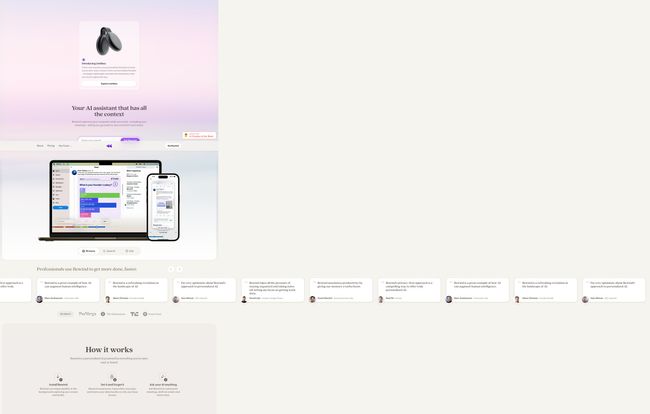
Let’s break it down. At its core, Rewind is a macOS and iOS app that acts like a DVR for your digital life. It runs quietly in the background, capturing your screen and audio. But here’s the magic: it then transcribes, compresses, and makes all of that data searchable, just for you. Think of it less like a surveillance camera and more like a personal historian, meticulously documenting your digital journey so you can instantly recall any moment.
The company calls it a “search engine for your life,” and honestly, that’s not just marketing fluff. It’s the most accurate description I can think of. It’s a personalized AI that uses the context of your own past experiences to help you in the present. Pretty wild, huh?
Visit Rewind
How It Actually Works (And Feels) in Practice
Getting started is surprisingly simple. You install it, grant it the necessary permissions (screen recording, microphone access, etc.), and then… you just forget about it. It hums along in the background, doing its thing. You can summon it with a keyboard shortcut, which brings up a timeline interface. You can literally scroll back in time, hour by hour, day by day, and see your screen exactly as it was.
But the real power isn’t in the timeline-scrolling, as cool as that is. The real power is in the search bar. I can type “client X social media stats” and it won’t just pull up a document; it will pinpoint the exact moment in a video call where we discussed it. It’s uncanny.
And I know what you’re thinking, because I thought it too: “My poor hard drive!” Rewind uses some seriously impressive compression technology. According to their site, they can squeeze down raw recording data by up to 3,750x. While it does take up space, it’s far less than you’d expect. I’ve been running it for weeks and haven’t noticed a major dent in my storage.
The Features That Genuinely Impressed Me
An app can have a great concept, but it’s the execution that matters. A few of Rewind’s features have already become indispensable to my workflow.
The Search Function is Mind-Blowing
I already touched on this, but it bears repeating. This is the killer feature. Because Rewind transcribes audio and uses OCR (Optical Character Recognition) on everything on your screen, you can search for anything. A word spoken in a YouTube video, a line of code in a shared screen, a headline on a website you briefly glanced at three weeks ago. It finds it. My 25-minute frantic search for that client stat? With Rewind, it would have been a 10-second query.
Meeting Summaries That Don’t Suck
Okay, AI meeting summarizers are everywhere now. Otter.ai, Fathom, you name it. They’re pretty good. But Rewind’s approach feels different. Because it has the full context—not just the audio, but the visuals of the slide deck, the chat, everything—its summaries and action items feel more accurate. I used it to generate a follow-up email after a complex project kickoff, and the draft it produced was about 90% of the way there. It captured nuances that a simple audio transcript would have missed. That’s a huge time-saver.
Your Personal AI Assistant With Real Context
This is where things get futuristic. Rewind includes a feature called “Ask Rewind.” It’s a chat interface, like ChatGPT, but its knowledge base is… you. You can ask it things like, “What were the main objections raised in my last sales call?” or “Draft a blog post outline based on the research I did yesterday.” Because it has seen everything you’ve seen, its answers are hyper-personalized and grounded in your actual work. It’s like having an assistant who has a photographic memory of your entire work life.
Let’s Talk About the Elephant in the Room: Privacy
Alright, let’s get down to brass tacks. Recording everything on your computer sounds terrifying from a privacy standpoint. I was ready to be sketched out, but this is where Rewind pleasantly surprised me. All of the recording, transcription, and data storage happens 100% locally on your machine.
Let me say that again: your data never leaves your device to be processed in the cloud. It’s not sent to Rewind’s servers. They can’t see it. It’s not used to train some faceless global AI. It’s yours, and yours alone, stored encrypted on your hard drive. In an age where we’re all (rightfully) paranoid about how our data is being used by big tech, this “private by design” approach is a massive, massive selling point. Frankly, I trust this model infinitely more than services that upload my sensitive conversations to the cloud.
The Not-So-Perfect Parts
No tool is perfect, and a fair review has to acknowledge the downsides. Rewind is incredible, but it’s not without its drawbacks.
It’s an Apple-Exclusive Club (For Now)
This is the big one. As of right now, Rewind is only for macOS and iOS. That immediately cuts out a huge chunk of the professional world. They have a waitlist for a Windows version, but if you’re a PC user, you’ll have to wait. This is probably the single biggest barrier to its widespread adoption.
Can It Be a Resource Hog?
While the storage compression is great, the app is still constantly recording and processing in the background. On my M2 MacBook Pro, I barely notice it. But the company itself notes that it performs best on Apple Silicon (M1, M2, M3 chips). If you’re running an older Intel-based Mac, you might feel the performance hit, especially during heavy tasks. It’s something to be aware of.
The Cost of a Perfect Memory
Rewind operates on a freemium model. There’s a free plan, but it’s more of a taste test. The real power—unlimited search, AI summarization, meeting features—is locked behind the Pro subscription. Here’s a quick breakdown:
- Rewind Free: You can access your data and scroll through the timeline forever. But search and transcription are limited. It’s enough to see the potential, but not enough to change your life.
- Rewind Pro (Yearly): This costs $19 per month, billed annually. This unlocks everything. The whole shebang.
- Rewind Pro (Monthly): If you don’t want to commit to a year, it’s $29 per month.
Is it worth it? For me, the answer is a resounding yes. How much is 2-3 hours of my time worth each month? A lot more than $19. The time I save not hunting for lost information and the mental energy I free up knowing there’s a safety net makes it a no-brainer investment in my own productivity.
Who is Rewind AI Actually For?
While it seems like a tool for everyone, I think some people will get way more out of it than others. Project managers juggling multiple clients and conversations. Writers and researchers who need to recall sources and bits of information. Developers trying to remember a solution they saw on a forum or in a tutorial. Sales executives who need to remember every detail of a client call. Even students trying to keep track of lectures and study materials. The site even mentions its a helpful tool for those with ADHD, which makes total sense – it’s an organizational system that requires zero organizing.
Frequently Asked Questions
Is my data safe with Rewind?
Yes. This is their biggest priority. All your data is recorded, stored, and processed locally on your Mac. It’s encrypted and never sent to the cloud or seen by Rewind employees.
Is there a free trial for the Pro version?
Yes, Rewind offers a free trial for Rewind Pro, so you can test out all the features before committing. There is also the Rewind Free plan which gives you limited access forever.
What hardware do I need to run it?
You need a Mac running a recent version of macOS. For the best performance, an Apple Silicon Mac (M1 chip or newer) is highly recommended.
How much hard drive space does it use?
It varies based on your usage and screen resolution, but their compression is very effective. They state it uses about 14GB per month for a typical user, but you can also set limits on how much space it’s allowed to use.
Can I pause it or exclude certain apps for privacy?
Absolutely. You have full control. You can pause recording at any time, and you can add specific applications (like password managers or private messaging apps) to an exclusion list so they are never recorded.
When is the Windows version coming out?
There’s no official release date yet, but they have a waitlist available on their website. It’s clearly on their roadmap.
Conclusion: Is Rewind a Gimmick or a Game-Changer?
After a few weeks of living with Rewind, I can confidently say it’s not a gimmick. It’s a genuine game-changer. It doesn’t replace my brain, it augments it. It takes away the anxiety of forgetting and frees up mental space to focus on more important things—like creative thinking and problem-solving, rather than acting as a faulty filing cabinet.
Yes, it has its limitations—the Mac-only ecosystem being the most significant. And it requires a subscription to unlock its true potential. But the value it provides in saved time, reduced stress, and enhanced productivity is immense. It feels a bit like the future. My brain is still my own, but now it has a lightning-fast index. And for a busy professional, that’s not just a cool feature—it’s a superpower.


