
Categories: AI Assistant, AI Map Generator, AI Travel
AI Road Trip Navigator Review: The Future of Travel?

I have a love-hate relationship with planning road trips. On one hand, the thrill of the open road, the promise of new sights, the perfectly curated playlist… it’s pure magic. On the other hand, the actual planning. Oh, the planning. It’s a descent into a special kind of madness involving a dozen browser tabs, three different map applications, and heated debates over whether a 7-hour driving day is ambitious or just plain insane.
We’ve all been there, wrestling with spreadsheets that would make a CFO weep, trying to stitch together a coherent journey. What if you could just… not? What if you could tell an AI your start and end points and have it do all the heavy lifting?
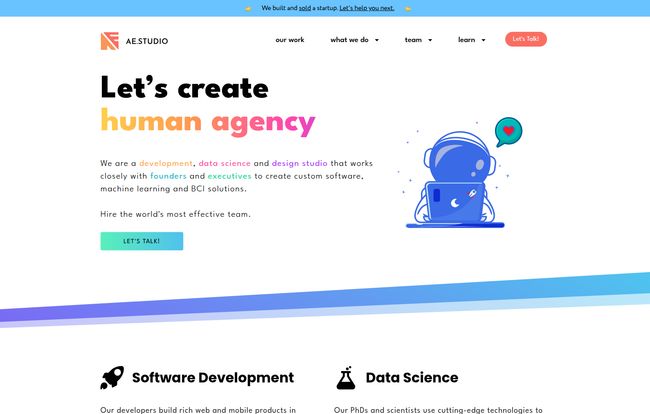
Well, I stumbled upon a tool that promises just that. It’s called Road Trip Navigator, and it comes from a surprisingly cool place: a “human agency” called AE Studio. This isn’t just some random app; it’s a product of their “Same Day Skunkworks” initiative, where one of their developers builds an entire project in a single day. That backstory alone had me intrigued. A one-day project? Let’s see what it can do.
Visit Road Trip Navigator
So, What Exactly is This AI-Powered Travel Guru?
At its heart, Road Trip Navigator is a deceptively simple tool for a complex problem. You give it two locations in the United States—say, from the sunny streets of Los Angeles to the bustling avenues of New York City. Then, you let the AI brain, specifically OpenAI’s GPT-4, work its magic.
It doesn’t just draw a line on a map. No, that would be too simple. It analyzes the route and intelligently breaks it down. It suggests logical cities for you to stop and rest your weary head each night. The result? A fully-fleshed-out itinerary, complete with estimated driving times between stops, distances, and even a list of cool things to see and do in each city. And once the master plan is ready, it hands you a neat little link to open the whole thing up in Google Maps. Simple, elegant, and frankly, a little bit magical.
The Features That Make You Nod in Approval
Let’s get into the nuts and bolts of what makes Road Trip Navigator tick. It’s more than just a party trick; there’s some genuinely useful stuff packed in here.
Intelligent Route Planning (Thanks, GPT-4!)
This is the core of the whole thing. The AI doesn’t just pick the halfway point between two cities. It seems to consider reasonable driving stints, landing you in cities that are actually worth visiting. It’s like having a travel agent who’s also a geography nerd and a logistics expert, figuring out the most sensible path for your cross-country adventure.
Smart City and Stopover Suggestions
I’ve used planners that suggest stopping for the night in a town with one motel and a gas station. Not exactly inspiring. Road Trip Navigator, powered by the vast knowledge of GPT-4, tends to pick cities with a bit of character. It understands that a stopover isn’t just about sleep; it’s part of the trip itself. For my LA to NYC test, it suggested places like Las Vegas, Denver, and Chicago—all fantastic, logical choices for a multi-day journey.
Seamless Google Maps Integration
This might be my favorite part. Once your route is generated, you’re not stuck inside the tool’s ecosystem. With one click, the entire multi-stop route is ported over to Google Maps. From there, you can send it to your phone, share it with your co-pilot, and get turn-by-turn directions. It bridges the gap between AI-powered inspiration and real-world navigation beautifully. No more manually typing in seven different destinations.
More Than Just a Route: Things to Do
Here’s a nice little touch. For each suggested stop, the tool gives you a handful of ideas for activities. Heading through St. Louis? It’ll probably suggest you check out the Gateway Arch. It’s not an exhaustive list, but it’s a fantastic starting point for your own research and helps turn a simple overnight stay into a mini-adventure.
My Honest Take: The Good, The Bad, and The AI
Alright, no tool is perfect. After playing around with Road Trip Navigator for a while, I’ve got some thoughts. I’ve always felt that the best reviews are brutally honest, so here we go.
The good stuff is immediately obvious. The user interface is clean and incredibly easy to use. There’s no learning curve. You visit the page, type in two cities, and you’re off. For someone looking for a quick, powerfully generated itinerary to get the ball rolling, it’s brilliant. It cuts through hours of initial research and gives you a solid framework to build upon.
“It’s the ultimate cure for the ‘blank page’ problem in travel planning. Instead of staring at a map wondering where to even begin, you get a smart, actionable plan in seconds.”
But, of course, there are some limitations. Let’s call them quirks. First, this is a US-only affair, at least for now. If you’re dreaming of a drive through the Scottish Highlands or the Australian Outback, you’ll have to stick to the old ways. Given it’s a one-day project from a US-based agency, this makes perfect sense, but it’s something to be aware of.
The second point is a bit more technical: the API key conundrum. The tool is free to use for a few trips. But if you want to become a power user and plan unlimited journeys, it asks you to add your own OpenAI API key. For my fellow tech nerds, this is no big deal. For my mom? It might as well be asking for a flux capacitor. In simple terms, an API key is like giving the tool your own personal library card to OpenAI’s system. It’s a fair model—it keeps the tool free for casual users while offloading the cost of heavy use to the power users—but it does present a small hurdle for the non-technical crowd.
Finally, you have to remember to trust, but verify. The tool’s accuracy is entirely dependent on the data from GPT-4 and Google Maps. Is it possible it might suggest a weird route or that Google Maps might find a road closure? Absolutely. Always give the final itinerary a quick human once-over before you hit the road.
Let’s Talk Money: What’s the Price of a Perfect Road Trip?
This is the best part. Road Trip Navigator is free.
You can hop on their site, plan a trip, and get all the features I mentioned without pulling out your credit card. The only catch, as mentioned, is the rate limit for free users. If you start planning trips like a maniac, you’ll eventually be prompted to enter your own OpenAI API key to continue. For the vast majority of people planning one or two big trips a year, the free version is likely all you’ll ever need.
The Human Agency Behind the Machine
I think what makes me like this tool so much is the story behind it. This wasn’t cooked up in a corporate boardroom to maximize revenue. It was built by developers at AE Studio, a company that calls itself a “human agency” and focuses on creating tech that’s “Good for people. Good for business. Good for life.”
Road Trip Navigator is a perfect example of their “Same Day Skunkworks” concept. It’s a testament to what a talented developer can create when given the freedom to just build something cool and useful. It feels less like a product and more like a gift to the community. That’s a vibe I can definitely get behind.
So, Is Road Trip Navigator Right for You?
I reckon if you’re planning a road trip across the United States, you should absolutely give this tool a try. It’s a phenomenal starting point that can save you a ton of time and stress.
- It’s perfect for you if: You’re overwhelmed by the initial planning stages, you want a smart, AI-generated baseline to work from, or you’re just curious to see what an AI-planned trip looks like.
- You might want to skip it if: You’re traveling outside the US, you enjoy the meticulous, spreadsheet-driven process of planning every single detail yourself, or the idea of creating an API key sends you running for the hills.
For me, it’s a definite keeper in my digital toolkit. It’s a brilliant blend of powerful AI and user-friendly design that solves a real, frustrating problem.
Frequently Asked Questions (FAQ)
Is Road Trip Navigator really free?
Yes, it is! You can plan several trips without any cost. For unlimited trip planning, you’ll need to add your own OpenAI API key, which might incur costs on your OpenAI account based on usage, but the tool itself remains free.
Do I need to be a tech expert to use it?
Not at all. The basic interface is incredibly straightforward. The only slightly technical part is setting up an API key for unlimited use, but for casual planning, no special knowledge is needed.
Can I use this for my European road trip?
Unfortunately, not at this time. Road Trip Navigator is currently limited to planning trips within the United States.
How does it decide on the best cities to stop in?
It uses the powerful language and reasoning capabilities of GPT-4. The AI analyzes the total distance and driving time and breaks the trip into manageable daily drives, selecting well-known cities or towns along the most logical route as stopover points.
Can I customize the trip it generates?
The initial itinerary is generated by the AI. However, since it provides a Google Maps link with the full route, you can then take that plan and customize it directly in Google Maps—adjusting stops, changing routes, and adding your own points of interest.
Who made this cool tool?
Road Trip Navigator was created by the team at AE Studio, a product and software development agency, as part of their “Same Day Skunkworks” initiative, where they challenge themselves to build and launch a project in a single day.
The Final Verdict on the Open Road
In the ever-growing world of AI tools, many feel a bit gimmicky. Road Trip Navigator isn’t one of them. It’s a practical, well-executed solution to a common headache. It takes the most tedious part of planning a grand adventure—the initial grunt work—and automates it with surprising intelligence.
While it has its limitations, its strengths are far more compelling. The fact that it’s a free tool born from a one-day creative sprint makes it even more impressive. So next time you feel the call of the open road, maybe let a friendly AI handle the map for a change. You might be surprised at the adventure it plans for you.


