
Categories: AI Background Remover, AI Design Generator, AI Image Generator, AI Product Photography, AI Video Editor, AI Video Generator
Rush Roto Studio Review: AI Product Photos That Convert?

If you’re in the e-commerce game, you know the grind. You’ve found the perfect product, nailed the sourcing, and your copy is sparkling. But then comes the final boss: product photography. The endless struggle with lighting, the wrestling match with a wrinkled backdrop, the hours spent in some clunky editing software trying to remove a background only to leave a weird, fuzzy halo around your product. Sound familiar? I’ve been there. My camera roll is a graveyard of failed flat lays and awkwardly lit shots that I swore looked better in person.
I’ve always believed that your main product image is the single most important piece of your listing. It’s your digital handshake, your storefront window. It’s what makes someone stop scrolling on a crowded marketplace like Etsy or Amazon and actually click. For years, this meant either forking over a small fortune for a professional photographer or resigning myself to a weekend of frustration. But lately, I’ve been playing with a tool that feels… well, like cheating. In a good way. It’s called Rush Roto Studio, and it’s an AI-powered platform that promises to whip up professional-grade product photos and even videos in seconds. Seconds! I was skeptical, of course. But also, incredibly intrigued.
So, What’s The Deal with Rush Roto Studio?
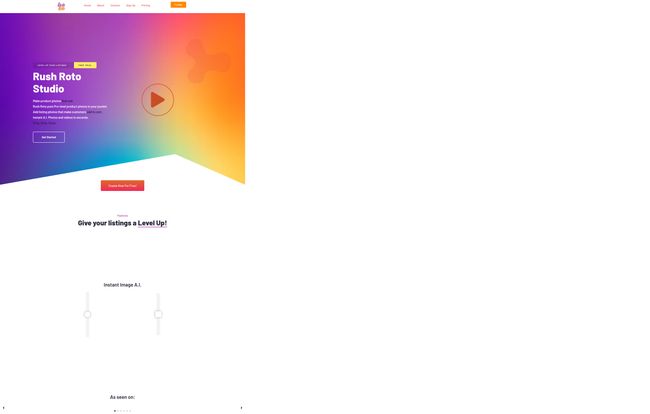
Okay, cutting through the marketing jargon, here’s the simple version. Rush Roto Studio is like having a graphic designer, a photographer, and a marketing expert all bundled into one slick piece of software. You take a simple, even boring, picture of your product—seriously, just a clear shot on your phone will do—and upload it. The platform’s AI then works its magic. It can instantly remove the background, and then here’s the cool part: it places your product into thousands of different scenes, settings, and professionally designed templates.
Visit RushRoto Studio
Think about that. Your handmade ceramic mug isn’t just sitting on your kitchen counter anymore. Suddenly, it’s on a rustic wooden table next to a steaming latte and a croissant. Your new line of skincare? It’s now artfully arranged on a marble vanity with soft, spa-like lighting. All with a few clicks. No sets to build, no props to buy. It’s designed specifically for us—the online sellers who need to create stunning visuals without the Hollywood budget.
The Features That Actually Matter
I’ve tested a lot of tools that promise the world and deliver a pamphlet. But Rush Roto has a few core features that genuinely impressed me and have already saved me a ton of time.
The ‘Magic Wand’ of AI Image Generation
This is the main event. The Instant Image A.I. is just… slick. The process is incredibly straightforward. You upload your product image, the AI cleanly cuts it out, and then you can either let the AI suggest scenes or you can browse through their library of templates. These aren’t just generic stock photos with a space for your product. They’re templates designed by marketers who understand what gets clicks. They have a great sense of composition, color theory, and negative space. It feels less like a tool and more like a collaboration.
Goodbye, Photoshop Frustration! The Background Remover
For me, a clean background removal is non-negotiable. It’s the foundation of any good composite image. Rush Roto’s background remover is impressively accurate. It handles tricky things like glass and complex shapes pretty well. Now, it’s important to note that the plans come with a set number of background removal credits (200 per month on all tiers, which is a bit of a weird choice). For most people, that’s probably plenty, but if you’re a high-volume seller launching dozens of new SKUs a month, it’s something to keep an eye on. Still, for the quality, it beats the heck out of spending 20 minutes with the pen tool.
Templates That Don’t Look Like Templates
You know that generic, “canva-esque” look that a lot of template-based designs have? I was worried about that here. But the templates in Rush Roto, especially on the paid plans, feel much more bespoke. They’re categorized by industry and style, from minimalist and modern to festive and seasonal. It’s clear they were made by people who actually understand visual merchandising for e-commerce, not just graphic design in a vacuum. This is a huge leg up for anyone who isn’t a natural-born art director.
Let’s Talk Money: The Rush Roto Studio Pricing Plans
Alright, the all-important question: what’s this going to cost me? This is where Rush Roto gets really interesting. They have a pricing structure that caters to pretty much everyone, from the curious hobbyist to the full-blown e-commerce mogul.
Here’s a quick breakdown as of my last check:
| Plan | Monthly Price | Key Features |
|---|---|---|
| Basic | $0.00 | 30 AI Image Generations, 200 Background Removal Credits, SD Photo Exports, Video Editor. |
| Maker | $14.99 ($12.50/mo annually) | 1,000 AI Image Generations, HD Photo Exports, Premium Templates & Music. |
| Mogul | $49.99 ($39.99/mo annually) | Unlimited AI Images, All Features, Exclusive Templates, Custom AI Templates. |
My take? The Basic plan is a no-brainer. It’s free! You can get a feel for the entire platform, generate 30 images, and see if it works for you. The SD export is a limitation, but for just testing the waters, it’s incredibly generous. The Maker plan is the sweet spot for most serious solopreneurs or small businesses. 1,000 images is a lot, and the upgrade to HD exports is essential for professional listings. For $15 a month, it’s cheaper than one stock photo from some sites. The Mogul plan is for the power users—agencies, or brands that are constantly creating content. The custom AI templates feature is pretty powerful if you have a very specific brand aesthetic you need to maintain.
Who Is This Tool Really For?
Honestly, if you sell physical products online, you should at least try the free plan. But it’s a particular lifesaver for a few groups:
- Etsy & Handmade Sellers: Your creativity should be in your product, not in learning advanced photography. This lets you create beautiful lifestyle shots that are often so hard to stage on your own.
- Shopify & Dropshipping Stores: When you’re working with supplier photos that are often… less than inspiring, Rush Roto can be your secret weapon to create a unique and premium-looking brand identity.
- Amazon FBA Sellers: Amazon has strict image requirements. This tool not only helps you meet them (like the pure white background) but also helps you create compelling secondary images that explain your product’s benefits visually.
- Social Media Managers: Need to create a constant stream of fresh visual content for a product-based business? This is your content mill.
The Not-So-Perfect Bits
No tool is perfect, and it’s only fair to point out the few things that gave me pause. As I mentioned, the 200 background removal credits across all plans is a little strange. I’d love to see that scale up with the paid tiers. Also, the SD photo exports on the free plan is a definite drawback for using the images professionally, but that’s a fair trade-off for a free-to-use tier. Finally, locking custom AI templates to the top-tier Mogul plan makes sense from a business perspective, but it’s a feature I think a lot of ‘Maker’ level users would happily pay a little extra for.
The Bottom Line: Is Rush Roto Studio a Worthwhile Investment?
In my opinion, absolutely. For the cost of a few fancy coffees a month, the Maker plan can completely transform the quality of your product listings. Better images lead to higher click-through rates, which leads to more traffic. Better lifestyle and infographic-style images can improve conversion rates, which means more sales from the traffic you already have. It’s a direct line from better visuals to a better bottom line.
It’s not about replacing professional photographers for a massive brand campaign. It’s about empowering the small-to-medium seller to compete visually without breaking the bank or losing their sanity. It democratizes good design, and in the crowded world of e-commerce, that is a massive advantage.
Frequently Asked Questions
Is Rush Roto Studio actually free to use?
Yes, they have a Basic plan that is completely free. It gives you 30 AI image generations and 200 background removal credits per month, though the image exports are in Standard Definition (SD). It’s a great way to test out the platform’s capabilities.
Can I use the images on platforms like Amazon, Etsy, or Shopify?
Definitely. That’s exactly what it’s designed for. The images, especially the HD ones from the paid plans, are perfect for creating main images, infographics, and lifestyle shots for any major e-commerce platform.
Do I need to be a designer to use Rush Roto Studio?
Not at all. The entire platform is built around a drag-and-drop, template-based system. If you can upload a photo and click a mouse, you can create professional-looking visuals. It completely removes the technical barrier of traditional design software.
What happens if I use all my background removal credits?
The 200 credits reset each month. If you’re consistently running out, it might be a sign that your business volume is high enough to warrant exploring workflow efficiencies, but for most sellers, 200 is a decent amount for monthly new product launches and marketing campaigns.
Are the annual plans a better deal?
Yes, if you plan on using the tool for the long haul. The Maker Annual plan, for example, brings the monthly cost down from $14.99 to $12.50, and the Mogul Annual plan drops from $49.99 to $39.99. It’s a nice saving for a year-long commitment.
Is the AI-generated content unique to me?
Your final image, which combines your unique product photo with the AI template and your customizations, is your own unique composition. While others might use the same template, the final result with your product will be distinct to your brand.
Conclusion
So, there you have it. Rush Roto Studio has earned a permanent spot in my e-commerce toolkit. It’s a powerful, affordable, and genuinely easy-to-use solution to a problem that plagues almost every online seller. It bridges the gap between amateur and professional, allowing your product’s quality to shine through without being held back by your photography skills (or lack thereof). If you’ve ever looked at your product listings and felt they could be better, I’d say give the free plan a spin. You’ve got nothing to lose and a whole lot of clicks to gain.


