
Categories: AI Assistant, AI Chatbot, AI Knowledge Management, AI Note Taker, AI Productivity Tools
Save ChatGPT to Evernote: The Tool You Didn’t Know You Need

You know that feeling, right? That little jolt of panic. You’ve just had an absolutely brilliant conversation with ChatGPT. You’ve cracked the code on a tricky marketing angle, generated the perfect meta descriptions for a dozen pages, or maybe even brainstormed a whole new business idea. It’s gold. Pure gold. And then… you close the tab.
Sure, the conversation is probably lurking somewhere in your ChatGPT history. Probably. But let’s be honest, that history sidebar is a bit of a digital junk drawer. It’s not searchable in a meaningful way, it’s not organized, and finding that one specific gem from three weeks ago is like trying to find a specific piece of hay in a needlestack. For years, my workflow was a clunky, frustrating dance of copy-paste, copy-paste, reformat, copy-paste. It was a time suck, and I lost more great ideas than I care to admit.
I’ve always been a huge advocate for the “second brain” philosophy, a concept really championed by folks like Tiago Forte. The idea is to have a centralized, digital place for all your ideas, notes, and resources. For me, that place has always been Evernote. So when I stumbled upon the Save ChatGPT to Evernote extension, a tiny little lightbulb went on. Could this be the bridge I was missing?
So, What is this Save ChatGPT to Evernote Thing?
In short, it’s a beautifully simple browser extension for Google Chrome and Microsoft Edge that does exactly what it says on the tin. It creates a direct, one-click pipeline between your ChatGPT conversations and your Evernote account. No more manual transfers. No more lost context. Just a clean, simple way to archive your AI brainstorms, research, and content creation sessions.
It’s built for people like us. The content creators, the SEOs, the developers, the students, the perpetually curious… anyone who is using ChatGPT as a serious tool and needs a better system than a messy history log to manage the output.
The Real Struggle: Why You Need to Archive Your AI Chats
Maybe you think I’m being dramatic. “Just bookmark the chat!” some might say. But it’s more than that. When you’re using AI for professional work, those chats aren’t just chats; they’re assets. They are records of your creative process.
- Keyword Research Sprints: You might have a thread where you’ve refined a list of long-tail keywords for a new campaign.
- Content Outlines: A conversation could hold the entire skeleton for a 2,000-word blog post.
- Code Snippets: For developers, a chat might contain a perfectly crafted piece of Python script or a solution to a nagging CSS problem.
- Client Brainstorms: The back-and-forth on a new brand voice or ad copy is invaluable.
Leaving these assets in ChatGPT is like leaving your blueprints on the construction site after the work is done. You need them filed away, tagged, and searchable in your own system. That’s where a tool like this stops being a ‘nice-to-have’ and becomes a core part of a smart productivity workflow.
Getting Started is Almost Laughably Easy
I was expecting some convoluted setup process, but it took me, and I’m not exaggerating, less than two minutes to get up and running.
Step 1: Install and Connect
You find the extension in the Chrome Web Store or Microsoft Edge Add-ons, click ‘Add to browser,’ and pin it to your toolbar for easy access. The first time you click the icon inside ChatGPT, it will prompt you to connect to your Evernote account. It’s a standard, secure authorization screen. You click ‘Authorize,’ and that’s it. You’re connected.
Step 2: Save Your First Conversation
Now, when you have a chat you want to keep, you just click the extension’s icon. A neat little interface pops up. Here, you can give your note a proper title (instead of ChatGPT’s sometimes weird auto-titles), add relevant tags for organization, and select which Evernote notebook it should go into. Click ‘Save to Evernote,’ and poof. It’s there. Instantly. It’s so smooth it feels like it should have been a native feature all along.
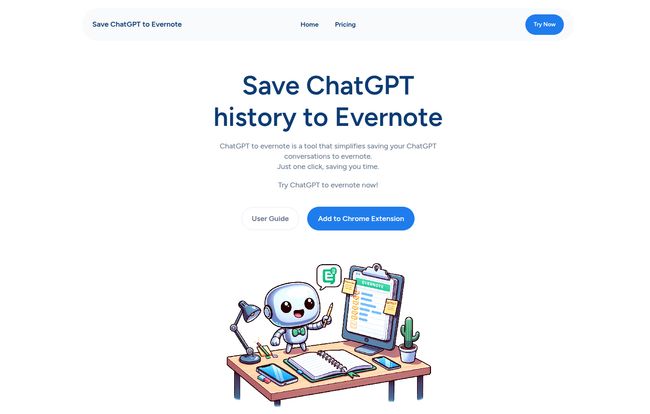
Visit Save ChatGPT to Evernote
The Features That Actually Matter
While the one-click save is the star of the show, there’s a bit more under the hood that I’ve come to really appreciate.
The Batch Save Power Move
This, for me, is the killer feature. Available on the pro plans, the Batch Save option lets you export your entire ChatGPT history (or a specific range of pages) to Evernote in one go. When I first signed up, I spent ten minutes batch-saving my last 50 or so conversations. It was like a massive, satisfying decluttering of my digital mind. All those fragmented ideas were suddenly organized, tagged, and searchable in my central knowledge base. If you’re a new user looking to migrate all your past work, this feature alone is worth the price of admission.
Simple Customization
The ability to add tags and choose a notebook on the fly is more important than it sounds. It means the difference between dumping information and actually organizing it. I have notebooks for ‘SEO Strategy,’ ‘Content Ideas,’ and ‘Client Projects.’ Being able to file a chat directly into the right digital folder as I save it keeps my Evernote from becoming the same kind of junk drawer I was trying to escape.
Let’s Talk Money: The Pricing Breakdown
Okay, the all-important question: what’s it gonna cost? The pricing structure is pretty straightforward, though I’ll admit some of the tiers on their page look a little confusingly similar. Here’s my breakdown of how it works in practice:
| Plan | Price | Key Features |
|---|---|---|
| Basic (Limited) | $3.90 / month | Up to 200 saves per month. Good for casual users. |
| Basic (Unlimited) | $4.90 / month | Unlimited saves. For regular, daily use. |
| Pro Max (Yearly) | Starts around $5.90 – $43.90 / year | Unlimited saves + Batch Save Feature. The best value for power users. |
A quick note: The yearly pricing seems to have a few different tiers or promotional offers. The most expensive one ($43.9/year) explicitly includes batch saving, which is the main differentiator. For a few bucks a month, the value proposition is pretty strong if this solves a daily annoyance for you.
Also Read: Ask Nostradamus: AI Astrology's Lost Domain?
The Good, The Bad, and The Niche
No tool is perfect. In my experience, here’s the honest breakdown:
What I’m Loving
The sheer simplicity is the biggest win. It saves me mental energy and time, which is the whole point of a good productivity tool. It plugs a very obvious gap in my workflow so perfectly that I’m almost mad I didn’t think of it. The organization it brings to my AI-assisted work is just fantastic.
What Could Be Better
This is a one-trick pony. It does one thing, and it does it well. If you’re looking for a tool that also summarizes your chats, turns them into mind maps, or makes you a coffee, this ain’t it. It’s also entirely dependent on you being a user of both ChatGPT and Evernote. If you’re a Notion loyalist or a Google Keep fan, this specific tool obviously won’t do you much good (though it seems they have a Notion version too!).
Final Verdict: From Digital Chaos to Organized Genius
Is the Save ChatGPT to Evernote extension a necessity? Maybe not for everyone. But if you’re a heavy user of both platforms and you value your time and your ideas, it comes pretty darn close. It’s a small, elegant solution to a surprisingly common problem.
It’s turned my fleeting AI brainstorms into a permanent, searchable, and valuable library of insights. It’s one of those small, inexpensive tools that delivers an outsized return on investment through sheer convenience and peace of mind. For me, it’s a definite keeper.
Frequently Asked Questions
- 1. Does this extension only work with Google Chrome?
- No, it’s available for both Google Chrome and Microsoft Edge, covering the two most popular Chromium-based browsers.
- 2. Is there a free version of Save ChatGPT to Evernote?
- Based on the pricing information, it appears to be a premium-only tool. There isn’t a free tier mentioned, but the monthly cost is quite low to get started.
- 3. Can I edit my conversations after I save them to Evernote?
- Absolutely! Once a conversation is saved, it becomes a standard, fully-editable note within your Evernote account. You can add comments, attach files, and modify the text just like any other note.
- 4. Is the batch save feature available on all plans?
- No, the batch save functionality is a premium feature reserved for the ‘Pro Max’ yearly plans. The monthly plans are focused on single, one-click saves.
- 5. Is it safe to connect my Evernote account?
- The extension uses a standard OAuth protocol for authorization. This is a secure industry standard where you grant permission without ever sharing your password with the extension itself. It’s the same method used by most trusted apps to connect to services like Google, Facebook, or in this case, Evernote.
- 6. What if I use Notion instead of Evernote?
- You’re in luck! The developers seem to have a whole suite of these tools. Their website footer includes a link to a separate “Save ChatGPT to Notion” extension, so you can likely get the same functionality for your preferred note-taking app.
Reference and Sources
- Official Website: chatgpt2evernote.com
- Second Brain Concept: Building a Second Brain by Tiago Forte


