
Categories: AI Browsers, AI Chatbot, AI Social Media, AI Summarizer
Share by ChatGPT: A Quick AI Summary Tool Review

We’re all drowning in content. My ‘read later’ list looks less like a list and more like a digital novel I’ll never finish. As someone who lives and breathes SEO and content, I have to consume a massive amount of information daily just to stay current. It’s a firehose of articles, trend reports, and case studies. So when I see a tool that promises to make that process even a tiny bit easier, my ears perk up.
Enter Share by ChatGPT. Another AI tool, I know. They’re popping up like mushrooms after a rainstorm. But this one’s different. It’s not trying to be your all-in-one AI assistant or write your next novel. Its goal is much, much simpler: read a webpage for you and give you the short version. The TL;DR on demand. I decided to take it for a spin to see if it’s a genuine productivity hack or just another piece of digital clutter.
So, What Is Share by ChatGPT, Really?
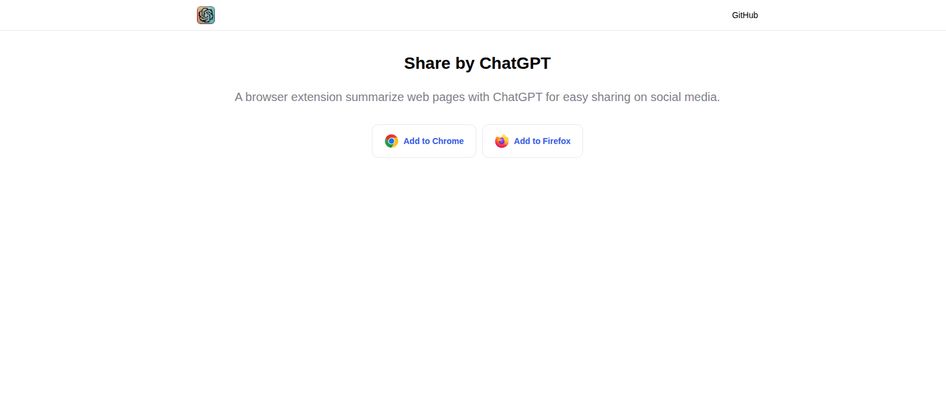
In a nutshell, Share by ChatGPT is a minimalist browser extension for Chrome and Firefox. You land on a webpage—say, a long-winded article about Google’s latest algorithm update—you click the little extension icon, and it uses ChatGPT to spit out a concise summary. The main hook, as the name suggests, is to make that content dead simple to share on social media.
Think of it as having a lightning-fast intern. You hand them a 3,000-word article and say, “Give me the three most important sentences.” A few seconds later, they do. It’s designed for speed and convenience, stripping away the fluff so you can get right to the core message.
Visit Share by ChatGPT
Getting Started: A First-Hand Account
The setup was refreshingly simple. I headed to their site, clicked ‘Add to Chrome’, and that was… pretty much it. No complicated onboarding, no 10-step tutorial. I appreciate that. In a world of over-engineered software, a tool that just installs and works is a breath of fresh air.
I immediately put it to the test on a hefty article from Search Engine Journal. I clicked the icon in my browser bar, a small window popped up, and after about ten seconds of thinking, it presented a neat little paragraph. It was pretty good! It caught the main argument, the key data point, and the conclusion. Not bad for a first date.
The Good, The Bad, and The AI-Generated
Like any tool, it’s not perfect. It’s a double-edged sword, and it’s important to know what you’re getting into. I’ve spent a few days with it, and here’s my breakdown.
The Upsides: Why You Might Actually Keep It
The biggest win here is speed. For social media managers or content creators who need to stay on top of industry news, this is a game-changer. You can sift through a dozen articles in the time it would normally take to read two. You get the gist, grab a compelling quote from the summary, and boom—you have a LinkedIn post or a Tweet ready to go. It accelerates the content curation process beautifully.
It’s also just plain easy. There are no settings to fiddle with. It does one thing, and it does it with a single click. In my experience, the more friction a tool has, the less likely I am to use it, no matter how powerful it is. This has virtually zero friction.
The Caveats: Where It Gets A Little Messy
Here’s the thing you have to understand: this extension is basically a fancy front-end for ChatGPT. That means its summaries are only as good as ChatGPT’s ability to understand and condense the source material. Most of the time, it’s solid. But sometimes? It can be a little… weird.
I tried it on a nuanced opinion piece about the future of programmatic advertising, and the summary it produced was technically correct but completely missed the author’s sarcastic tone. It presented the points at face value, stripping all the personality and critical subtext away. So, a word of caution: don’t rely on it for deep understanding. It’s for triage, not for replacing actual reading on topics that matter.
Another point is that it relies on you having access to ChatGPT. You’ll likely need to be logged into your OpenAI account for it to work. For a heavy user, that’s no big deal, but it’s a small hurdle to be aware of.
Who Is This Tool Really For?
I can see a few groups of people getting a ton of value from this:
- Social Media Managers: A must-have. Quickly digest and share relevant content to keep your feeds active and insightful.
- Content Curators and SEOs: Perfect for the research phase. You can quickly evaluate if an article is worth linking to or referencing without committing to a full read.
- Students and Researchers: A fantastic tool for triaging academic papers and articles. Get the abstract-on-demand to decide which sources are worth digging into.
- The Casually Curious: Anyone who wants to get past a clickbait headline and see if the article is actually worth their time.
The Million-Dollar Question: What’s the Price?
This is where my investigation got interesting. I went looking for a pricing page, as one does. I clicked around the site, found a link that looked promising and… landed on a “Page not found” error. You gotta love the raw, under-construction feel of some of these new tools, right?
As far as I can tell right now, Share by ChatGPT is free to use. The business model, I assume, is non-existent. It seems to be a passion project or a utility built by someone who wanted it for themselves. The cost is indirect—it uses your ChatGPT access, so it’s subject to whatever limits or costs are associated with your own OpenAI account. For most people with a free account, that’s not going to be an issue.
Final Thoughts: My Verdict on Share by ChatGPT
So, is it worth a spot in your browser’s extension bar? For me, the answer is a surprising yes. I went in skeptical, expecting another gimmicky AI toy, but I came away impressed by its simplicity and utility.
It’s not going to do your job for you. It won’t give you deep, nuanced insights. But it will absolutely save you time. It’s a scalpel in a world of Swiss Army knives. It shaves minutes off the tedious task of content consumption and curation, and those minutes add up fast.
My advice? Give it a try. See how it fits into your workflow. Just don’t forget to still do the actual reading when it counts. Your brain is still your most powerful tool, after all.
Frequently Asked Questions
- Do I need a ChatGPT account to use this extension?
- Yes, it’s highly likely. The extension works by sending the page content to ChatGPT for summarization, so you’ll probably need to be logged into an OpenAI account for it to function correctly.
- Is the Share by ChatGPT extension free?
- It appears to be completely free. I couldn’t find any pricing information, and the installation is free from the browser stores. The only potential cost is tied to your usage of ChatGPT itself, if you’re on a paid plan.
- How accurate are the summaries?
- They’re generally quite good for getting the main points of an article. However, the quality can vary. I wouldn’t trust it to capture subtle nuances, tone, or highly technical details. Always use it as a starting point, not a final source.
- What browsers does Share by ChatGPT work on?
- According to its official website, it’s available for both Google Chrome and Mozilla Firefox.
- Can it summarize any type of webpage?
- It works best on text-heavy pages like news articles, blog posts, and reports. It might struggle with image-heavy sites, interactive dashboards, or content that is behind a hard paywall.
Reference and Sources
- Share by ChatGPT Official Website
- Chrome Web Store (for installation)
- Firefox Browser ADD-ONS (for installation)


