
Categories: AI Assistant, AI Browsers, AI Chatbot, AI Copilot, AI Text Generator
Sidekick AI Review: Is This Your New GPT Co-Pilot?

Alright, let’s have a little heart-to-heart. You and me. How many times a day do you do the ‘ChatGPT dance’?
You know the one. You’re writing an email, a social media post, or even just a search query. You get stuck. You highlight the text, Ctrl+C, open a new tab, go to ChatGPT, Ctrl+V, type out your prompt, wait, copy the result, go back to your original tab, and paste it in. It’s a whole routine. A productivity-killing ballet that we’ve all become unwilling participants in.
I swear, I probably lose a good 20 minutes a day just switching tabs. So when I stumbled upon a little Chrome extension called Sidekick AI, my ears perked up. The promise was simple, almost deceptively so: summon GPT from any text field, on any website. No more dancing. Just… results.
Could it really be that simple? I had to find out.
So, What is Sidekick AI, Exactly?
In the simplest terms, Sidekick AI is a Chrome extension that acts like a genie for your keyboard. It was created by a developer named Mazen Jamshed, and its mission is to embed the power of OpenAI’s GPT models directly into your workflow. Imagine having a writing assistant, a brainstorming partner, and an editor, all living inside whatever text box you’re currently typing in. That’s the idea.
Whether you’re in a Google Doc, a WordPress editor, a search bar, or a clunky old contact form, Sidekick AI is designed to be there. It’s not a standalone app. It’s a layer on top of the web you already use. And for me, that’s where the real magic happens. Integration over isolation, always.
How It Actually Works: The Two Magic Commands
The beauty of this tool is its stark simplicity. There’s no complex interface or dashboard to learn. You just need to remember two simple commands, almost like cheat codes for your browser.
The `$sidekick` Command for Creation
This is your generative command. Your ‘go-fetch’ instruction. You type $sidekick followed by a prompt of what you want to create, and then hit the ALT key. The tool takes your prompt, sends it to GPT, and replaces your command with the generated text.
Let’s say you’re staring at a blank LinkedIn post. You could type:
$sidekick write a short, engaging LinkedIn post about the importance of SEO in 2024
Hit ALT, and like magic, your text box is filled with a ready-to-tweak post. I’ve used it to draft emails, come up with tweet ideas, and even generate bits of HTML when I’m too lazy to type out the boilerplate. It’s incredibly handy.
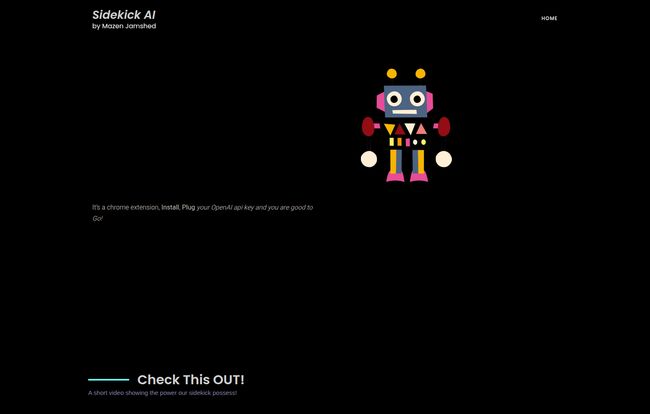
Visit Sidekick AI
The `$rescue` Command for Refinement
This one is a bit more mysterious, but I think I’ve figured out its purpose. The website simply says, “Type $rescue and press enter ALT key.” My take? This is your editor. Your… rescuer. Let’s say you’ve typed out a sentence that just feels clunky or has a typo.
“the impotance of good grammer canot be overestated for profesionals.”
You could highlight that mess, type $rescue, hit ALT, and watch it get cleaned up into something coherent. It’s for those moments when you know what you want to say, but the words just aren’t coming out right. It’s like having a friend lean over your shoulder and say, “Here, let me fix that for you.” A real lifesaver sometimes.
The Good, The Bad, and The API Key
No tool is perfect, right? Sidekick AI is awesome, but it comes with its own set of quirks. Here’s my honest breakdown.
First, the good stuff. The convenience is off the charts. I can’t stress enough how much mental energy is saved by not having to switch contexts. It keeps you in the flow. The promise of a lifetime license is also a massive draw. In a world of endless monthly subscriptions, paying once for a tool you’ll use daily is a huge win. The website also mentions it’s customizable, which is promising, though details are a bit sparse.
Now, for the considerations. The big one is that you need your own OpenAI API key. This isn’t a dealbreaker for me, as I already have one for other projects, but it’s an extra step. It also means your usage isn’t free; you’ll be billed by OpenAI for what you use. The costs are typically very low for text generation, we’re talking fractions of a cent per query, but it’s not a flat fee. It also means the tool’s performance is tied directly to OpenAI’s. If their API is having a slow day, so is your Sidekick. It’s a dependency you have to be comfortable with.
Let’s Talk About Pricing and That Lifetime Deal
Here’s where things get a little… interesting. When I went to check the official pricing, the link led to a 404 page. A dead end. I’m not even mad; it feels kinda human, an accident that hasn’t been fixed yet.
But the landing page and the product data repeatedly mention a “Lifetime License”. This is the holy grail for software buyers. While I can’t tell you the exact price today, the fact that a one-time purchase option exists is fantastic news. It suggests the developer is focused on providing long-term value rather than locking you into another subscription. I’d keep an eye on their site or reach out to the contact email to ask about it directly. A good tool with a lifetime deal is a rare find.
Who Is This For, Really?
I can see this being a game-changer for a few groups of people. Content creators, social media managers, and bloggers who need to churn out copy quickly. Developers who want to generate code snippets or documentation without leaving their IDE. Marketers drafting ad copy or emails. Even students trying to rephrase their research notes or bust through writer’s block. Honestly, if you type on the internet for a living, this little guy can probably save you time and headaches.
My Final Verdict on Sidekick AI
So, is Sidekick AI my new favorite AI toy? Yeah, I think it is. It’s not flashy. It doesn’t try to be everything at once. It does one thing—puts GPT where you need it—and it does it with an elegant simplicity that I really appreciate.
The need for an API key might be a small hurdle for some, but for anyone already in the tech or marketing space, it’s a non-issue. The sheer convenience and the potential of a lifetime license make it a seriously compelling offer. It has smoothed out one of the biggest friction points in my daily workflow, and for that alone, it’s earned a permanent spot on my Chrome toolbar. Give it a shot; your tab key will thank you.
Frequently Asked Questions
- 1. What is Sidekick AI?
- Sidekick AI is a Google Chrome extension that allows you to use OpenAI’s GPT technology directly within any text field on any website. You use simple commands like
$sidekickor$rescueto generate or refine text on the fly. - 2. Do I need a ChatGPT Plus subscription to use it?
- No, you do not need a ChatGPT Plus subscription. Sidekick AI operates using an OpenAI API key, which is separate from the ChatGPT consumer product. You’ll need to generate your own API key from the OpenAI platform.
- 3. Is Sidekick AI free?
- The extension itself mentions a lifetime license, which implies a one-time purchase. However, using the tool incurs small costs based on your usage, which are billed directly by OpenAI through your API key. These costs are generally very low for text-based tasks.
- 4. How do I get an OpenAI API key?
- You can get an API key by creating an account on the OpenAI platform (platform.openai.com). Once you’ve signed up, you can navigate to the API keys section in your account settings to create a new secret key. Remember to also set up a payment method for billing.
- 5. Will it work in any application?
- Sidekick AI is a Chrome extension, so it works on virtually any website or web-based application you open in your Google Chrome browser. This includes social media sites, email clients, online documents, and even web-based IDEs.


