
Categories: AI Infographic Generator, AI Mind Mapping, AI Presentation Generator
Slatebox Review: Your AI Presentation Game-Changer?

If I have to sit through one more 47-slide PowerPoint presentation with bullet points flying in from the side, I might just lose it. We’ve been conditioned to think that this is just the way it is. But what if it isn’t?
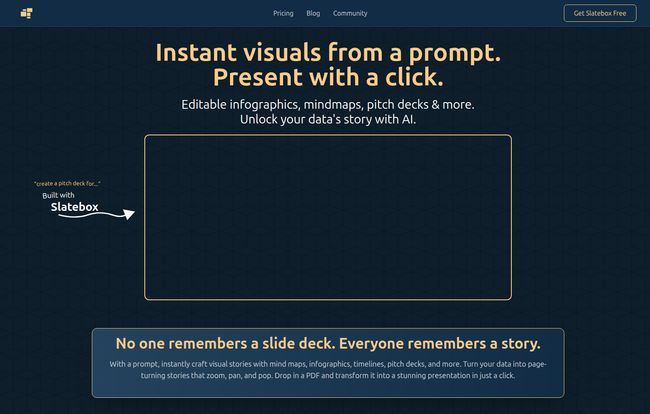
I came across Slatebox recently, and my inner SEO-nerd and marketing-guy perked up. The headline on their site is bold: “No one remembers a slide deck. Everyone remembers a story.” And you know what? They’re absolutely right. That line hit me hard. I’ve spent years helping clients tell their brand story, and more often than not, it gets trapped in a rigid, forgettable slide deck.
So, another AI tool promising to change everything. I was skeptical, as I always am. But I jumped in, and I have some thoughts. This isn’t just another slide maker; it feels different. It feels more like a creative partner.
So, What is Slatebox, Really?
Forget the jargon for a second. At its heart, Slatebox is a visual collaboration canvas with an AI brain. You give it a simple text prompt—like, “create a mind map for a new coffee shop launch” or “design a timeline for our Q3 marketing campaign”—and it just… does it. It generates a fully-editable, visually appealing ‘slate’ that you can tweak, expand, and collaborate on with your team in real time.
It’s designed to create things that are notoriously painful to build manually: infographics, complex mind maps, customer journey maps, pitch decks, and strategic roadmaps. It’s like having a conversation with a graphic designer who also happens to be a data analyst. You provide the seed of an idea, and it builds the entire garden.
Visit Slatebox
Putting Slatebox to the Test
The process they advertise is dead simple: “Type a prompt, create a slate. Click present once it loads.” And it’s pretty much that easy. I decided to give it a whirl with a real-world task I had on my plate: outlining a content strategy for a new client.
The Magic of the Prompt
Instead of opening a blank document and staring into the void, I typed: “Create an infographic about a 6-month SEO content strategy focusing on blog posts, link building, and technical audits.” I hit ‘Visualize’, and a few seconds later, a surprisingly coherent and well-structured visual map appeared. It wasn’t just a random assortment of boxes; it had created logical branches for each of the three pillars of the strategy, with sub-points and connected ideas. It was a genuine starting point, not a blank page. It was, frankly, a huge relief.
Editing and Making It Your Own
Here’s the part that really sold me. This wasn’t a static image. Every single element on the slate was editable. I could change the text, drag nodes around, add new connections, change colors, and rewrite the AI’s suggestions to better fit my client’s specific tone. This is huge. A lot of AI generation tools give you a finished product that’s hard to modify, but Slatebox gives you an intelligent draft. It does 80% of the grunt work, leaving you with the fun, creative 20%.
Key Features That Actually Matter
Okay, let’s get into the nitty-gritty. What makes this tool stand out from the crowd? It’s not just about pretty pictures.
AI-Powered Brainstorming on Steroids
This isn’t just a visualizer; it’s an ideation tool. The “AI-Powered Insights” feature is pretty slick. It suggests different ways to present your content or even helps you brainstorm the content itself. You’re not just drawing a mind map; you’re actively working with the AI to expand upon it. I found it genuinely helpful for getting past creative blocks. You can ask it to expand on a certain point, and it will generate new connected ideas. This is teh future of brainstorming, I think.
Real-Time Collaboration That Isn’t a Nightmare
I’ve tried to collaborate on visual documents before. It usually involves screen sharing, endless email chains with “final_v3_final_FINAL.jpg,” or tools where cursors lag and things get messy. Slatebox has multi-cursor support on an infinite canvas, so you and your team can be in there at the same time, moving things around, leaving comments, and workshopping ideas. The higher-tier plans even include audio and video huddles right on the canvas. It’s a much more integrated and less chaotic way to work together.
Dynamic Presentations, Not Static Slides
This is the killer app for me. Instead of clicking through a linear set of slides, a Slatebox presentation moves. It zooms, pans, and follows a path you define through your visual story. It’s very reminiscent of early Prezi, if you remember that, but with a modern UI and the power of AI generation behind it. You’re taking your audience on a tour of your ideas, not forcing them to read a report. This is how you make a story stick.
Who is Slatebox For? (And Who Should Skip It?)
Look, no tool is perfect for everyone. I’m a big believer in using the right tool for the job.
This is a fantastic fit for:
- Marketing Teams: Quickly creating campaign flows, customer journeys, and content strategy maps.
- Startup Founders: Building a compelling pitch deck that isn’t just another template.
- Consultants & Agencies: Presenting complex data and strategies to clients in a way they’ll actually understand and remember.
- Educators and Students: Making learning materials and projects more engaging and easier to digest.
However, if you’re a hardcore graphic designer who needs pixel-perfect control and lives inside the Adobe Creative Suite, this might feel a bit constraining. It’s a tool for rapid ideation and presentation, not for creating a final, print-ready brand guide from scratch.
Let’s Talk Money: The Slatebox Pricing Tiers
Okay, the all-important question: what’s it going to cost? The pricing is currently in beta, which is an important point to remember—these tiers could change. But as of now, it’s pretty compelling.
| Plan | Price | Key Features |
|---|---|---|
| Forever Free | Free | 10 AI Slates/Month, Audio Huddles, 3 Private Slates, Public Collaboration. |
| Solo-Pro | $6/month | 200 AI Slates/Month, Video Huddles, Unlimited Private Slates, Google Image Search. |
| Team-Pro | $8/month per user | 500 AI Slates/Month, Custom AI Personas, API Access, Private Team Collaboration. |
Note: These prices reflect the monthly billing option. Annual billing offers a discount.
The free plan is genuinely useful for trying it out and for occasional personal projects. But for any serious professional or team use, you’ll want to jump to at least the Solo-Pro plan to get more AI credits and unlimited private slates.
The Good, The Bad, and The Beta
No review is complete without a little pro/con action. Here’s my honest take.
What I’m Loving
The speed from idea to a working visual is just incredible. It shatters writer’s block and the ‘blank page’ problem. The presentations are genuinely more engaging, and the real-time collaboration is smooth. It’s also just… fun to use. It makes work feel a little more like play.
A Few Things to Keep in Mind
The biggest thing is that the pricing is in beta, so early adopters should be aware that things might shift. Also, the AI slate limits on the Free and Solo-Pro plans are something to watch. 10 AI slates on the free plan will go by fast once you get the hang of it. It’s not a dealbreaker, but it’s a reality of the freemium model.
Frequently Asked Questions about Slatebox
- Can I really use Slatebox for free?
- Yes, there is a “Forever Free” plan. It gives you 10 AI-generated slates per month, audio huddles, and up to 3 private slates, which is great for getting started and seeing if you like the workflow.
- What kind of visuals can I create with Slatebox?
- You can create a wide range, including mind maps, infographics, organizational charts, timelines, pitch decks, customer journey maps, and SWOT analyses. They provide a ton of templates to get you started, or you can build from a simple text prompt.
- Is Slatebox better than PowerPoint or Google Slides?
- It’s a different beast. I’d say it’s better for ideation, brainstorming, and telling a dynamic, non-linear story. If you need to create a very traditional, formal, slide-by-slide report for corporate compliance, PowerPoint might still be your go-to. Slatebox is for breaking out of that box.
- How does the AI in Slatebox actually work?
- It uses generative AI models. You type in a natural language prompt, and the AI interprets your request to structure information, find relationships between concepts, and lay it all out in a logical visual format. It also helps suggest content and layout improvements as you work.
- Can I import my own documents or data?
- The website mentions being able to “Drop in a PDF,” which suggests it can extract information and turn it into a visual slate. This is a powerful feature for transforming old, static documents into new, dynamic presentations.
My Final Verdict: Is Slatebox Worth Your Time?
I went in skeptical and came out a believer. Slatebox isn’t just adding an AI feature to an old product; it feels like a new way of thinking about how we create and share ideas. It successfully lowers the barrier to creating professional, visually stunning stories out of raw data and rough thoughts.
If you’ve ever felt the pain of a boring presentation—either making one or watching one—you owe it to yourself to check this out. It might just be the tool that finally lets your ideas shine the way they deserve to. It’s a definite thumbs-up from me, especially for marketers, founders, and anyone who needs to tell a compelling story.


