
Categories: AI Excel Formula Generator, AI Productivity Tools, AI Prompt Generator, AI Spreadsheet, Excel AI
Spreadsheet Daddy Review: Master Excel & Google Sheets?

Staring at a spreadsheet, a single cursor blinking in an empty cell, mocking you. You need to wrangle a mountain of data, create a pivot table that doesn’t look like a Picasso painting gone wrong, or just write a simple formula that doesn’t scream #ERROR! in your face. The struggle is real, and I’ve spent more hours than I’d like to admit scouring the internet for a solution that isn’t hidden behind a five-hundred-dollar course or written in a language only a developer could love.
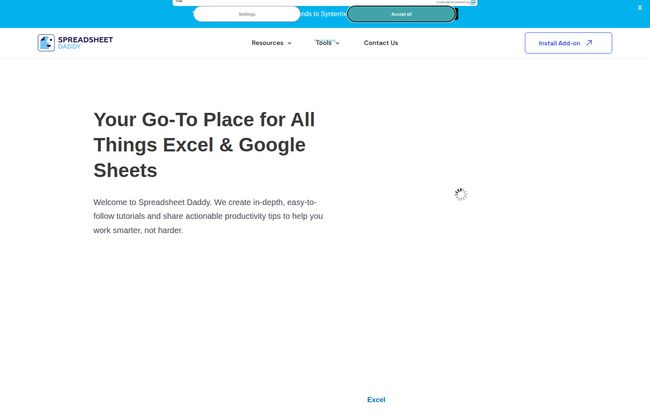
A few weeks back, while trying to automate a particularly nasty traffic report, I stumbled across a site called Spreadsheet Daddy. The name alone made me chuckle, but the tagline, “Your Go-To Place for All Things Excel & Google Sheets,” caught my attention. Skeptical but desperate, I clicked. And folks, I think I might have found something genuinely useful.
So, I decided to put on my SEO blogger hat, put the platform through its paces, and give you the full scoop. Is this the spreadsheet hero we’ve been waiting for?
What Exactly is Spreadsheet Daddy?
At its heart, Spreadsheet Daddy is an online resource hub built on a simple, beautiful philosophy: work smarter, not harder. Amen to that. It’s not trying to be a full-blown software suite. Instead, it positions itself as your knowledgeable guide, your digital mentor for the two titans of the spreadsheet world: Microsoft Excel and Google Sheets. It offers a library of tutorials, reviews of productivity tools, and some surprisingly slick AI-powered helpers, all designed to turn you from a spreadsheet novice into a confident power user.
A Deep Dive into the Tutorials
The core of the platform is its educational content. And this isn’t just a few half-baked blog posts. It’s a pretty substantial collection. I’ve seen my share of online tutorials, and the quality can be… let’s just say, variable. Here’s how Spreadsheet Daddy’s content stacks up.
Taming the Beast: Excel Tutorials
Excel has been around since the dinosaurs roamed the earth, or at least since the 80s, and its depth can be intimidating. Spreadsheet Daddy breaks it down into manageable chunks. You get the foundational stuff, like Excel 101, which is perfect for interns or team members who might have fibbed a little on their resume about their skills (we’ve all seen it). But it also gets into the meatier topics like:
- Charting & Data Analysis: Moving beyond basic bar graphs to actually tell a story with your data.
- VBA: Okay, I’ll admit, I thought VBA (Visual Basic for Applications) was a bit of a lost art. But for custom automation in Excel, it’s still incredibly potent. Seeing tutorials for it here shows a commitment to comprehensive coverage, not just the trendy stuff.
The Collaborative Powerhouse: Google Sheets Guides
In today’s remote and hybrid work world, Google Sheets is often the bread and butter of team projects. Its all about collaboration. The tutorials here reflect that modern need, covering everything from basic functions to complex formulas. But the thing that really made me sit up and take notice was the section on GPT for Google Sheets. This is incredibly timely. With AI seeping into every corner of the tech world, from content creation to CPC bidding strategies, showing users how to integrate it directly into their workflows is a huge win. It’s a clear sign that the site isn’t just recycling old content but is actively keeping its finger on the pulse of productivity trends.
Visit Spreadsheet Daddy
The Free Tools Are a Legitimate Game-Changer
Alright, let’s talk about the shiny objects. Tutorials are great, but free tools that solve an immediate problem? That’s where you get my attention. This is where Spreadsheet Daddy really distinguishes itself from a simple blog.
The Excel Formula Generator is, frankly, amazing. I think back to my early days in marketing, trying to nest seven IF statements together, getting syntax errors, and wanting to throw my laptop out the window. This tool lets you describe what you want to do in plain English, and it spits out the formula. It’s like having that one super-smart colleague who always knows the answer, but without the awkward small talk. This alone is a massive time-saver.
They also have an AI Prompt Generator, which is a nice little add-on for anyone working with AI tools. It helps you craft better prompts to get better results. It’s a small thing, but it shows they’re thinking holistically about modern productivity.
| Feature | What It Does |
|---|---|
| Excel & Google Sheets Tutorials | In-depth guides from beginner (101) to advanced (VBA, GPT integration). |
| AI Excel Formula Generator | Generates complex formulas from natural language descriptions. A huge time-saver. |
| Software & Tool Reviews | Reviews on things like B2B intent data providers and other productivity software. |
| Free Templates | A collection of ready-to-use templates for budgeting, bank reconciliation, and more. |
Let’s Talk Turkey: What’s the Catch?
So, what’s the cost? This is the part where I usually find the sneaky subscription page. But with Spreadsheet Daddy, it seems to be… mostly free. The vast library of tutorials, blog posts, and templates are accessible without pulling out your credit card. This is a massive plus.
I did notice mentions of an “Add-on” and the ability to get “2 more free API calls” by signing up. This suggests a freemium model for their AI tools. You get a certain amount of usage for free, and if you become a heavy user, there’s likely an option to pay for more. To me, this is perfectly fair. They provide immense value upfront, and it keeps the lights on without forcing a subscription on every visitor. It’s a smart model that respects the user.
My Honest Take: The Good and The Not-So-Good
What I Really Liked
Honestly, there’s a lot to like. The content is genuinely easy to follow, which is a rare feat for technical topics. The inclusion of modern AI tools like the formula generator and GPT tutorials makes it feel current and incredibly practical. And the fact that the bulk of this is free is the biggest advantage. It’s a low-risk, high-reward resource for anyone looking to up their spreadsheet game.
Where It Could Improve
No platform is perfect, right? The website mentions that it may contain ads, which is standard for any free resource providing this much content. As long as they aren’t intrusive, its a small price to pay. Also, the fact that some of the more advanced AI features might eventually hit a paywall could be a downside for some, but again, that’s just the reality of sustainable business online. I can’t really fault them for it.
Who is Spreadsheet Daddy For?
This is the easy part. It’s for almost anyone who touches a spreadsheet. I see it being invaluable for:
- Students needing to learn data skills for their courses.
- Office Administrators and Assistants who live and breathe spreadsheets.
- Marketers and SEOs (like me!) who need to analyze campaign data without getting a data science degree.
- Small Business Owners managing their own finances, inventory, or project plans.
Who isn’t it for? Maybe a high-level quantitative analyst who needs dedicated training in Python or R. But for the 99% of us who rely on Excel and Google Sheets, this is a fantastic resource to have in your back pocket.
The Final Verdict
So, is Spreadsheet Daddy the real deal? In my professional opinion, yes. It’s a thoughtfully constructed, genuinely helpful, and impressively modern resource. It successfully bridges the gap between being too basic and too complex, offering a comfortable learning curve for all skill levels.
In a world of overpriced courses and clickbait articles, Spreadsheet Daddy feels like a refreshing and authentic tool built by people who actually understand the day-to-day frustrations of working with data. It’s one I’ve already bookmarked, and I suggest you do the same.
Frequently Asked Questions
- 1. What is Spreadsheet Daddy?
- Spreadsheet Daddy is a free online resource that provides easy-to-follow tutorials for both Microsoft Excel and Google Sheets, along with free AI-powered tools and productivity software reviews.
- 2. Is Spreadsheet Daddy really free?
- The vast majority of the content, including tutorials and templates, is free. Some advanced features, like the AI tools, operate on a freemium model where you get a certain number of uses for free, with potential paid options for heavy users.
- 3. What kinds of tutorials can I find on the site?
- You can find a wide range, from beginner-level “101” guides to more advanced topics like data analysis, charting, VBA for Excel, and even integrating GPT AI into Google Sheets.
- 4. Does it offer more than just tutorials?
- Yes! A key feature is its free tools, including an AI Excel Formula Generator that writes formulas for you. It also offers free downloadable templates and reviews of other productivity tools.
- 5. Is Spreadsheet Daddy a good resource for beginners?
- Absolutely. The tutorials are designed to be easy to follow, and the foundational content is perfect for anyone just starting out with Excel or Google Sheets.


