
Categories: AI Knowledge Base, AI Prompt Generator, AI Transcription, AI Video Summarizer, AI Youtube Summary
Summify Review: The AI YouTube Summarizer I’m Using

You click on a 45-minute YouTube tutorial promising to reveal one tiny secret to improve your CPC campaign. You tell yourself you’ll just scrub through it. An hour later, you’ve watched the whole thing, learned about the creator’s dog, their vacation plans, and the secret? It was mentioned for about 12 seconds right in the middle.
The information overload is real, and frankly, I’m tired of it. My job revolves around staying on top of trends, which means consuming a mountain of content. So when I stumbled upon a Chrome extension called Summify, my ears perked up. Another AI summarizer? I know, I know, they’re popping up everywhere. But this one seemed a little different. I decided to take it for a spin.
Visit Summify
So What Exactly is Summify?
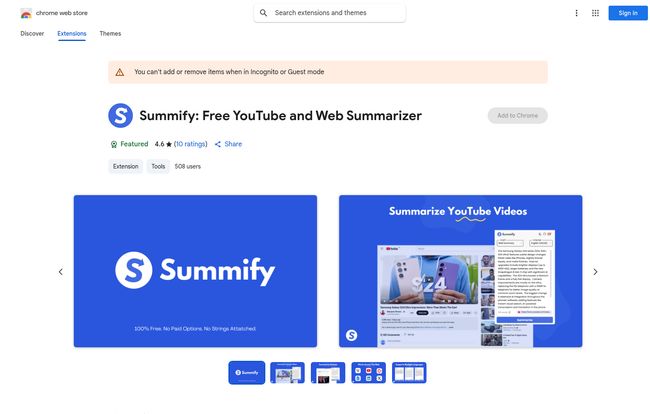
In simple terms, Summify is a productivity tool, specifically a Chrome extension, that uses AI to summarize YouTube videos and webpages. Instead of you having to sit through a long-winded video, it pulls out the transcript and gives you the highlights, the main points, and even a list of key topics with timestamps. It’s like having a research assistant who watches videos for you and just gives you the notes. Pretty neat.
The Key Features That Actually Matter
I’ve tested a lot of these tools, and most are one-trick ponies. Summify has a few tricks up its sleeve that made me stick around. It’s not just a basic summary generator; it feels a bit more interactive.
Instant Summaries That Don’t Suck
The main event, obviously, is the summary. Once you’re on a YouTube video, a little Summify box appears. You click it, and within seconds, you get a coherent summary of the entire video. I’ve used it on everything from complex SEO deep dives to product reviews. Is it perfect? No, we’ll get to that. But it’s shockingly good at capturing the core message, saving me from the endless ‘fluff’ that pads out most videos.
Asking Videos Questions is a Game-Changer
Okay, this is the part that felt like the future. Summify has an inline prompt feature. This means you can ask the video—or rather, its transcript—specific questions. I was watching a long video about the latest Google algorithm update and instead of hunting for the section on E-E-A-T, I just typed: “What does this video say about the ‘Experience’ factor?
Bam. It pulled the relevant info right out. For research, this is an absolute monster of a feature.
Timestamp Navigation for Surgical Strikes
The summaries it generates aren’t just a wall of text. They’re often broken down by topic and—this is the best part—linked to the exact timestamp in the video. So you can read the summary, find a point that piques your interest, and click to jump directly to that moment in the video. No more aimless scrubbing. It turns a passive viewing experience into an active information-gathering session.
The Good, The Bad, and The AI-Powered Reality
Nothing is perfect, right? Especially in the fast-moving world of AI tools. After using Summify for a couple of weeks, I’ve got a pretty balanced view of where it shines and where it stumbles.
What I really love is the sheer amount of time it saves. It has genuinely changed how I approach my content diet. I can get the gist of a dozen videos in the time it used to take me to watch two. The Q&A function and custom prompts give it a layer of control that many other summarizers lack. I can tailor my query to find exactly what I need, which is gold for any marketing professional.
However, let’s not get carried away. The quality of the summary is heavily dependent on the quality of the video’s transcript and the underlying AI, which appears to be ChatGPT. If the speaker mumbles or the auto-captions are a mess, your summary will be too. I’ve seen a few instances where the AI got the context slightly wrong or hallucinated a minor detail. It’s a powerful assistant, not an infallible oracle. You still need to use your brain and, for critical information, double-check by jumping to the timestamp. Think of it as a highly effective first draft.
Let’s Talk Price: Is Summify a Bargain?
This is where things get really interesting. Most tools in this space are pushing a subscription model. Five bucks here, ten bucks there… it adds up. Summify has a different approach, and I’ve gotta say, I’m a huge fan.
| Plan | Cost | Details |
|---|---|---|
| Free | $0 | Limited functionality. Comes with 10 “Diamonds” (credits) to test out the pro features. |
| Lifetime Membership | $19.99 USD | One-time payment. No monthly fees. Unlimited “Diamonds” for life. Yes, you read that right. |
That Lifetime Deal (LTD) for twenty bucks is, in my opinion, a no-brainer. In an age of endless SaaS subscriptions, a one-time purchase for unlimited use feels like a relic from a better time. It’s less than two months of what many competitors would charge. Even with its minor flaws, the value proposition here is off the charts. You get your money’s worth after summarizing just a handful of long webinars or conference talks.
Who Should Install Summify Immediately?
So, is this tool for everyone? Maybe not. My grandma probably doesn’t need to summarize YouTube videos. But for a certain type of person, it’s a massive win.
- Students and Researchers: Imagine digesting lectures and academic talks in minutes instead of hours. The Q&A feature alone is worth the price of admission for pulling out specific data points for a paper.
- Marketing and SEO Professionals: This is my camp. We have to watch competitor analyses, tutorials, and trend reports constantly. Summify lets you spy on—I mean, research—competitor video strategies at lightning speed.
- The Lifelong Learner: If you’re just a curious person who falls down YouTube rabbit holes but wishes you had more time, this is for you. It lets you skim the surface of more topics, more efficiently.
Frequently Asked Questions About Summify
- Is Summify completely free to use?
- It has a free version with basic functionality and 10 credits (called ‘Diamonds’) to try the advanced features. For unlimited use, you’ll want the Lifetime Membership.
- How accurate are the AI summaries?
- They are generally very accurate for videos with clear audio and good transcripts. However, like any AI tool, it can sometimes make small mistakes or misinterpret nuance. It’s best to use it as a guide, not as an absolute source of truth.
- What are ‘Diamonds’ in Summify?
- ‘Diamonds’ are the credit system used for pro features, like asking custom questions. The free plan gives you a few to start, but the Lifetime Deal gives you unlimited Diamonds forever.
- Does Summify work on websites other than YouTube?
- Yes, the name on the Chrome store is “Free YouTube and Web Summarizer.” It’s designed to summarize articles and webpages as well, making it a versatile reading companion.
- Is the $19.99 a one-time payment?
- Yes, it’s a one-time lifetime deal. You pay once and get unlimited access to the pro features forever, which is pretty rare and fantastic value.
My Final Verdict on Summify
Look, the digital world isn’t slowing down. The amount of content we’re expected to consume is only going to increase. Tools like Summify aren’t just a novelty; they’re becoming a necessity for staying sane and productive. It acts as a filter, a digital sieve that helps you catch the golden nuggets of information while letting the silt of wasted time wash away.
It has its quirks and its reliance on AI means it won’t be 100% perfect all the time. But for a one-time cost of $20, Summify provides an absurd amount of value. It has already saved me hours of tedious video watching. It’s a tool that respects your time. And in this economy, that’s the best feature of all.


