
Categories: AI Email Assistant, AI Email Generator, AI Email Writer, AI Productivity Tools, AI Writing Assistants
Superhuman Review: Is This AI Email Client Worth It?

Your inbox is a mess. Mine was too. A digital landfill of unread newsletters, “circling back” threads, and notifications I swore I’d turned off ages ago. For years, I felt like Sisyphus, but instead of a boulder, I was pushing a never-ending pile of emails up a hill, only to have them all tumble back down every morning. It was exhausting. I was a slave to the red notification bubble.
Then I started hearing the whispers in the tech and productivity circles. A name kept popping up: Superhuman. The claims were audacious. “The fastest email experience ever made.” “Save 4 hours a week.” My cynical SEO brain, hardened by years of overhyped SaaS promises, immediately scoffed. Four hours? A week? Yeah, right.
But the chatter didn’t stop. People I respected, founders and marketing heads, swore by it. So, I bit the bullet and dove in. And I’m here to tell you… they might have been on to something.
What Exactly is Superhuman, Anyway?
First off, Superhuman isn’t an email provider. It’s a ridiculously sleek, AI-powered front-end that sits on top of your existing Gmail or Outlook account. Think of it like a custom-built cockpit for a Boeing 747, instead of the standard, clunky dashboard. The plane is the same (your email server), but the way you fly it is worlds apart.
It’s built on a simple premise: email is a chore, and the key to conquering it is speed. Every single interaction is designed to be lightning-fast, mostly through an obsessive focus on keyboard shortcuts. It forces you out of the habit of mindlessly clicking and dragging your mouse, turning email management into a fluid, almost game-like experience. It’s a methodology as much as it is a tool.
The Features That Actually Made a Difference
A feature list is just a feature list until you see how it changes your workflow. Here’s the stuff that genuinely made me a believer.
The Magic of Triage and Split Inbox
This was the first ‘aha!’ moment for me. Superhuman automatically sorts your email into a prioritized “Important” feed and an “Other” feed. But the real power move is creating your own Split Inboxes. I have one for client communications, one for newsletters I actually read, one for internal team pings, and another for financial alerts. Instead of one monolithic firehose of messages, I have these neat, manageable streams. It’s the digital equivalent of having an impossibly organized assistant who sorts your mail before you even see it.
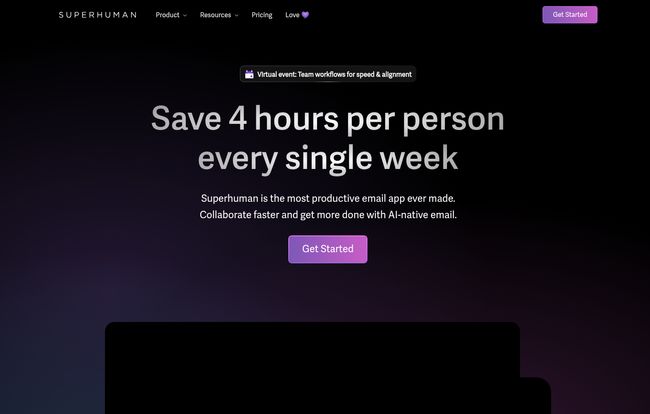
Visit Superhuman
Keyboard Shortcuts That Turn You Into a Ninja
I’ll be honest, the first day felt… clumsy. My muscle memory kept reaching for the mouse. But Superhuman gently nudges you to use the keyboard for everything. Hit ‘E’ to archive. Hit ‘R’ to reply. ‘Cmd+K’ (or ‘Ctrl+K’) brings up a command palette where you can do literally anything, from snoozing an email to creating a calendar event. Within a week, I was flying. It felt like learning to touch-type for the first time. Slow and awkward at first, then suddenly, you can’t imagine going back. Using standard Gmail now feels like trying to run in knee-deep mud.
AI That Does More Than Just Sort
This is where Superhuman really starts to justify its price. The AI isn’t just a gimmick. It learns from your behavior to get better at sorting, sure, but the newer features are what’s wild. The “Auto Drafts” feature can take a one-line instruction and spin up a pretty decent first draft of a reply. The “Ask AI” function lets you summarize long, painful email threads in a single click. It’s like having a junior copywriter living in your inbox, ready to handle the grunt work. It doesn’t write the perfect email every time, but it gets you 70% of the way there in two seconds flat. That’s a huge win.
Who is Superhuman Built For (And Who Should Skip It)?
This is not a tool for everyone, and that’s okay. If you get a handful of emails a day and your inbox is generally a peaceful place, this is probably overkill. It’s like buying a Formula 1 car to drive to the grocery store.
But if your job lives and dies in your inbox—if you’re in sales, a founder, a project manager, a busy executive, or anyone dealing with high volumes of critical communication—Superhuman is built for you. The integrations with HubSpot and Salesforce in the Business plan are a dead giveaway. This is a professional tool for people whose time is quite literally money.
Let’s Talk About the Price Tag
Okay, the elephant in the room. The price. It’s not cheap. My inner bargain-hunter definitely flinched at first. But here’s how I’ve come to justify it: think about what your time is worth. If the tool genuinely saves you 3-4 hours a week (and for me, it’s pretty close), what’s that worth to you financially? For most professionals, the math works out pretty quickly. It’s an investment in your own productivity and sanity.
| Plan | Price | Best For |
|---|---|---|
| Starter | $25 /user/month | Individuals and small teams wanting the core productivity boost. |
| Business | $33 /user/month | Professionals and teams needing advanced AI and CRM integrations. |
| Enterprise | Contact Sales | Large organizations needing advanced security, SSO, and dedicated support. |
My Honest Take on the Downsides
No tool is perfect. The reliance on Gmail and Outlook means if you’re on a different system, you’re out of luck. The learning curve is also very real. You have to commit to breaking your old habits, which can be frustrating for the first few days. And lets be honest, some people are put off by the almost cult-like devotion of its users. But to me, that kind of passion is usually a sign that a product is doing something very, very right.
Frequently Asked Questions About Superhuman
- Can I really get to Inbox Zero with Superhuman?
- Yes, but it’s more about a philosophy shift. Superhuman makes it incredibly easy to act on every email—archive, reply, or snooze—so your inbox stays clean. It’s designed to help you achieve and maintain Inbox Zero effortlessly.
- How long does it take to learn Superhuman?
- They provide a fantastic 30-minute onboarding call that gets you started. I’d say it takes about a week of consistent use to feel truly comfortable and fast with the keyboard shortcuts. You have to be willing to learn.
- Is Superhuman’s AI better than what’s in Gmail or Outlook?
- In my experience, yes. Gmail’s priority inbox is okay, but Superhuman’s AI, especially with features like Auto Drafts and Summarize, is more proactive and focused on saving you active work time, not just sorting passively.
- Can I undo sending an email?
- Absolutely. This is a built-in feature and it has saved my skin more times than I care to admit. You can set the undo-send window to be longer than the default in Gmail, giving you extra time to catch that embarrassing typo or forgotten attachment.
- Is the price negotiable or are there discounts?
- Generally, the pricing is fixed. They are very confident in the value they provide. They don’t seem to run public sales or discounts, positioning it as a premium, professional-grade tool.
The Final Verdict: Is It Worth the Hype?
So, do I think Superhuman is worth it? For me, the answer is a resounding yes. It transformed email from my most dreaded task into something I can manage in focused, efficient bursts. It’s not magic; you still have to read and write your emails. But it removes all the friction, all the wasted seconds that add up to hours of lost productivity and mounting frustration.
That bold claim of saving 4 hours a week? I think it’s achievable for the right user. Superhuman gave me back my time, and maybe more importantly, my sanity. It let me step off the email hamster wheel. And for me, that’s worth every single penny.


