
Categories: AI Chatbot, AI PDF, AI PDF Summarizer
TalkingPDF.io Review: Chat With Your PDFs Instantly

You see a 70-page PDF attachment in your email and a small part of your soul just withers and dies. I know mine does. Whether it’s a dense market research report, a technical whitepaper, or one of those ridiculously long academic studies that probably could have been a blog post, the feeling is the same: dread.
For years, my process was a painful ritual of CTRL+F, endless scrolling, and skim-reading until my eyes glazed over. I’ve wasted countless hours hunting for a single stat or a specific quote buried on page 47. So when I stumbled across a tool called TalkingPDF.io, which promised to let me “chat with any PDF,” my inner skeptic and my exhausted inner-productivity-hacker went to war. Could this actually work?
Spoiler alert: It mostly does. And it’s pretty cool.
So, What is TalkingPDF Anyway?
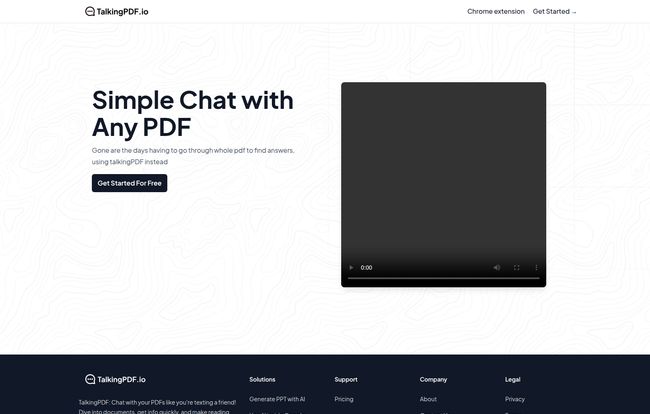
Think of it like this: you have a super-smart friend who’s a speed-reading genius. You can hand them any PDF, they’ll absorb it in seconds, and then you can just text them questions about it. That’s TalkingPDF in a nutshell. It’s a web app that uses AI to ingest a document and then provides you with a chat interface to ask questions about its contents.
Instead of you hunting through the document, the AI does it for you. You ask, “What were the Q3 revenue projections?” and it spits back the answer, often citing the part of the document it came from. It’s designed to turn a monolithic wall of text into a friendly, interactive Q&A session. A simple idea, but one with some serious potential to change how we handle information overload.
Visit TalkingPDF.io
I Put TalkingPDF to the Test
To give this a proper run, I didn’t want to use some simple, two-page document. No, I went for the jugular. I uploaded a notoriously dense, 50-page SEO industry report filled with charts, jargon, and enough data to make a grown marketer weep. Normally, I’d block out half a day to properly digest something like this.
I uploaded the file (which was surprisingly fast) and was immediately greeted with a chat box. My first question was simple: “Summarize this report in five bullet points.”
Seconds later, it delivered a pretty darn good summary. It caught the main themes, the key takeaways, and the overall conclusion. Okay, impressive. But summaries are getting common.
So I got specific. “What percentage of traffic did the report attribute to organic search in the B2B tech sector?”
Bingo. It pulled the exact statistic, 53%, and even told me I could find it in the ‘Channel Attribution’ section on page 22. This was the moment I started to get it. This wasn’t just a gimmick; it was a genuine time-saver. It felt less like software and more like a research assistant who I dont have to pay an hourly wage.
The Good, The Bad, and The AI
After playing around with it for a while, I’ve got some solid thoughts on where TalkingPDF shines and where it, well, shows its robotic roots.
What I Genuinely Liked
The biggest win here is speed. The time it saves is just undeniable. What would have taken me an hour of searching took me about five minutes of asking targeted questions. For professionals who bill by the hour or just value their sanity, this is huge. The interface is clean and dead simple—if you can use a chat app, you can use this.
I also appreciate that there’s a genuinely useful free version. You can get a solid feel for the tool’s power without ever pulling out your credit card. Its a great way to see if it fits into your workflow before committing.
Where It Gets a Little… Clunky
Look, let’s be real. This is still AI, and no AI is perfect. The site and the provided info admit it may not be 100% accurate, and that’s an important thing to remember. I asked it a particularly nuanced question about the sentiment behind a customer quote in the report, and the answer was a bit generic. It understood the words but missed the subtle, sarcastic tone.
So, here’s my take: use it for facts, figures, and finding information. Don’t use it to write your final thesis. It’s a first-draft-finder, a research-accelerator. You still need to be the human in the loop, applying critical thought and verifying the truly critical stuff. Think of the AI as your co-pilot, not the pilot. You wouldn’t let your co-pilot land the plane alone, would you?
Beyond Just Chatting: The Extra Goodies
Something I almost missed is that TalkingPDF isn’t a one-trick pony. The platform also offers a couple of other AI tools that are part of their ecosystem. They have an AI-powered presentation (PPT) generator and an AI integration for Google Sheets. I haven’t messed with these as much, but the fact that they’re building out a suite of productivity tools is a good sign. It shows they’re thinking bigger than just one function, which adds a lot of value.
Let’s Talk Money: Is TalkingPDF Worth the Price?
This is always the bottom line, isn’t it? The pricing is refreshingly straightforward. There’s the free plan, and then there’s Premium.
| Plan | Cost | Key Features |
|---|---|---|
| Free | $0 | Good for getting started, but has limits on PDF length, daily uploads, and number of questions. |
| Premium Monthly | $8 / month | No limits on PDF length, daily uploads, or questions. Also provides longer, more detailed replies. |
| Premium Yearly | $80 / year | Same as monthly, but you save about two months’ worth of fees. A better deal if you’re a heavy user. |
So, who should pay? In my opinion, the free plan is perfect for students or anyone who only occasionally deals with a long PDF. If you need to cram for an exam or quickly analyze one report a month, it’s fantastic.
The Premium plan is aimed squarely at professionals. Researchers, lawyers, consultants, marketers—anyone whose job involves constantly dissecting dense documents. At $8 a month, it costs less than two fancy coffees. If it saves you even one hour of work per month, it has already paid for itself. For my workflow, the yearly plan is a no-brainer.
My Final Verdict on TalkingPDF
After my initial skepticism, I’m genuinely impressed. TalkingPDF.io isn’t some revolutionary, world-changing technology, but it doesn’t have to be. It’s a practical, well-executed tool that solves a very real and very annoying problem.
It has successfully carved out a spot in my digital toolbox. It won’t replace my need to read, but it completely transforms the way I read. It turns passive consumption into an active dialogue, and for that alone, it’s worth checking out. It brings a bit of that AI magic to one of the most boring parts of my job, and that’s a win in my book.
Frequently Asked Questions
-
Is TalkingPDF really free to use?
- Yes, there is a free plan that’s quite functional. It has some limitations on things like the size of the PDF you can upload and how many questions you can ask per day, but it’s more than enough to see if you like the tool.
-
How accurate are the answers from TalkingPDF?
- They are generally very accurate for pulling direct information, facts, and figures. However, as with any AI, it can sometimes miss nuance or context. It’s best to use it as a powerful search tool and guide, but always double-check mission-critical information yourself.
-
Can I upload multiple PDFs at once?
- Based on the current interface, it seems to work with one PDF at a time. You upload a document, chat with it, and then would need to start a new session for a different document. This keeps the conversation focused on a single source of truth.
-
Is my data safe when I upload a PDF?
- The website has a privacy policy, which is always a good place to start. As a general rule of thumb for any cloud-based tool, I’d be cautious about uploading documents with extremely sensitive personal, financial, or proprietary information unless you are fully comfortable with their security protocols. For general reports and research, it’s perfectly fine.
-
What makes TalkingPDF better than just pasting text into ChatGPT?
- That’s a great question! The key difference is the direct integration and context. TalkingPDF is built specifically for this task. You don’t have to worry about text limits, formatting issues from copy-pasting, or providing extensive context in your prompts. The tool handles the entire document natively, making the process much smoother and the answers more reliably sourced from the document itself.
Reference and Sources
- TalkingPDF.io Official Website
- Official Pricing Page
- Information Foraging: Why Google Makes Us Smarter – An interesting article by the Nielsen Norman Group on how we seek information, a concept that tools like TalkingPDF tap into.


