
Categories: AI Developer Tools, AI Testing, No-Code&Low-Code
Testbook.ai Review: No-Code AI Testing That Isn’t a Gimmick?

I want you to picture this. It’s 10 PM on a Thursday. The big launch is tomorrow. You’re running the final regression tests, and… half of them fail. Not because the app is broken, but because a developer innocently changed a button’s ID, and now your entire Selenium script is on fire. We’ve all been there. It’s that special kind of tech-induced misery that makes you question your life choices.
For years, the promise of “easy” automated testing has felt like a bit of a mirage. Tools were either too simplistic to handle real-world apps or required a full-blown software engineering degree to operate. So when I stumbled upon Testbook.ai, with its big claims of AI-powered, no-code testing, my inner skeptic raised a very prominent eyebrow. Another one? But I’ve got to say, after spending some time with it, this one feels… different.
Let’s get into whether Testbook.ai is just another flash in the pan or if it’s genuinely changing the game for QA teams and developers.
So, What is Testbook.ai, Really?
At its heart, Testbook.ai is a test automation platform that doesn’t force you to write code. You know the drill: you hit ‘record’ via a Chrome extension, click through your web app like a normal user would, and the tool captures your actions to create a repeatable test script. Simple. Maybe too simple, right? That’s where I’ve been burned before.
But here’s the twist. Testbook.ai isn’t just a dumb tape recorder. It wraps this core functionality in a thick layer of AI. It doesn’t just see a click on `div id=’submit-btn-123’`; it understands the context, the visual elements, and the user’s intent. This means when that ID inevitably changes to `submit-button-final-v2`, the tool doesn’t just throw its hands up in despair. But more on that in a second.
It’s built for regression testing, visual UI checks, and even a hybrid approach that mixes automated steps with manual ones. Think of it as a tool for people who need to ensure quality but don’t want to become full-time automation engineers.
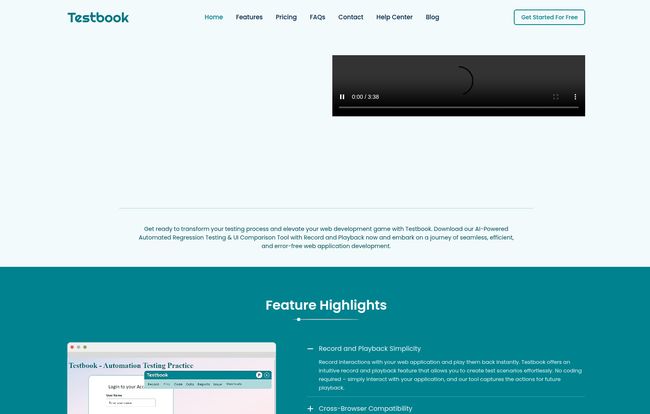
Visit Testbook.ai
The Standout Features That Genuinely Impressed Me
A feature list is just a feature list until you see how it solves a real problem. Here’s the stuff that made me nod and say, “Okay, they get it.”
The Magic of Self-Healing Scripts
This is the big one. The Achilles’ heel of any record-and-playback tool is brittleness. A tiny change to the front end, and your tests shatter into a million pieces. Testbook.ai’s self-healing feature is its answer to this. It’s like having a GPS in your car. If the road you planned to take is closed, it doesn’t just stop; it intelligently finds an alternative route.
“When element properties like IDs or XPath change, the tool intelligently switches to alternative locators to ensure the script doesn’t break. For anyone who has spent hours updating tests after a minor UI refresh, this is an absolute game-changer.”
This single feature moves the platform from a ‘nice-to-have’ toy to a genuinely reliable tool for a fast-moving development environment.
More Than a Recorder: The SmartAI Observer
While you record, the SmartAI Observer is watching over your shoulder. Not in a creepy way, I promise. It tracks changes in text, colors, visibility, and even element states. This means your tests aren’t just checking if a button can be clicked; they’re checking if the button looks and behaves correctly. It catches the subtle visual bugs that often slip through into production, saving you from that embarrassing “the button is bright pink for some reason” feedback from a client.
It Plays Nice with Your Existing Workflow
No tool exists in a vacuum. If it can’t integrate with the stuff you already use, it’s dead on arrival. Testbook.ai seems to understand this perfectly. It offers one-click integration with Jira, so you can push bugs you find directly into your team’s backlog without a bunch of copy-pasting. Huge time saver.
Even better, it connects with all the major cloud testing grids like Sauce Labs, BrowserStack, and LamdaTest. This allows you to run your recorded tests across dozens of different browser and OS combinations, ensuring your app works for everyone, not just on your machine. This is enterprise-level functionality in a surprisingly accessible package.
A Look at the Pricing: What’s the Damage?
Alright, let’s talk money. Testbook.ai operates on a subscription model, with Premium and Enterprise tiers. The pricing is listed in Indian Rupees (₹), so if you’re elsewhere, you’ll need to do a quick conversion. The good news is they seem to offer pretty hefty discounts for longer commitments.
Here’s a simplified breakdown of their premium offerings:
| Plan | Duration | Key Features Included |
|---|---|---|
| Premium | 3 Months | Unlimited Recording, Multi-Browser, Advanced Reports, Code Export, Cloud Testing |
| Premium | 6 Months | All of the above (often with a better discount) |
| Premium | 1 Year | All of the above (typically the best value) |
They also have a custom Enterprise plan for larger teams, which adds things like unlimited users, priority support, and a dedicated account manager. In my opinion, the cost needs to be weighed against teh hours you’d save. If this tool saves even one developer or QA person 5-10 hours a month, it probably pays for itself.
The Not-So-Perfect Bits (My Honest Criticisms)
No tool is perfect, and it would be dishonest to pretend otherwise. My main hesitation is the reliance on a Chrome extension for recording. While Chrome is dominant, teams that need to heavily test on Firefox or Safari might find this initial step a bit limiting, even if playback can happen on other browsers via cloud grids. Also, it’s a subscription. I get it, that’s the world we live in, but some teams with tight budgets prefer a one-time purchase model, which isn’t an option here.
Finally, to get the full power, you may need a server download, which could be a hurdle in some locked-down corporate environments. These aren’t deal-breakers for most, but they are things to be aware of before you jump in.
Frequently Asked Questions About Testbook.ai
Do I need to be a developer to use Testbook.ai?
Nope! That’s kind of the whole point. The interface is designed to be user-friendly for QA analysts, product managers, and manual testers. No coding skills are required to create, run, and manage tests.
How exactly does the self-healing feature work?
Instead of relying on a single, fragile selector (like an element’s ID), Testbook.ai’s AI captures multiple attributes for each element. When one attribute changes, it uses the others to find the element, effectively “healing” the script so it doesn’t break.
Can I integrate Testbook.ai with my team’s tools?
Most likely, yes. It has a strong focus on integration, especially with Jira for bug tracking and major testing cloud platforms like BrowserStack and Saucelabs for comprehensive cross-browser testing.
What if I DO know how to code and want more control?
That’s a great question. Testbook.ai offers a code export feature. This allows you to export the test scripts, which can be a fantastic starting point for more complex, customized test scenarios managed by an SDET (Software Development Engineer in Test).
Final Thoughts: Is Testbook.ai Worth Your Time?
After my initial skepticism, I’m genuinely optimistic about Testbook.ai. It successfully tackles the biggest historical weakness of record-and-playback tools—brittleness—with its smart, AI-driven features. It’s not trying to replace skilled automation engineers, but it is dramatically lowering the barrier to entry for creating reliable, automated test suites.
For startups, mid-sized companies, and agencies that need to move fast without sacrificing quality, this tool could be a massive productivity booster. It automates the tedious work, letting your team focus on what really matters: building a great application. It’s a strong contender in the modern testing landscape, and one I’ll be keeping a close eye on.


