
Categories: AI Meeting Assistant, AI Note Taker, AI Productivity Tools, AI Scheduling, AI Summarizer, AI Task Management, AI Transcription
timeOS Review: The AI Tool That Actually Fixes Meetings?

How many times this week have you sat in a meeting, staring into the middle distance, thinking, “This absolutely could have been an email
? If you’re anything like me, the answer is probably… more than you’d care to admit. The back-to-back calls, the frantic search for last week’s notes, the awkward silence while someone tries to find the right tab to share. It’s a productivity nightmare.
For years, we’ve just accepted this as the cost of doing business. But the recent explosion in AI tools has me wondering if there’s a better way. I’ve seen a hundred different platforms promising to revolutionize my workflow, but most of them feel like more work than they save. And then I stumbled across timeOS.
It bills itself as an AI-powered New Tab page for your meetings. A bit of an odd description, right? But it caught my eye. The claim is that it can prep you for meetings, take notes for you, and track your action items automatically. A bold claim. So, as your friendly neighborhood SEO and traffic nerd, I had to put it through its paces. Is this another piece of AI vaporware, or is it the life-changing magic for meetings that one user claimed it to be? Let’s find out.
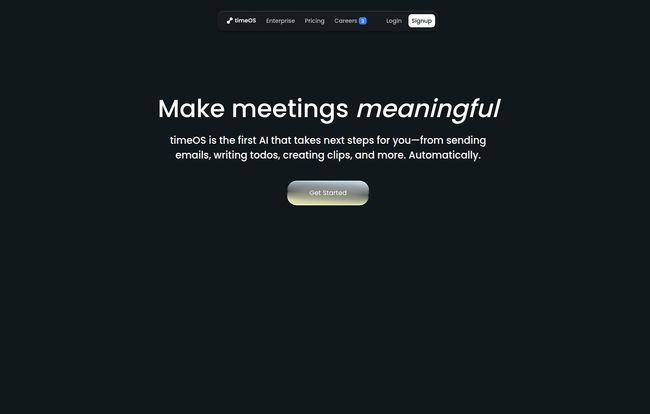
Visit timeOS
So, What is timeOS, Really?
Forget the jargon for a moment. At its core, timeOS is like a hyper-organized executive assistant that lives inside your web browser. Whenever you open a new tab, instead of a blank page or a search bar, you get a dashboard that’s all about your next meeting. It’s deceptively simple, but the magic is in the details.
It plugs directly into your calendar (Google or Microsoft) and automatically pulls up relevant info for your upcoming call. We’re talking context from past emails in Gmail, notes from previous meetings, and even quick links to the LinkedIn profiles of the people you’re about to talk to. No more frantic, last-minute searching. It’s all just… there.
It’s designed to be the central nervous system for your professional conversations, working quietly in the background with tools you already use, like Zoom, Google Meet, and Microsoft Teams.
The Features That Genuinely Save Time
A feature list is just a list. What matters is how those features impact your actual workday. Here’s the stuff that stood out to me.
Instant Briefs: Your Pre-Meeting Superpower
This is probably my favorite thing. The ‘Instant Brief’ feature is the tool’s answer to pre-meeting anxiety. It’s an AI-generated summary that gives you the complete lowdown before you even join the call. It pulls together everything—past action items, relevant documents, and conversation history. It’s like having a pre-read for every meeting, without you having to do any of the reading. For a sales call, this is gold. For a project check-in, it’s a lifesaver.
The AI Scribe: Say Goodbye to Manic Note-Taking
You know the feeling. You’re trying to contribute to the conversation while simultaneously typing up coherent notes. You end up doing both things poorly. The AI assistant in timeOS joins your meetings and transcribes everything in real-time. But it’s more than just a wall of text. It intelligently identifies action items, decisions, and key takeaways, then presents them in a neat summary. One user on their site said it “transformed our meetings by turning them into actionable outcomes,” and honestly, I get it. It lets you actually focus on the conversation, which is kind of the whole point of a meeting, isn’t it?
Seamless Integrations: It Actually Plays Nice with Others
A new tool is useless if it doesn’t fit into your existing stack. This is where so many platforms fail. timeOS seems to understand this perfectly. It connects with the tools where work actually happens. You can zap your action items and notes straight to places like:
- Slack
- Notion
- Asana
- Trello
- Todoist
- HubSpot & Salesforce
This isn’t just a gimmick. It closes the loop. A task identified in a Zoom call can be in your Asana project board before the call even ends. No more forgotten follow-ups. That’s a huge win for anyone managing complex projects or a busy sales pipeline.
Let’s Talk Turkey: The timeOS Pricing Breakdown
Alright, the all-important question: what’s this going to cost? The pricing structure is actually pretty straightforward, which I appreciate. They have a few tiers aimed at different types of users.
| Plan | Price (Billed Annually) | Best For |
|---|---|---|
| Free | $0 / forever | Individuals or anyone wanting to test the waters. You get up to 10 AI-assisted meetings, which is plenty to see if you like it. |
| Pro | $19 / person / month | Freelancers, consultants, and power users who are in meetings constantly. This unlocks unlimited everything. |
| Business | $25 / person / month | Teams who need collaboration features, unified billing, and advanced security like SOC 2 compliance. |
Note: Monthly pricing is also available, but you get a decent discount for paying annually.
Frankly, the Free plan is incredibly generous. Ten AI meetings is more than enough to get a real feel for the platform’s value. For solo professionals, I think the Pro plan is the sweet spot. The jump to the Business plan makes sense once you have a team and need to manage permissions and workspaces.
The Good, The Bad, and The Workflow
No tool is perfect. Let’s get into the nitty-gritty. The biggest advantage is the sheer amount of time it saves on manual, repetitive tasks. The prep work, the note-taking, the follow-up… it adds up. It genuinely improves focus during calls and enhances collaboration by making sure everyone is on the same page, literally.
On the flip side, it’s another tool to integrate. While it works with your existing tools, it doesn’t replace them. You still need your project management software and your CRM. And to get the most out of it, you might need to tweak your existing workflows a bit to incorporate its features, which always involves a little bit of a learning curve for a team. Also, the free plan, while great, does cap your AI meetings and Instant Briefs, so heavy users will quickly feel the need to upgrade.
My Final Take: Is timeOS Worth It?
After playing around with it for a while, my gut feeling is a strong ‘yes’. It’s one of the few AI tools I’ve seen that solves a real, tangible problem without adding unnecessary complexity. It’s not trying to be everything at once. It’s focused on one thing: making your meetings meaningful and productive.
The privacy-by-default approach is also a massive plus for me. In an age where we’re throwing our data at every new AI that pops up, knowing they have end-to-end encryption, GDPR compliance, and user-controlled data makes me much more comfortable hooking it into my calendar and email.
If you’re a manager, a salesperson, a consultant, or anyone whose calendar looks like a game of Tetris gone wrong, I’d say give the free plan a shot. You’ve got nothing to lose but the soul-crushing boredom of your next pointless meeting.
Frequently Asked Questions about timeOS
- 1. Is timeOS secure? Can it read all my emails?
- It’s a valid concern! timeOS emphasizes its ‘private by default’ policy. It only accesses data needed to prepare your meeting briefs and is GDPR compliant. The Business plan also offers SOC 2 Type 2 compliance, which is a high standard for security. It’s not just scanning your entire inbox for fun.
- 2. What meeting platforms does timeOS work with?
- It integrates directly with the big three: Zoom, Google Meet, and Microsoft Teams. The AI assistant can join your calls on these platforms to provide live transcription and summaries.
- 3. Is the Free plan actually useful?
- Yes, surprisingly so. With up to 10 AI-powered meetings and 10 Instant Briefs, it’s more than a simple trial. It’s genuinely usable for someone with a handful of important meetings a month and is the perfect way to evaluate the tool without commitment.
- 4. How good is the AI transcription and summary?
- In my experience, its pretty darn good. Like all AI, it’s not 100% flawless, especially with heavy accents or technical jargon. But for identifying action items and creating a coherent summary of a standard business conversation, it’s a massive improvement over manual notes.
- 5. Can I customize the AI assistant?
- On the Pro plan, yes. You get a 100% customizable AI assistant, which means you can tailor its responses, background, and other elements to better fit your personal or brand style.
Conclusion
The quest to fix meetings is a long and storied one. We’ve tried different agendas, stand-up formats, and all sorts of methodologies. timeOS presents a different approach: what if the problem isn’t the meeting itself, but the cognitive load that comes with it? By automating the prep, the documentation, and the follow-up, it frees up brainpower to focus on what matters—human connection and collaboration. It’s a smart tool that solves a dumb problem, and in my book, that’s a recipe for success.


