
Categories: AI Ad Generator, AI Avatar Video Generator, AI Marketing, AI Script Writing, AI Short Video Generator, AI Subtitle Generator, AI Video Editor, AI Video Generator, AI Voice Over, Script To Video AI Generator
Topview AI Review: Create Viral Videos in Just One Click?

As an SEO and traffic guy, I’ve seen the writing on the wall for years. Video isn’t just a part of the marketing mix anymore; it IS the mix for so many brands. TikTok, Reels, YouTube Shorts… the content treadmill never stops. But the biggest headache? The production. It’s a time-suck, a money pit, and it requires skills that many of us, frankly, just don’t have. We’re marketers, not Spielberg.
So, when a tool like Topview AI lands on my radar, claiming to turn a simple link into a ‘viral video’ with one click, my inner skeptic raises a well-trained eyebrow. It promises the world: 100% AI-generated videos, no models, no cameras, no complex editing software, all at a fraction of the traditional cost. Sounds too good to be true, right? Well, I decided to pull back the curtain and see if it’s all smoke and mirrors or if this thing is the real deal. And I gotta say, I’m intrigued.
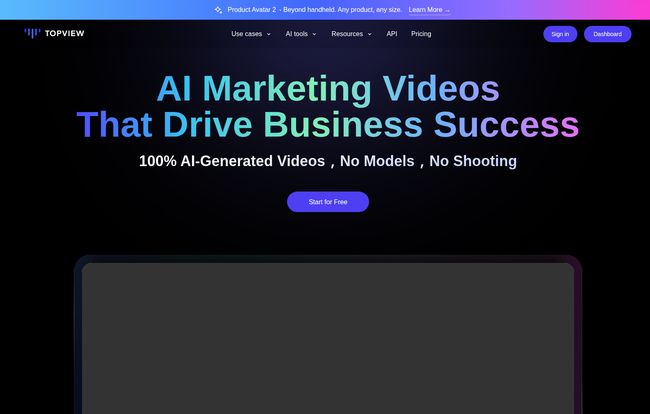
Visit Topview.ai
So What Exactly is Topview AI?
Think of Topview not as a replacement for Adobe Premiere Pro, but as a completely new category of tool. It’s an AI video editor built on the idea of radical efficiency. Its headline feature, and the one that probably brought you here, is the ability to take a URL—say, from a product page or a blog post—and have its AI, powered by the mighty GPT-4o, whip up a video script. From there, it automatically selects stock footage, generates a surprisingly lifelike voiceover, adds captions, and presents you with a ready-to-post video.
It’s like having a director, a scriptwriter, and a whole cast of actors on-call, all living inside your browser. This isn’t just about stringing clips together; it’s a full-stack production suite aimed squarely at people who need to create video content fast without sacrificing quality.
Diving Into The Key Features
Okay, the ‘one-click’ promise is a great hook, but what’s actually under the hood? I spent some time tinkering, and a few features really stood out as being more than just gimmicks.
The “URL to Video” Magic Wand
This is the main event. You paste a link, and Topview gets to work. It scrapes the content, understands the context, and writes a script. For my test, I used an old blog post about SEO basics. The AI spat out three different script options, which was a nice touch. The resulting video was… surprisingly coherent. The AI-selected clips were relevant, the pacing was decent, and the whole thing was done in about two minutes. Is it going to win an Oscar? No. But is it a solid, professional-looking video I could post on LinkedIn or as a Reel today? Absolutely. And that’s the point.
AI Avatars and Voices That Don’t Suck
We’ve all seen those creepy, robotic AI avatars from a few years ago. I’m happy to report we’ve come a long way. Topview offers a library of over 500+ diverse AI avatars that look genuinely human. They blink, their head moves subtly, and their lip-syncing is pretty darn good. You can choose your presenter, pop them in front of a background, and have them read your script. The voice library, powered by tech from OpenAI and ElevenLabs, is also impressive, with support for over 20 languages. You can find a voice that actually fits your brand, not just a generic ‘AI voice’. This is a huge deal for creating localized content on a global scale.
A Game-Changer for Ecommerce: Product Avatars and AnyShoot
Now this… this is where I think Topview could really disrupt things. If you run an e-commerce store, you know the pain of product photography. You need models, a studio, a photographer… it’s a whole thing. Topview has two incredible features for this:
- Product Avatar: You upload a photo of your product, and the AI generates images of different AI models wearing or using your product. Need to show your t-shirt on 10 different people with different looks? Done. Without a single photoshoot.
- Product AnyShoot: This takes it a step further. You can place your product in various scenes and settings. Want to see your handbag on a cafe table in Paris? Or your skincare product in a minimalist bathroom setting? You can generate these lifestyle shots in seconds.
The cost-saving potential here is just immense. You can create an entire catalog of diverse, high-quality product assets for the price of a couple of lattes.
You’re Still in the Driver’s Seat
One of my biggest fears with these all-in-one AI tools is the loss of control. I was relieved to see that Topview isn’t a black box. After the AI does its initial heavy lifting, you can jump in and make manual edits. You can swap out clips you don’t like, tweak the script, adjust the timing of captions, or change the music. It strikes a good balance between automation and creative control, which is crucial for any serious marketing effort.
Breaking Down The Topview Pricing Plans
Alright, let’s talk money. Every marketer’s favorite and least favorite subject. Topview uses a credit-based system, which is pretty standard for AI tools. Here’s how their plans shake out, based on their monthly payment option.
| Plan | Price (Monthly) | Who It’s For | Key Features |
|---|---|---|---|
| Free | $0/mo | Tinkerers & Testers | 10 credits/month, 100+ avatars, 6 video previews, contains watermark. Good for getting a feel for the platform. |
| Pro | $18/mo | Solopreneurs & Small Creators | 60 credits/month, 500+ avatars & voices, unlimited previews, no watermark, 1080p export. A solid starting point. |
| Business | $45/mo | Marketing Teams & Agencies | 180 credits/month, all Pro features, plus team collaboration (3 seats) and faster rendering. |
Note: They offer a discount if you pay annually, which brings the Pro plan down to around $18/mo and the Business plan to $45/mo, which seems to be how they’re framing it in some places. Always double-check the billing cycle! They also have a larger Enterprise plan for big teams.
The credit system is pretty straightforward: 1 credit generally equals 1 minute of video generation. For a small business needing to pump out a few short-form videos a week, the Pro plan seems like the sweet spot.
The Good, The Bad, and The Honest Truth
No tool is perfect. After my deep dive, here’s my unfiltered take on the pros and cons.
What I loved was the sheer speed and efficiency. The idea-to-video time is ridiculously short. It’s also incredibly cost-effective. The cost of a monthly subscription is less than what you’d pay a freelance editor for a single video. The accessibility is another huge plus; you don’t need any prior video editing experience to get a decent result. The e-commerce features, in particular, feel like a secret weapon.
On the flip side, there are a few things to keep in mind. The biggest one for people starting out is the watermark on the free plan. It’s standard practice, but it means you can’t really use the videos professionally until you upgrade. A more significant limitation for me is that it’s not yet available on mobile devices. So much of my work happens on the go, and a companion app for quick edits would be amazing. Lastly, their policy of no refunds on started subscription periods is something to be aware of—make sure you’re committed before you pay.
Frequently Asked Questions about Topview AI
Can I use the videos generated by Topview commercially?
Yes! Once you are on a paid plan (which removes the watermark), you have full commercial rights to the videos you create. This includes the AI voices and avatars provided within the platform.
What kind of links work with the URL-to-Video feature?
It works best with content-rich links like blog posts, news articles, or detailed product pages. The AI needs enough text to understand the topic and generate a meaningful script. A simple landing page with minimal text might not yield great results.
How good is the multi-language support?
From what I’ve tested, it’s quite impressive. With support for over 20 languages and a variety of accents within those languages, it’s a powerful tool for businesses targeting international audiences. It’s much more than a simple translation; it generates natural-sounding voiceovers in the target language.
Is there a limit to how many videos I can make?
The number of videos you can generate and export is tied to your monthly credit allowance. However, you can create unlimited video previews on the paid plans, which is great for experimenting without burning through your credits. You only use credits when you’re ready to export the final, high-resolution video.
What happens if I cancel my subscription?
According to their FAQ, if you cancel a paid subscription, you can continue to use the paid features until the end of the current billing period. The avatars you created during your subscription will still be usable if you resubscribe later.
My Final Verdict on Topview AI
So, is Topview AI the magic bullet that will solve all our video production woes? Not exactly. It won’t replace a high-end creative agency for a Super Bowl commercial. But that’s not its purpose.
Topview is a force multiplier. It’s for the fast-moving marketer, the bootstrapped startup, the e-commerce owner, and the content creator who needs to feed the relentless content beast without going broke or insane. It automates the 80% of video work that is often tedious and repetitive, freeing you up to focus on strategy and creativity.
The ‘URL to Video’ feature is a powerful starting point, and the product-centric AI tools are genuinely innovative. While it has its limitations, the platform is slick, the outputs are professional, and the potential for saving time and money is undeniable. If you’re feeling the pressure to produce more video content, I’d say giving their free plan a spin is a no-brainer. You might be surprised at what you can create in just a few clicks.
Reference and Sources
- Topview AI Official Website
- Topview AI Pricing Page
- Wyzowl Video Marketing Statistics (for general industry context)


