
Categories: AI Assistant, AI Design Assistant, AI Icon Generator, AI Image Generator, AI Text Generator, AI UX Design
Typper Review: The Figma AI for UX Writing You Need?

The whole ‘AI is coming for our jobs’ narrative is getting a little tired, isn’t it? Especially in the design world. Every other week there’s a new tool that promises to automate creativity, and we all share a collective, digital eye-roll. We’ve seen it all before. But then, every once in a while, a tool comes along that doesn’t shout about replacing you. Instead, it quietly offers to be your new best friend.
It wants to handle the boring stuff. The tedious, repetitive tasks that drain your creative energy. That’s the vibe I immediately got from Typper, and I have to say, it’s refreshing.
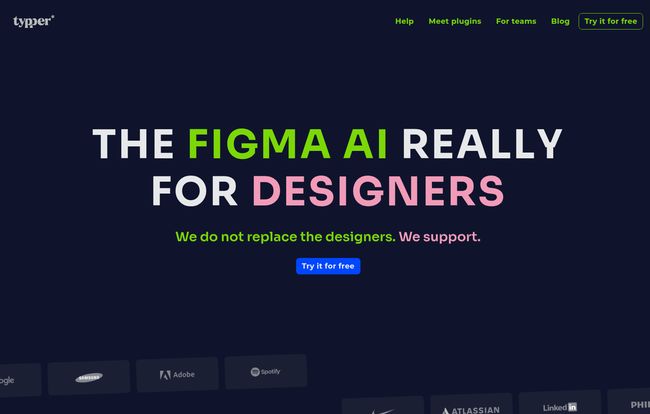
I stumbled upon their site, and the first thing I saw was this massive headline: “THE FIGMA AI REALLY FOR DESIGNERS. We do not replace the designers. We support.” Talk about a breath of fresh air. Finally, a company that gets it. This isn’t about handing the keys over to a robot; it’s about getting a smart assistant that lives right inside Figma. So, I decided to take a closer look.
So, What Exactly is Typper?
At its core, Typper is a design system manager built as a Figma plugin. But here’s the twist: right now, it has a very specific mission. It’s hyper-focused on one of the most chaotic parts of any big design project: UX writing.
You know what I’m talking about. The endless back-and-forth over a button label. The frantic search for the exact wording for an error message that you know you wrote down somewhere. Is it “Submit Info” or “Submit Information”? Does this tooltip match the one on the other page? It’s a mess of tiny details that can derail a project’s consistency. Typper aims to be the single source of truth for all that copy, right within your design files.
Think of it as a dedicated, AI-powered sous chef for your words. You’re the head chef, focused on the big picture, the user experience, the visual flair. Typper is in the corner, meticulously organizing your ingredients (the copy) so everything is consistent, prepped, and ready to go when you need it. It’s a specialist, and in my experience, specialist tools often do their one job exceptionally well.
The company also makes it clear they have bigger plans. They want to evolve into a complete design system manager down the road. But for now, they’re solving one problem, and solving it well.
Visit Typper
The One Thing Typper Does Really, Really Well
The main event here is UX Writing Design System Management. What a mouthful, right? But what it means in practice is pretty powerful. It allows you and your team to build a centralized, living library of all the text strings in your product. Every button, every label, every header, every piece of microcopy. All managed in one place.
This is a game-changer for consistency. When the copy for ‘Sign Up’ needs to change to ‘Create Account’ across 50 different screens, you don’t have to go on a digital scavenger hunt. You change it in the system, and it updates everywhere. This isn’t just a time-saver; it’s a sanity-saver. It enforces brand voice and ensures a coherent user experience without you having to police every single text box manually. For teams, this is huge. For solo designers trying to maintain professional standards… it’s a lifeline.
My Honest Take: The Good and The… Not-Yet-There
No tool is perfect, especially a newer one. So let’s break down what I’m excited about and what gives me pause.
What’s Great About It
Its laser focus is, ironically, its biggest strength. Instead of trying to be a bloated, all-in-one solution from day one, it tackles a very real, very annoying problem for product designers and UX writers. By specializing, it can offer a more refined solution for that specific pain point. I respect that approach. It shows they understand the actual workflow of their target audience.
I’m also genuinely intrigued by their roadmap. The promise of it becoming a complete design system manager is compelling. Getting in on the ground floor of a tool like this can be a smart move, as you get to grow with the platform and often lock in better pricing.
Where It Could Improve
The flip side of that laser focus is, well, it’s limited. If you’re looking for a tool to manage your colors, components, spacing, and everything else right now, this isn’t it. It’s a specialist, not a generalist. That’s not really a flaw, just a reality of its current state. You have to buy into the vision. You’re paying for what it is today, with a bet on what it will become tomorrow. So just be aware of that.
Let’s Talk Money: Typper Pricing
The pricing structure is straightforward, which I appreciate. No confusing tiers or hidden fees. You’ve got two main options, and both come with a 15-day free trial, so you can and absolutely should test it out before committing.
| Plan | Price | Key Features |
|---|---|---|
| Monthly | US $16 / month | Includes Typper Images and all current Typper plugins. |
| Yearly | US $13 / month (billed annually at $156) | Includes everything in Monthly, plus all future plugins. |
Honestly, the yearly plan seems like the obvious choice if you decide to jump in. It’s cheaper per month, and the inclusion of all future plugins is a massive piece of added value. It shows confidence from the developers and rewards early adopters. If you use the trial and find it streamlines your workflow, going annual is probably a no-brainer.
Is Typper the Right Fit for Your Workflow?
So, who should smash that ‘Try it for free’ button? I’d say this is a perfect fit for:
- In-house design teams struggling to maintain copy consistency across multiple products or features.
- UX Writers who want to be more embedded in the design process and own the copy system.
- Freelance UI/UX designers who want to deliver more professional, polished, and consistent projects to their clients.
Who might want to hold off? If you’re a designer who barely touches UX copy or if you’re desperately in need of a tool that manages your entire visual design system (colors, tokens, etc.) today, then this might not be the right tool for you… yet. It’s all about solving the UX writing headache.
Frequently Asked Questions About Typper
- 1. What is Typper in a nutshell?
- Typper is an AI-powered plugin for Figma that acts as a design system manager specifically for UX writing. It helps you organize, standardize, and deploy all the text and copy within your designs.
- 2. Does Typper work outside of Figma?
- Nope. It’s built specifically for Figma, so you’ll need to be working within that ecosystem to use it. It’s designed to integrate directly into that workflow.
- 3. Is Typper free to use?
- It’s a premium, subscription-based tool, but it offers a generous 15-day free trial. This gives you plenty of time to see if it’s a good fit for your projects before you have to pay anything.
- 4. Will Typper’s AI replace UX writers or designers?
- This is the big one, isn’t it? Based on their own messaging—”We do not replace the designers. We support”—the goal is augmentation, not replacement. It’s designed to handle the systematic, repetitive parts of the job to free up humans for the more creative, strategic work.
- 5. What’s the main difference between the monthly and yearly plans?
- Both plans give you access to the core features, but the yearly plan is cheaper on a per-month basis and, more importantly, it includes access to all future plugins they release. It’s the better long-term value.
- 6. I saw ‘Ruma’ mentioned on the website. What is that?
- From what I can gather from their footer, Ruma appears to be another plugin from the same creators, likely a GPT-powered chat tool for Figma. It suggests they’re building a suite of AI tools for designers, with Typper being one of the core offerings.
Final Thoughts
I’m optimistic about Typper. It’s not trying to boil the ocean. It’s a sharp, focused tool that solves a problem many of us have just learned to live with. It represents a smarter way to integrate AI into our workflows—as a supportive partner, not an aspiring overlord. By managing the micro-details of copy, it frees up our brainpower for the macro-level thinking that truly defines good design.
If you’ve ever felt the pain of an inconsistent voice in your products or spent way too long updating button text, do yourself a favor. Take 15 days and give it a spin. You might just find your new favorite design assistant.
Reference and Sources
- Typper Official Website (Note: The exact URL was inferred from the product name.)


