
Categories: AI API, AI Dubbing, AI Lip Sync Generator, AI Translate, AI Video Translator, AI Voice Cloning, AI Voice Translator
Verbalate Review: AI Video Translation That Actually Works?

I still have nightmares about those old kung fu movies. You know the ones. The hero’s lips would stop moving, and a full second later, you’d hear a dubbed voice say, “I will avenge my master!” It was charmingly bad, sure, but it completely shattered any sense of immersion. For years, as a content creator, that’s been my fear with international expansion: becoming a modern version of that poorly dubbed film.
We’ve all seen the stats. Video is king, and if you’re not reaching a global audience, you’re leaving a massive amount of traffic and revenue on the table. But the cost and complexity of professional, multi-language video production? Oof. It’s enough to make you stick to English and hope for the best. For a while, AI translation tools promised a solution, but often delivered robotic voices and, you guessed it, that same cringey, out-of-sync lip movement.
But the tech is moving at a breakneck pace. I’ve been keeping my eye on a few platforms, and one that recently caught my attention is Verbalate.ai. It makes some pretty bold claims: AI-powered translation, voice cloning, and realistic lip-syncing. So, is it just another drop in the AI bucket, or is it the tool that could actually make global content strategy accessible for the rest of us? I decided to take a closer look.
So, What Exactly is Verbalate?
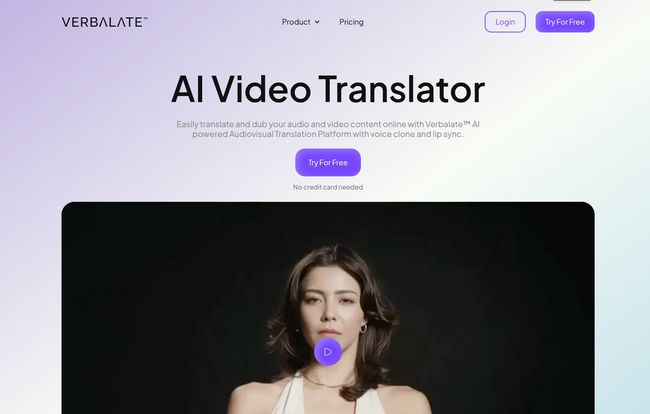
At its core, Verbalate is an AI platform designed to translate your audio and video content. But that’s a bit like saying a smartphone is just a device for making calls. The real magic isn’t just in the what, but the how. Verbalate doesn’t just swap out an audio track. It aims to create a completely localized version of your video, using a trifecta of technology to maintain the authenticity of the original speaker.
It’s built for creators, marketers, and educators who understand that connection is everything. If someone in Japan is watching your product tutorial, you don’t want them to feel like they’re watching a translated document. You want them to feel like you’re speaking directly to them, in their language. That’s the promise here.
Visit Verbalate
The Magic Behind the Curtain: Breaking Down the Features
Let’s get into the nitty-gritty. A tool is only as good as its features, and Verbalate has a few that are genuinely intriguing.
Voice Cloning That (Thankfully) Doesn’t Sound Like a Robot
This is the big one for me. Your voice is part of your brand. If you’ve spent years building trust with your audience, the last thing you want is to have your carefully crafted message delivered by a generic, soulless narrator. Verbalate’s voice cloning feature analyzes your original voice—your cadence, your tone, your unique timber—and creates a synthetic version that can then “speak” the translated language. The goal is to make it sound like you are fluently speaking Spanish, or German, or Japanese. It’s a massive step up from standard text-to-speech engines and is crucial for maintaining that personal connection.
Lip Sync to Dodge the Uncanny Valley
Remember those kung fu movies? The disconnect between lip movement and audio is what psychologists call the uncanny valley—it’s just close enough to be realistic that its flaws are deeply unsettling. Verbalate’s lip sync feature is designed to prevent this. After translating the audio, the AI analyzes the video and subtly alters the speaker’s lip movements to match the new words. When it works well, the effect is almost invisible, which is exactly what you want. No more distracting mouth-flapping. Just a natural, believable performance. This is probably the most technically impressive part of the whole platform.
More Than Just a One-Trick Pony
Beyond those two headliners, there are other solid features. It generates multi-language audio tracks, which is fantastic for platforms like YouTube that now support this. Viewers can simply select their preferred language from a dropdown menu, just like they would with subtitles. Speaking of which, it also handles subtitles and even allows for the upload/download of SRT files for manual tweaking—a feature that control freaks like me really appreciate. For the bigger players, there’s API access on the Enterprise plan, allowing for integration into existing workflows and content management systems. That’s a serious feature for businesses looking to scale their video localization efforts.
Who Is This For? From YouTubers to Global Brands
I can see a few groups getting a ton of value out of this. It’s not a one-size-fits-all solution.
- Content Creators & YouTubers: This is the obvious one. Think of channels like MrBeast who have exploded by offering multi-language dubs. Verbalate puts that kind of power into the hands of smaller creators who don’t have a multi-million dollar budget. It’s a way to tap into new markets and multiply your potential audience.
- E-Learning & Course Creators: If you sell online courses, your market is global by default. Translating your video lessons with voice cloning and accurate lip-syncing can dramatically improve the learning experience for international students, making your content feel much more premium and accessible.
- Product Marketers: Launching a product in multiple regions? Imagine creating one high-quality marketing video and then effortlessly localizing it for a dozen different countries. Not just the language, but your own voice delivering the message. That’s a powerful way to build trust and boost conversion rates abroad.
Let’s Talk Money: The Verbalate Pricing Breakdown
Alright, the all-important question: what’s this going to cost? The pricing is tiered, which is pretty standard for a SaaS platform. I’ve broken it down into a simple table based on their monthly rates.
| Plan | Price (Monthly) | Key Features & Limits |
|---|---|---|
| Translator | $9 / month | 10 minutes of translation. Includes Voice Clone & Lip Sync. Additional minutes are $1. |
| Creator | $49 / month | 60 minutes of translation. Additional minutes are $0.85. Includes Multilingual Avatars. |
| Enterprise | Custom | Custom minutes, API access, Account Manager, Human-in-the-loop translation. |
Note: They also offer yearly plans that give you a discount (the equivalent of two months free).
My take? The Translator plan is a great, low-risk way to test the waters. For just nine bucks, you can translate a short video and see if the quality meets your standards. The Creator plan feels like the sweet spot for serious content creators and small businesses. 60 minutes a month is a decent amount of content, and the lower cost for additional minutes is a nice bonus. The Enterprise plan is clearly for large-scale operations that need the reliability of human oversight and deep system integration.
The Not-So-Shiny Bits: A Realistic Look
No tool is perfect, and it’s important to go in with your eyes open. Let’s be real for a second. The biggest potential pitfall is the cost of those additional minutes. If you’re a prolific creator, the costs on the lower-tier plans could add up quickly. It’s also a bummer that unused minutes expire on the monthly plans—no rollovers here. You have to be consistent with your production to get your money’s worth.
And while the AI is impressive, it’s still AI. I’ve seen mentions that processing times can vary depending on how busy their servers are. This isn’t a tool for last-second deadlines. You’ll want to build a little buffer time into your workflow. It’s a trade-off for accessing such advanced tech without having to buy a supercomputer yourself.
The Human Touch in an AI World
One of the most interesting aspects of Verbalate, in my opinion, is the “Human-in-the-loop” option on their Enterprise plan. This shows a real awareness of AI’s current limitations. For a casual YouTube video, a 99% accurate AI translation is probably fine. But for a legally sensitive corporate training video or a high-stakes marketing campaign, that 1% difference is everything.
This hybrid approach—letting the AI do the heavy lifting and having a professional human translator verify the output for accuracy, nuance, and cultural context—is incredibly smart. It bridges the gap between the speed of automation and the irreplaceble quality of human expertise. It tells me the team behind Verbalate understands the market and isn’t just blindly pushing an “AI-will-solve-everything” narrative.
Frequently Asked Questions
1. How many languages does Verbalate support?
According to their site, Verbalate supports over 230 languages with more than 800 language pairs. This covers a huge majority of internet users around the world, making it a very comprehensive tool for global reach.
2. Is the voice cloning feature difficult to use?
The process is designed to be straightforward. You typically need to upload a clear sample of your voice. The AI then analyzes it to create the clone. While the underlying tech is complex, the user interface seems built for simplicity, so you don’t need to be an audio engineer to use it.
3. Can I edit the translations myself?
Yes. Verbalate offers the ability to proofread and edit the generated transcriptions and translations. You can also work with SRT subtitle files, which gives you a good deal of control to correct any inaccuracies or change wording to better fit your style.
4. Is Verbalate’s AI translation better than free tools?
In my experience, you get what you pay for. Free tools are great for quick text translations, but they lack the integration of features like voice cloning and lip-syncing. Verbalate is a specialized tool for video localization. The value comes from bundling these advanced features together to create a more polished and professional final product, which free tools just can’t do.
Final Thoughts: Is Verbalate Worth the Hype?
So, we circle back to the original question. Is Verbalate the tool that finally ends bad dubbing? It might just be. For independent creators and businesses, it represents a monumental leap forward. The ability to produce high-quality, naturally dubbed video content without a Hollywood budget is a genuine game-changer.
It’s not without its quirks—you need to watch your minutes and plan ahead for processing. But the core technology, especially the combination of voice cloning and lip-syncing, is incredibly promising. It’s one of the first tools I’ve seen that treats video localization as a holistic process, focusing on the human connection rather than just the words themselves.
If you’re serious about taking your video content global, I’d say Verbalate is absolutely worth a try. Start with the cheap Translator plan, test it on a short video, and see the magic for yourself. The future of content is global, and tools like this are what will get us there. Without the cringy kung fu dubs.


