
Categories: AI Summarizer, AI Video Summarizer, AI Youtube Summary
Video Summarizer Review: Your YouTube Time-Saver?

If you’re in the digital space, your YouTube ‘Watch Later’ list is probably a graveyard of good intentions. It’s overflowing with hour-long keynotes, deep-dive tutorials, and competitor analysis videos you swore you’d get to. I know mine is. We’re all drowning in content, desperately trying to keep up with the latest trends and insights. The information is out there, but who has the time?
So, when I stumbled upon a custom GPT called Video Summarizer, my professional curiosity was definitely piqued. It promises to generate educational summaries from lengthy videos. A tool that could potentially give me back hours of my week? Okay, I’m listening. But as we all know, not all that glitters in the AI gold rush is, well, gold. I decided to take it for a spin and see if it could actually lighten the load.
Visit Video Summary AI
So What Exactly Is This Video Summarizer Thing?
In a nutshell, Video Summarizer isn’t a standalone app or a clunky piece of software you have to download. It’s a custom GPT, which means it lives inside ChatGPT. You find it in the GPT Store, and with a simple prompt—basically just dropping in a YouTube link—it gets to work. Its one and only job is to watch a video (metaphorically, of course) and spit out a concise, educational summary. Think of it as a super-smart intern who can watch a 90-minute webinar and give you the cliff notes in under a minute. The claim of over 2,000,000 chats created with it suggests I’m not the only one intrigued by this promise.
My First Impressions and Getting Started
Getting started is ridiculously simple, assuming you’re already in the ChatGPT ecosystem. You find the GPT, you give it a link. That’s it. No complex setup, no API keys to wrangle. I fed it a 45-minute video from a recent marketing conference I’d been meaning to watch. A few moments later, it produced a structured summary, breaking down the key arguments and takeaways. It wasn’t just a block of text; it was organized. I was… impressed. It felt less like a transcript and more like actual notes someone had taken.
The Good Stuff: What I Actually Liked
After playing around with it for a while, a few things really stood out to me. This isn’t just another gimmick.
It’s a Massive Time-Saver, Seriously
This is the main event, right? And it delivers. I threw several long-form videos at it – panel discussions, technical SEO tutorials, you name it. In each case, it successfully pulled out the core concepts. It’s like having a highlights reel for educational content. You can quickly gauge if a video is worth a full watch or if the summary gives you everything you need. For content creators and SEOs doing competitor research, this is huge. You can get the gist of a competitor’s strategy in a fraction of the time. It’s a genuine productivity hack.
Multi-Language Support is a Game-Changer
This feature is a quiet superstar. The tool claims to provide summaries in your language. This is incredibly useful. Want to know what that top-ranking German tech channel is saying about the latest algorithm update? Just drop the link. The tool can bridge language gaps, opening up a whole world of content that might have been inaccessible otherwise. I tested it on a Spanish-language video and asked for the summary in English. The result was coherent and captured the main points perfectly. Very cool.
Where It Stumbles a Bit
Of course, no tool is perfect. And I did find a few things that gave me pause. Let’s call them ‘areas for improvement’.
The ChatGPT Plus Gatekeeper
Here’s the biggest catch: you need a ChatGPT Plus subscription to use it. While the tool itself is free, the platform it runs on isn’t. If you’re already a Plus subscriber for other reasons (like me), then this is a fantastic freebie. But if you’re not, you have to ask yourself if paying $20 a month is worth it for this one function. For some, it will be a no-brainer. For others, its a significant barrier to entry.
Summary Quality Can Be a Mixed Bag
The output is only as good as the input. If the YouTube video is well-structured with clear speech and logical sections, the summary is usually excellent. But if the video is a rambling, unstructured conversation with lots of crosstalk or poor audio, the AI can get a bit lost. The summaries can become generic or miss the finer points. You can’t always trust it to catch every subtle detail, so for mission-critical research, a full watch might still be necessary. It gives you the skeleton, but sometimes you miss the soul.
Let’s Talk Money: The Pricing Puzzle
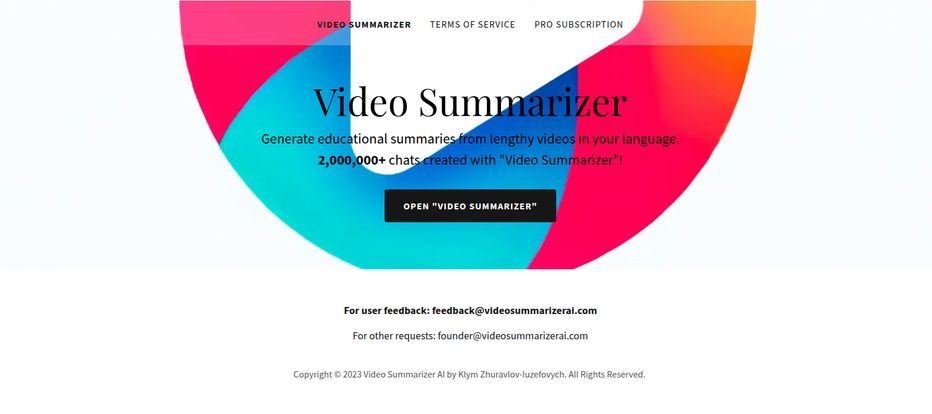
This is where things get a little weird. The tool is free for Plus users, we’ve established that. However, the homepage clearly shows a “PRO SUBSCRIPTION” link in its main navigation. Curiosity got the better of me, so I clicked it. The result? A big fat 404 error—page not found.
What does this mean? My guess is that the founder, Klym Zhuravlov-luzefovych, might have had plans for a premium tier with advanced features, but perhaps pivoted to the GPT store model. Or maybe it’s just a broken link. It adds a bit of a mystery to the whole thing. For now, there’s no paid version to worry about, just the cost of the ChatGPT subscription itself. Honestly, the transparency of providing founder and feedback emails at the bottom of the page is a nice touch you don’t always see.
Who Is This Tool Really For?
After using it, I have a pretty clear picture of the ideal user. This tool is a godsend for a few key groups:
- Students and Researchers: Quickly digest lectures, academic talks, and documentaries to pull out key information and citations.
- Digital Marketers and SEOs: Analyze competitor video strategies, track industry trends, and consume educational content without burning out.
- Content Creators: Research topics quickly and get inspiration by summarizing top-performing videos in your niche.
- Lifelong Learners: Anyone with a thirst for knowledge but a shortage of time. You can finally make a dent in that ‘Watch Later’ list.
If you just watch YouTube for cat videos and gaming streams, this probably isn’t for you. But if you use it as a learning resource, it’s definitely worth a look.
Frequently Asked Questions
How do I use Video Summarizer?
You need a ChatGPT Plus subscription. Once subscribed, you can find the Video Summarizer in the GPT Store. Simply start a new chat with it and paste the YouTube URL of the video you want to summarize.
Is Video Summarizer really free?
The tool itself is free to use, but it requires access to the GPT Store, which is only available to paid ChatGPT Plus subscribers. So, it’s free in the sense that there’s no additional charge beyond your OpenAI subscription.
What languages does it support?
It supports multiple languages. You can provide a video in one language and request the summary in another, like English, Spanish, French, German, etc. The exact list isn’t published, but its capabilities seem quite broad.
Can it summarize YouTube live streams?
It can only summarize completed videos that are available for playback. It cannot process a live stream in real-time. You would have to wait for the live stream to end and be published as a regular video.
How accurate are the summaries?
Accuracy varies. For well-produced, clearly spoken educational videos, they are generally very accurate. For informal vlogs or videos with poor audio, the quality can dip. Always treat it as a starting point, not a perfect replacement for the video.
Final Verdict: Is It Worth a Spot in Your Toolkit?
So, what’s the final word? I’m keeping this one in my back pocket. The Video Summarizer GPT does exactly what it says on the tin, and it does it well enough to be genuinely useful. It’s not magic, and its effectiveness is tied to the quality of the source material. But the ability to slash through hours of video content and get straight to the point is a powerful advantage in our fast-paced industry.
If you’re already paying for ChatGPT Plus, adding this tool to your workflow is a no-brainer. It’s one of the most practical and immediately useful GPTs I’ve come across. It won’t watch the videos for you, but it’ll tell you which ones are actually worth your precious time. And in 2024, that’s a feature worth its weight in gold.


