
Categories: AI Answer, AI Research Tool, AI Video Search, AI YouTube, AI Youtube Summary
VidQuest AI Review: Your YouTube Research Shortcut?

You’re deep into a 45-minute YouTube tutorial or a long-winded webinar replay, desperately trying to find that one specific piece of information. You’re scrubbing back and forth, squinting at the tiny timeline preview, your patience wearing thinner than a Black Friday TV deal. It’s the modern-day equivalent of hunting for a needle in a haystack, except the haystack is a video and the needle is a single spoken phrase.
For years, I’ve just accepted this as the cost of doing business. As an SEO guy, I live on YouTube—analyzing competitor strategies, learning new tactics from industry leaders, you name it. The amount of time I’ve lost to the scrub bar is probably enough to have learned a new language. So when I stumbled upon a tool called VidQuest AI, which promised to make YouTube research easy, my professional curiosity was piqued. A tool that lets you talk to a video? A Ctrl+F for the spoken word? Okay, you have my attention.
So, What Exactly is VidQuest AI?
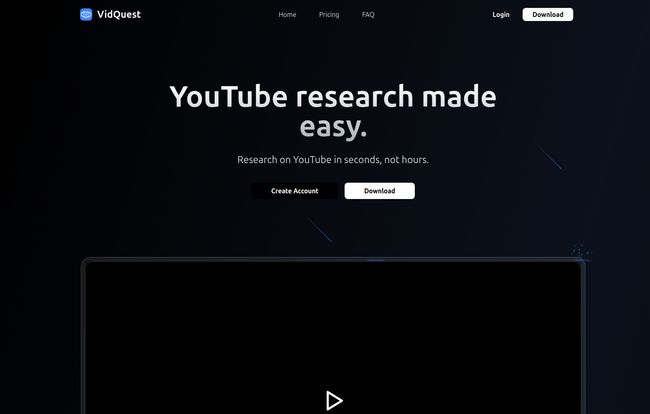
In a nutshell, VidQuest AI is a clever little Chrome extension that acts like a research assistant for any YouTube video you’re watching. It uses artificial intelligence to do two main things: let you ask specific questions about the video’s content and find every instance of a keyword you’re looking for. It basically transcribes and analyzes the video on the fly, so you can interact with its content instead of just passively watching it.
Think of it less as a simple video player and more as an interactive database. It turns a one-way monologue into a two-way conversation. A pretty bold claim, I know. But the idea of being able to instantly get answers without manual searching… that’s the holy grail for content professionals.
The Core Features That Actually Matter
VidQuest isn’t bloated with a million features you’ll never use. It focuses on two core functionalities, and it does them pretty well.
The AI-Powered Q&A: Literally Chatting with Videos
This is the star of the show. Once you have the extension running, a little chat box appears. You can type in a question like, “What were the main points about traffic generation?” or “At what point does he talk about Google’s latest algorithm update?” and the AI will scan the video’s content and spit out an answer, often with a direct quote.
The other day, I was watching a lengthy analysis of a new SaaS tool. Instead of sitting through the whole hour, I just asked, “What is the pricing model?” and “Does it integrate with Google Analytics?” Boom. I got my answers in seconds. It felt a bit like magic, I wont lie.
The Keyword Finder: No More Endless Scrubbing
This one is just as powerful, especially for deep-dive research. You can type in any keyword or phrase—say, “backlink strategy”—and VidQuest will generate a list of every single time that phrase is mentioned in the video. And here’s the best part: each mention comes with a clickable timestamp.
One click, and you’re at that exact moment in the video. This feature alone is a massive time-saver. No more guessing, no more manual scrubbing. It’s precise, efficient, and frankly, something YouTube should have built in years ago.
Visit VidQuest AI
Let’s Talk Money: The VidQuest AI Pricing Breakdown
Alright, the all-important question: what’s this going to cost me? I was pleasantly surprised by the flexibility here. They don’t just lock you into a pricey monthly plan. They seem to get that different people have different needs.
Here’s a quick rundown of how their pricing is structured:
| Plan Type | Price | Key Features & Limits | Best For |
|---|---|---|---|
| Free | £0 | 5 questions/day (videos up to 15 min), 3 keyword searches/day. | Casual users or just trying it out. |
| One-Time “Rental” | £0.99 – £2.99 | Day/week passes with increased limits and features. | A single, intense research project. |
| Keyword Finder | £12.99 (Once) | Unlimited keyword searches, forever. | Researchers who primarily need the search feature. |
| Monthly Subscriptions | £5.99 – £26.99/mo | Tiered plans (Premium, Pro, VIP) with high limits for heavy users. | Content creators, marketers, and agencies. |
I really like this model. The free tier is generous enough to let you get a real feel for the tool. The one-time payment options are brilliant for students or freelancers on a specific project. And the monthly plans scale for professionals who would use this daily. It’s a well-thought-out approach that doesn’t alienate any part of its potential user base.
The Good, The Bad, and The Slightly Imperfect AI
No tool is perfect, right? After using VidQuest for a while, here’s my honest take on the highs and lows.
The biggest advantage is the sheer amount of time saved. It’s not an exaggeration. Research that used to take me an hour can now be done in ten minutes. It also genuinely improves comprehension because you can zero in on the exact concepts you need to understand. The flexible pricing, as I mentioned, is a huge plus in my book.
On the flip side, you do bump up against limitations. The free plan is great, but the caps on questions and video length are noticeable if you’re a power user. To really get the most out of it, you need to pay, especially for the Keyword Finder. Also, while the AI is impressive, it’s not infallible. A couple of times, it misinterpreted a nuanced question or pulled a slightly out-of-context quote. It’s about 95% accurate, I’d say, which is great, but it’s good to remember there’s a machine on the other end, not a human.
Who Should Actually Be Using VidQuest AI?
While I think almost anyone could find a use for it, I see a few groups getting massive value here:
- Students and Researchers: Imagine turning a two-hour lecture into a searchable document. This is a game-changer for studying and pulling citations.
- Content Creators & Marketers: This is a goldmine for competitor analysis. Quickly find out what keywords your rivals are targeting in their videos or summarize their strategies in minutes. It’s also great for repurposing your own video content into blog posts or social media snippets.
- Journalists: Pulling quotes from press conferences or long interviews just got about 100 times easier.
- Lifelong Learners: Anyone who uses YouTube for self-education can speed up their learning process by asking direct questions and getting straight to the point.
My Final Verdict: Is VidQuest AI a Must-Have Tool?
So, what’s the bottom line? For me, VidQuest AI has shifted from a novelty to a necessity in my workflow. It solves a real, tangible problem that has plagued me for years. It’s not just another shiny AI toy; it’s a utility. It’s a productivity tool that genuinely gives you back time.
Is it perfect? No. But its core functionality is so strong and the time-saving is so significant that the minor flaws are easy to overlook. If you do any kind of serious work or research on YouTube, I’d say give the free version a spin. I have a feeling you’ll be upgrading before the week is out. It’s just that useful.
Frequently Asked Questions
- What is the Ask Questions tool in VidQuest AI?
- It’s an AI-powered chat feature that lets you ask questions in natural language about the content of any YouTube video you’re watching. The AI analyzes the video’s transcript and provides a direct answer.
- Can I use VidQuest for any YouTube video?
- Yes, it works on pretty much any YouTube video that has a clear audio track for the AI to analyze. However, your plan might have limits on the length of the video you can analyze (e.g., the free plan is for videos up to 15 minutes).
- What is the Keyword Finder tool?
- The Keyword Finder allows you to search for any specific word or phrase within a video. It then gives you a complete list of every time it was mentioned, with clickable timestamps that take you to that exact spot.
- Why are there limits on questions and video length?
- Running the AI to analyze videos costs money (server resources, processing power). The limits are in place to keep the service sustainable and are scaled based on the pricing tier. This is pretty standard for AI-based tools.
- Why aren’t all the tools free?
- Developing and maintaining a tool like this, especially the AI components, involves significant ongoing costs. The paid plans are necessary to cover these costs, fund further development, and keep the platform running smoothly for everyone.
- Is the one-time payment for the Keyword Finder really forever?
- Based on their pricing page, yes! The £12.99 payment for the Keyword Finder is a one-time purchase that gives you lifetime access to that specific feature. That’s a pretty sweet deal if you ask me.


