
Categories: AI Image Generator, AI Inpainting, Object Remover AI, Text to Image
VisionMorpher Review: Easy AI Image Editing Tool?

Alright, let’s have a real chat. As someone who’s spent more years than I’d care to admit wrestling with layers, masks, and the dreaded clone stamp tool in Photoshop, my ears perk up whenever I hear about a new tool that promises to make image editing easier. We’re in the middle of a massive AI explosion, with new tools popping up daily that promise to write our content, plan our vacations, and now, edit our photos with just a few typed words.
The latest one to cross my desk is called VisionMorpher. It bills itself as a “generative image filler.” In plain English? It’s a tool that lets you erase stuff from your pictures or add new stuff in, just by telling an AI what you want. The promise is huge, especially for people like me—bloggers, social media managers, and small business owners who need good-looking visuals but don’t have a graphic design degree or hours to kill.
But does it live up to the hype? Or is it another flash-in-the-pan AI toy? I decided to take a look.
So, What Exactly Is VisionMorpher?
Think of it like this: You have a photo you like, but there’s an annoying photobomber in the background. Or maybe you have a product shot that looks a little plain, and you wish there was a potted plant on the desk next to it.
Traditionally, you’d have to fire up some hefty software and meticulously edit it out, pixel by painful pixel. VisionMorpher’s approach is different. It’s less like a sprawling digital art suite and more like a magic wand with a text box. The whole idea is built on a simple workflow:
- You upload your image.
- You use a brush to ‘mask’ or highlight the area you want to change—either erasing something or selecting an empty spot.
- You type a simple text prompt, like “remove the person” or “add a steaming cup of coffee.”
- You click ‘Generate’, and the AI does its best to fill in the blank based on your instructions and the context of the photo.
It’s a process often called “in-painting,” and it’s one of the most practical uses of generative AI I’ve seen for everyday marketing tasks. No more searching for the perfect stock photo; you just… create it.
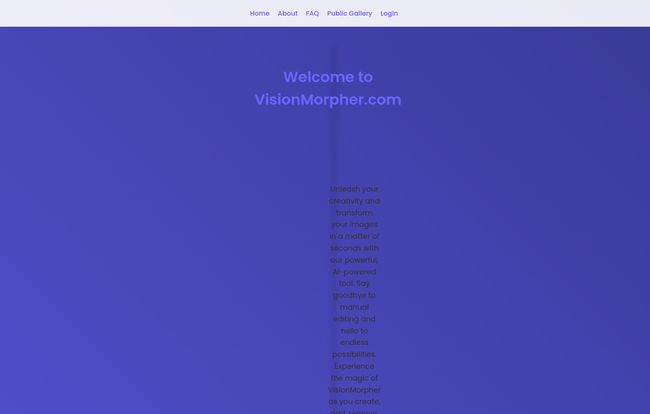
Visit VisionMorpher
The Good, The Bad, and The AI… Surprises
Like any tool, especially a new AI one, it’s not all sunshine and rainbows. After playing around with it, I’ve got a pretty good feel for its strengths and where it kinda stumbles. It’s a classic case of managing expectations.
The Bright Side: Where VisionMorpher Shines
The biggest win for VisionMorpher is its sheer simplicity. The interface is clean, almost bare-bones, which in this case is a good thing. There’s no intimidating wall of icons and menus. You upload, you brush, you type. That’s it. This low barrier to entry is fantastic. I can see my clients who are usually terrified of creative software picking this up in minutes.
When it works, the results can be genuinely impressive. Removing a distracting element from a background is often clean and surprisingly seamless. Adding simple, common objects can breathe new life into a stale image, which is a massive plus for creating unique blog and social media visuals. We all know Google favors original content, and that includes images. Being able to tweak a stock photo into something yours is a great, low-effort SEO tactic.
A Few Reality Checks to Consider
Now for the other side of the coin. First, the big one for any pro: the image size is currently capped at 512×512 pixels. For an Instagram post or a small blog image, that’s fine. But if you’re looking to create a high-resolution hero image for a landing page or anything for print, this is a non-starter. I hope they increase this limit soon because it’s the single biggest thing holding it back.
Then there’s the nature of the AI beast itself. The platform’s own FAQ mentions the possibility of getting “undesirable AI garbage,” and they’re not wrong. Sometimes, the AI just gets it weird. You ask for a cat, you get a creature with three ears and a look of existential dread. It can be a bit of a lottery. You might get the perfect result on the first try, or you might burn through a few attempts (and credits, more on that in a sec) to get it right. It’s part of the territory with this tech right now.
And that leads to the refund policy. According to their site, there are no refunds for credit packs. This is a pretty standard model for AI-as-a-service tools, but it’s something to be aware of. If you get a string of ‘garbage’ results, that’s on you.
The Great Pricing Mystery
So, how much does this magic wand cost? That’s a fantastic question. I went looking for a pricing page, clicked the link and… got a big fat “404 Not Found” error. Uh oh.
“The requested URL was not found on this server.” – VisionMorpher’s Server
This could mean a few things. Maybe the site’s new and that page is just broken. Maybe they’re in a free beta period. Or maybe they’re rethinking their whole model. However, the FAQ’s mention of “used credits” and “bought credit packs” gives us a big clue. It seems they are planning on a pay-as-you-go credit system, where each generation costs a certain number of credits. It’s a common model, but the lack of a clear pricing page right now is… a bit odd. It makes it hard to fully evaluate the tool’s value proposition.
So, Who Is This Tool Actually For?
After weighing the pros and the cons, a clear picture of the ideal VisionMorpher user emerges. This tool isn’t for the professional photographer or high-end digital artist who needs granular control and high-resolution output. The 512px limit alone takes them out of the running.
But, it’s potentially perfect for:
- Bloggers and Content Creators: Need to quickly create a unique featured image? Erase a logo from a stock photo? This is your jam.
- Social Media Managers: Fantastic for whipping up quick, eye-catching posts for platforms where smaller image sizes are the norm.
- Hobbyists and Creatives: If you just want to have fun, experiment with AI, and make cool, weird, or funny pictures, this is a super accessible playground.
- Small Business Owners: Need to quickly touch up a product photo without hiring a designer? This could save you a ton of time and money.
It’s a tool for speed and convenience, not for pixel-perfect, high-fidelity work. And you know what? There’s a huge market for that.
Frequently Asked Questions about VisionMorpher
What is VisionMorpher in simple terms?
VisionMorpher is an online tool that uses AI to edit your photos. You can upload a picture, brush over an area you want to change, and then type a command like “add a blue bird” or “remove the car” to have the AI fill in that space for you.
How does the AI image generation work?
It uses a technology called generative filling or in-painting. The AI analyzes the entire image to understand its context, style, and lighting. Then, it uses that understanding, along with your text prompt, to generate new pixels that blend into the selected area.
What if I get weird or bad AI results?
It happens! The official site calls it “undesirable AI garbage.” The best course of action is to try again. You can rephrase your prompt, be more or less specific, or slightly change the masked area. Each generation is a new roll of the dice.
What is the maximum image size I can use?
Currently, the maximum supported image size for editing and output is 512×512 pixels. This is suitable for web and social media use but not for high-resolution printing.
Can I get a refund if I don’t like my results?
Based on their FAQ, VisionMorpher does not offer refunds for bought credit packs or for credits used to generate an image (unless there was a server error). So, purchase credits with the understanding that not every result will be perfect.
Is VisionMorpher free?
This is unclear at the moment. The mention of “credit packs” suggests a paid model is intended, but the pricing page is currently not working. It may be in a free trial or beta phase, so it’s best to check the site for the most current information.
My Final Verdict
VisionMorpher is an exciting, if slightly flawed, peek into the future of casual image editing. It’s a tool with a ton of potential, hampered mostly by its current resolution limit and the inherent unpredictability of generative AI. It won’t replace Photoshop for serious professionals, but it was never meant to.
For its target audience of marketers, bloggers, and hobbyists, it offers a genuinely fast and intuitive way to perform edits that used to be a real chore. If you manage your expectations and can work within the size constraints, it’s a fun and powerful tool to have in your back pocket. I’m definitely keeping an eye on it—especially to see when that pricing page finally shows up.
Reference and Sources
- VisionMorpher Official Website: http://visionmorpher.com/


