
Categories: AI Email Writer, AI Speech Recognition, AI Speech-to-Text, AI Text Generator, AI Transcription, Audio To Text AI
WhisperWizard Review: AI Transcription for macOS Users?

As someone who lives and breathes content, SEO, and digital marketing, my keyboard is basically an extension of my hands. And some days, my fingers are just… tired. The constant tap-tap-tapping of emails, blog drafts, ad copy, and social media updates can feel like running a marathon. I’ve had more ideas evaporate into thin air than I care to admit, simply because I couldn’t type them out fast enough.
We’ve all been there, right? You’re pacing around the kitchen, brewing coffee, and the perfect opening line for that client email hits you. By the time you get back to your desk, it’s gone. Poof. A casualty of the gap between thought and text.
For years, dictation software felt clunky. It was a trade-off. You’d save your fingers but spend ages correcting bizarre transcription errors. But now, in the middle of this AI gold rush, things are changing. I’ve been on the hunt for a tool that genuinely bridges that gap—something fast, smart, and built for a professional workflow. And I think I might have found a contender: WhisperWizard. I’ve been putting it through its paces for a bit, and it’s time to talk about it.
What Exactly is WhisperWizard?
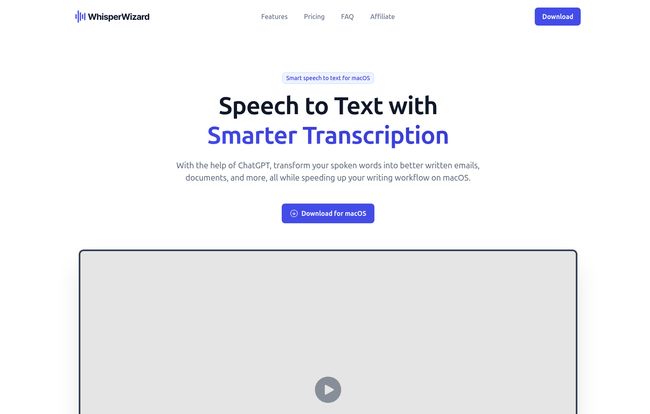
Okay, so let’s get the elevator pitch out of the way. WhisperWizard is a macOS application that uses the power of AI—specifically OpenAI’s models, including ChatGPT—to turn your spoken words into clean, coherent text. Think of it as Siri’s older, more accomplished sibling who went to business school.
It’s not just a simple dictation tool that writes down what you say verbatim. It’s designed to be a workflow enhancer. You talk, it transcribes, and then it can even edit, reformat, or translate that text based on prompts you create. All from a neat little icon in your Mac’s menu bar. Intriguing, right?
First Impressions: Putting My Voice to the Test
Getting started is pretty straightforward. You download the app, install it, and you’re almost ready. The one hurdle, which we’ll talk more about later, is that you need your own OpenAI API key. For those of us already tinkering with AI tools, this is no big deal. If you’re new to it, it’s a quick signup on OpenAI’s website.
The magic starts with a simple keyboard shortcut: Press `⌥` + `Space`. A small recording indicator pops up, you say what’s on your mind, and press the shortcut again. A moment later, a beautifully transcribed block of text appears, ready to be pasted anywhere. My first attempt was a jumbled, rambling thought about a new CPC campaign strategy. WhisperWizard didn’t just transcribe my ums and ahs; it delivered a surprisingly clean paragraph. That was the first “aha!” moment for me.
The Features That Actually Matter
Any tool can have a long list of features, but which ones actually change how you work? For me, it boiled down to a few key things in WhisperWizard.
More Than Just Dictation: The “Smart Transcription”
This is the secret sauce. Standard dictation gives you a raw, unfiltered stream of consciousness. WhisperWizard’s “Smart Transcription,” on the other hand, is like having a tiny, incredibly fast editor on your shoulder. By leveraging ChatGPT, it can automatically fix grammar, remove filler words, and structure your thoughts. You can tell it to “turn this ramble into a professional email” or “summarize these points into a bulleted list.” It’s less like a blunt hammer and more like a surgical scalpel for your words.
Custom Templates: Your Personal Writing Assistant
Here’s where the real productivity gains kick in. You can create custom templates for tasks you do all the time. For me, that’s things like: a template for a friendly SEO outreach email, one for creating a Twitter thread from a single thought, or another for translating a snippet of ad copy into Spanish. You set up the prompt once—like, “Take the following text and format it as a friendly, concise email asking for a backlink”—give it a name, and it’s always there. This alone has saved me an incredible amount of time.
Visit WhisperWizard
Never Lose a Thought Again: Retrieving Past Recordings
This feature is a godsend for creative brain-dumping. The app keeps a history of your recordings. That brilliant idea you had last Tuesday? It’s not lost in the ether. You can scroll back, listen to the original audio, and grab the transcript again. It’s a simple feature, but it provides a huge safety net for your ideas, turning your Mac into a passive idea-capture device.
Let’s Talk Turkey: The Pricing
In a world absolutely dominated by subscriptions, WhisperWizard’s pricing model is a breath of fresh air. It’s a one-time purchase. You buy it, you own it. I’m a sucker for a good lifetime deal, and this feels like one of them. The plans are pretty simple and mainly differ by how many devices you can use it on.
| Plan | Price (One-Time) | What You Get |
|---|---|---|
| Essential | $29 | 1 macOS device, full features, lifetime usage, 1 year of updates. |
| Advanced | $49 | 2 macOS devices, full features, lifetime usage, 1 year of updates. |
| Ultimate | $69 | 3 macOS devices, full features, lifetime usage, 1 year of updates, priority support. |
Given that some services charge $10-$20 per month for transcription, getting lifetime access for $29 is frankly a steal. The one year of updates is pretty standard for these kinds of deals.
The Not-So-Magical Parts: A Few Caveats
Okay, it’s not all pixie dust and rainbows. There are a few things to be aware of.
- macOS Only: This is a big one. If you’re on a Windows or Linux machine, you’re out of luck. This is a dedicated tool for the Apple ecosystem.
- Requires an OpenAI API Key: As mentioned, you need to bring your own key. This means that on top of the app’s price, you’ll pay for your API usage directly to OpenAI. The good news? For text and transcription, the cost is minuscule. I’ve been using it heavily and have probably spent pennies. The flip side is that it can be a small technical hurdle for non-techy folks.
- Privacy Considerations: Because it uses the OpenAI API, your voice data is being sent to OpenAI’s servers for processing. While they have their own privacy policies, it’s something to be aware of if you’re dealing with highly sensitive or confidential information.
Who is WhisperWizard Really For?
In my professional opinion, this tool is a game-changer for a specific group of people. If you’re a blogger, content creator, marketer, student, or executive who uses a Mac and spends a significant chunk of your day writing, this is for you. It’s for people who value speed and efficiency and are comfortable with leveraging AI to get a head start. The ability to just talk and have a solid first draft appear is incredibly powerful.
Who isn’t it for? Windows users, obviously. And probably for people in high-security fields like law or healthcare who can’t have client data processed by a third-party AI, at least not without careful consideration.
Final Verdict: Does This Wizard Earn a Place in My Dock?
Absolutely. For me, the answer is a resounding yes. WhisperWizard has successfully taken a major point of friction in my daily workflow—the physical act of typing—and all but eliminated it. It’s fast, surprisingly accurate, and the template feature makes it deeply customizable to my specific needs.
It has its limitations, sure. But the sheer productivity boost I’ve gotten from it makes the one-time price feel like one of the best investments I’ve made in my software toolkit this year. My fingers are already thanking me.
Frequently Asked Questions about WhisperWizard
- What does WhisperWizard actually do?
- It’s a macOS app that instantly transcribes your speech into text using AI. It also uses ChatGPT to let you edit, format, or transform that text with custom commands and templates.
- Do I need a ChatGPT Plus subscription to use it?
- No. You don’t need a Plus subscription. You do, however, need a standard OpenAI API key. You can get one from the OpenAI platform website, and you only pay for what you use, which is typically very inexpensive for text transcription.
- Can I really create my own custom templates?
- Yes, and it’s one of its best features. You can create templates with custom prompts to perform routine tasks, like turning a voice note into a formal email, summarizing text, or translating it into another language.
- Is my data safe when using WhisperWizard?
- WhisperWizard uses OpenAI’s API to process the transcriptions. This means your data is subject to OpenAI’s privacy policy. It’s a good idea to review their policy and avoid using it for highly confidential information if you’re concerned.
- Can I use WhisperWizard on my Windows PC?
- Unfortunately, no. As of now, WhisperWizard is an exclusive application for macOS.
- What is the refund policy?
- The website mentions a refund policy, so it’s best to check their terms of service or contact their support directly for the specific details and conditions.
Conclusion
In the end, tools are about solving problems. The problem of tired fingers and fleeting ideas is a real one for anyone who creates with words. WhisperWizard offers an elegant, powerful, and affordable solution for Mac users. It’s a perfect example of how AI, when applied thoughtfully, can feel less like a robot and more like a genuinely helpful assistant. It just works. And in my line of work, that’s the highest praise I can give.


