
Categories: AI Transcriber, AI Transcription, AI Translate, AI Youtube Summary
YouTube Scribe Review: My Take on This Japanese AI Tool

You fall down a YouTube rabbit hole and land on a video that looks absolutely fascinating. The thumbnail is perfect, the title is intriguing… and it’s entirely in Japanese. You sit there, watching a master craftsman, a hilarious gamer, or a cutting-edge trend analyst, understanding approximately zero percent of what’s being said. Frustrating, right?
For years, my options were pretty grim: rely on YouTube’s often-wonky auto-translate captions, spend hours pasting bits of text into Google Translate, or just give up and move on. As someone who lives and breathes online trends for my SEO work, not being able to tap into the Japanese market felt like having a massive blind spot. So when I stumbled upon a tool called YouTube Scribe, my curiosity was definitely piqued.
It promised a simple solution: give it a Japanese YouTube URL, and it would spit out an English summary and transcript. Could it really be that easy? I’ve seen a million tools promise to revolutionize my workflow, so I went in with a healthy dose of skepticism. Here’s what I found.
So, What Exactly is YouTube Scribe?
In a nutshell, YouTube Scribe is a hyper-focused AI tool. It doesn’t try to be everything to everyone. It has one job: to serve as a bridge between Japanese YouTube content and an English-speaking audience. You pop in a link, and it generates both a concise summary and a full, time-stamped transcript of the video, all in English.
It’s not a full-blown video editor or a social media scheduler. It’s a specialist. And honestly, in a world saturated with bloated software, I find that incredibly refreshing. It’s like a perfectly sharpened knife instead of a clunky, dull multi-tool. It knows exactly what it’s for, and it doesn’t apologize for its niche focus.
Visit YouTube Scribe
Getting Started: A Surprisingly Simple Walkthrough
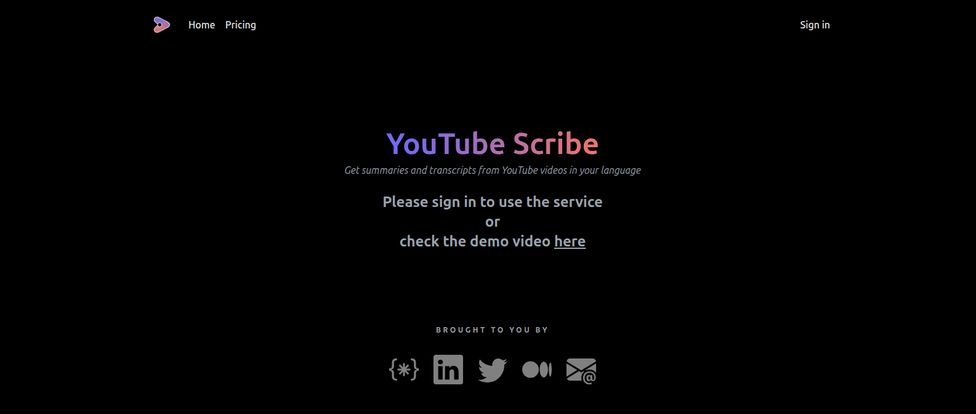
The user experience is about as straightforward as it gets. There’s no complex onboarding or a million settings to configure. You land on a clean, dark-mode page.
Here’s the process:
- You sign in.
- You find a Japanese YouTube video you want to understand.
- You copy the URL.
- You paste it into YouTube Scribe.
- You choose whether you want a summary, a transcript, or both.
- You click a button and let the AI do its thing.
That’s it. A few moments later, you have your English text. This simplicity is a massive win in my book. No instruction manual needed. It just works.
Who Is This Tool Really Built For?
This is where my SEO brain started spinning. A tool this specific isn’t for a general audience; it’s for people with a very particular need. I immediately saw a few key groups who could get a ton of value out of this.
The Global Marketer and Trend Spotter
If you’re in marketing, you know that trends often bubble up in places like Japan long before they hit the West. Whether it’s in tech, fashion, gaming, or food, being ahead of the curve is gold. Trying to do market research without speaking the language is like trying to see in the dark. YouTube Scribe cracks that door open. You can quickly get the gist of product reviews, understand cultural commentary, and see what’s gaining traction without needing a dedicated translator on staff. It’s a scrappy, effective way to do some digital ethnography.
The Dedicated Fan and Language Learner
Are you a fan of a specific Japanese VTuber? An aficionado of Japanese woodworking channels? An anime reviewer who wants to understand what the original creators are saying in interviews? This tool is for you. It removes the language barrier that keeps you at a surface level of appreciation. For language learners, it’s even better. You can listen to the native Japanese audio while reading the English transcript, creating a powerful learning loop. It’s authentic content, made accessible.
The Content Repurposer and Researcher
I can see a huge use case for content creators who want to report on what’s happening in Japan. With a tool like this, you can grab a transcript, pull out key quotes (always with proper credit and a link back to the original, of course!), and build an entirely new piece of content around it for your English-speaking audience. It’s a way to act as a curator and a bridge, bringing valuable information to a new audience. For academics or journalists, the ability to quickly transcribe an interview or a news report from YouTube is invaluable.
Let’s Talk Money: The YouTube Scribe Pricing Model
Alright, the part everyone always cares about: what’s it gonna cost me? I was fully expecting a monthly subscription model, which I’m getting so tired of. But YouTube Scribe surprised me. It uses a credit-based system.
Here’s the breakdown, which is refreshingly simple:
| Price | Credits |
|---|---|
| $5 | 50 credits |
But what does a “credit” get you? According to their pricing page, the usage is based on video length (or more specifically, token count). One credit can get you either a summary for a video up to 15,000 tokens or a transcript for a video up to 4,000 tokens. Longer videos cost more credits, which makes perfect sense. A 10-minute vlog shouldn’t cost the same as a 2-hour podcast.
But here’s the absolute best part, teh thing that made me actually pull out my wallet: the credits never expire. This is a game-changer. I can drop $5, get 50 credits, and have them sitting in my account for six months until I find that one perfect video I need to decipher. It’s not another monthly bill to worry about. It feels less like a subscription and more like buying a book of stamps—you just use them when you need them. Huge, huge plus in my book.
The Good, The Bad, and The Niche
No tool is perfect, so let’s get into the pros and cons as I see them.
What I Love
The focused nature is its biggest strength. It does one thing, and it seems to do it well. The pay-as-you-go model with non-expiring credits is incredibly user-friendly and respects my wallet. And the sheer utility of breaking down a major language barrier on the world’s biggest video platform can’t be overstated. It solves a real, tangible problem.
What Gives Me Pause
The specificity is a bit of a double-edged sword, isn’t it? If you need to transcribe a video in German or Spanish, you’re out of luck. This is a Japanese-to-English tool only. Also, for power users who need to transcribe dozens of very long videos, the credits could potentially add up. A 21,000-token video costs 6 credits for a transcript, so you’d get about 8 of those out of your initial $5 purchase. It’s not exorbitant, but something to be aware of.
Also Read: RollSummary Review: AI Note-Taking for DMs?
Is YouTube Scribe Worth Your $5? My Honest Take
So, the final verdict. Is it worth it? For me, it’s a resounding yes. But with a caveat. It’s worth it if you fit into one of those user profiles I mentioned earlier.
Think of it this way: $5 is the price of a fancy coffee. For that, you get a highly specialized tool that you can keep in your digital toolbox forever, ready for the exact moment you need it. You’re not committing to a $20/month subscription for a tool you might only use a few times a quarter. You’re making a tiny, one-time investment for future capability.
If you’ve ever felt that pang of frustration watching a Japanese video you couldn’t understand, then yes, it’s absolutely worth the price of admission. It’s a small price to pay to open up a whole new world of content.
Frequently Asked Questions
Can YouTube Scribe translate videos from other languages?
Nope. As of now, it’s a one-way street: Japanese to English. That’s its specialty, which keeps it focused and effective for its target audience.
How accurate are the translations and transcripts?
It’s powered by AI, so you should expect very good, gist-level accuracy. It’s perfect for understanding concepts, pulling quotes, and getting the main idea. However, I wouldn’t use it for, say, a legally binding contract. It’s an analysis tool, not a certified human translator.
What if the tool fails to generate a summary or transcript?
One of the best parts of their credit policy is that credits are only used for successful generations. If something goes wrong and it fails, you don’t lose your credit.
Are the credits a one-time purchase or a subscription?
It’s a one-time purchase. You buy a block of credits, and when you run out, you can simply buy more if you need them. No recurring charges to worry about.
Is there a free trial?
I didn’t see a traditional free trial, but the homepage does have a link to a demo video. This lets you see the output and how it works before you decide to spend the $5 on credits, which is a fair approach.
Can I use this on my phone?
Yes, it’s a web-based application, so you can access it from any browser, whether on your desktop or mobile device. Super convenient for when you find a video on the go.
A Bridge to a New World of Content
In the end, YouTube Scribe isn’t going to change the world for everyone. But for a specific set of people—marketers, researchers, fans, and language learners—it’s a brilliantly simple and effective solution to a very common problem. It’s a tool that understands its purpose and executes it well, with a pricing model that respects the user. For just five bucks, it opens a window into the vibrant, innovative, and sometimes just plain weird world of Japanese YouTube. And for a curious mind, that’s a fantastic bargain.
Reference and Sources
- YouTube Scribe Official Website
- Official Pricing Information
- Example of a popular Japanese creator channel where this tool could be useful: THE FIRST TAKE (Music Channel)


