
Categories: AI Developer Tools, AI Document Extraction, AI OCR, Large Language Models (LLMs)
Airparser Review: Is This AI the End of Data Entry?

Staring at a screen, a stack of invoices, a flood of lead notification emails, or a folder of janky PDFs. The only thing standing between that mountain of messy information and a clean, usable spreadsheet is… you. And several hours of mind-numbing, copy-paste drudgery. It’s the kind of work that makes you question your life choices. Honestly, it’s a total soul-crusher.
As someone who’s spent years in the SEO and traffic generation game, I can tell you that data is everything. But getting that data shouldn’t feel like a punishment. For years, we’ve tried to automate it with clunky, template-based tools that break the second a comma is out of place. It’s been a constant source of frustration. So when I started hearing buzz about a new breed of tools using LLMs—the same tech behind ChatGPT—to handle this, my curiosity was definitely piqued. That’s what led me to Airparser. And folks, it might just be the solution we’ve been waiting for.
So What Exactly is Airparser?
Think of Airparser as your new, incredibly smart intern. An intern that never sleeps, never complains, and can read anything you throw at it—emails, PDFs, Word docs, even scanned receipts with your terrible handwriting on them—and instantly organize the important bits into structured data. It’s a dedicated email and document parser, but that description feels a bit… dry.
What it really does is act as a universal translator between the chaotic world of human documents and the orderly world of software. It uses a powerful parsing engine, juiced up with GPT and other Large Language Models, to understand context and pull out the specific pieces of information you need. No more rigid templates. You just tell it what you’re looking for (like “customer name,” “invoice amount,” “order number”), and it finds it. The data is then zapped in real-time to wherever you need it to go. It’s pretty slick.
How Does This AI Wizardry Actually Work?
The company claims you can be set up in under five minutes, and for once, the marketing fluff isn’t too far off. The process is refreshingly straightforward.
It breaks down into three simple steps:
- Import: You get your documents into Airparser. You can forward emails directly to a dedicated address they give you, upload files, or get fancy and use their API. This flexibility is a huge plus right from the start.
- Extract: This is where the magic happens. You show Airparser a sample document and tell it what data you want to pull. For an invoice, you might list fields like “Invoice Number,” “Due Date,” and “Total Amount.” The AI engine then learns what to look for, and you can refine it if needed. It creates a “schema,” which is just a fancy word for your data template.
- Export: Once the data is neatly extracted, Airparser sends it on its way. This is the payoff. You can have it automatically populate a Google Sheet, create a new deal in HubSpot, send a Slack notification, or connect to literally thousands of other apps through webhooks or platforms like Zapier and Make. The automation possibilities are kinda staggering.
The Features That Genuinely Impress Me
A lot of tools have flashy feature lists. But which ones actually make a difference in your daily workflow? After kicking the tires on Airparser, a few things really stood out.
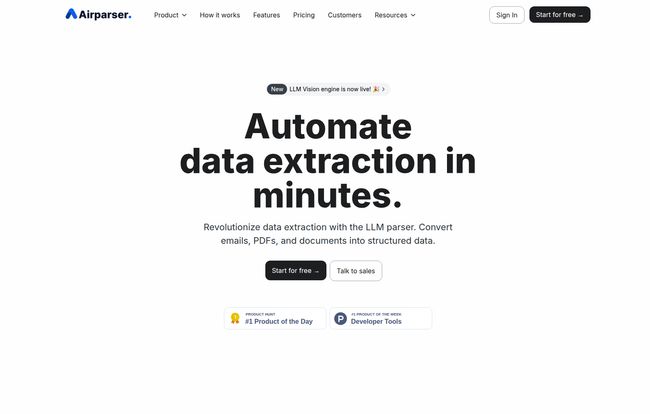
Visit Airparser
The LLM-Powered Brain
This is the core of the whole operation. Older parsers relied on strict rules. “Look for the text 10 characters to the right of the word ‘Invoice:’.” If the format changed even slightly, the whole thing would fall apart. Airparser’s use of GPT and custom LLMs is a game-changer. It understands context, not just position. This means it can handle variations in layouts and even pull data from unstructured paragraphs. It’s the difference between a dumb macro and an actual assistant.
Integration Is The Name of the Game
A data extraction tool is useless if the data is just stuck there. Airparser gets this. The native integrations with Google Sheets and webhooks are great, but the real power comes from its compatibility with automation platforms like Zapier and Make. For an agency or a marketing team, this is huge. Imagine: a lead fills out a form on your site, which sends an email. Airparser reads the email, pulls the name, company, and phone number, and then a Zapier automation adds them as a new contact in your CRM, assigns a task to a sales rep, and adds them to an email sequence. All without a single human click. That’s how you scale.
OCR That Doesn’t Make You Want to Cry
Let’s be honest, Optical Character Recognition (OCR) has a bit of a bad reputation. We’ve all seen it turn a clean, scanned document into a garbled mess. Because Airparser’s OCR is backed by its LLM engine, it’s far more effective. It can decipher scanned PDFs and even handwritten notes with surprising accuracy. I tested it on a scribbled note from a meeting, and while it wasn’t 100% perfect, it was miles ahead of any other OCR I’ve used. This opens up a lot of possibilities for businesses still dealing with paper trails.
Let’s Talk Turkey: Airparser Pricing
Alright, the inevitable question: how much does this cost? The pricing is credit-based, which has its pros and cons. One credit is used for each document or email page parsed.
Here’s a quick rundown of their plans (based on annual billing, which saves you a bit):
- Free Trial: You get 30 non-renewable credits to play with. This is enough to properly test it and see if it fits your workflow.
- Starter Plan: $33 per month. This gets you 100 credits a month. Perfect for a freelancer or a very small business with modest data extraction needs.
- Growth Plan: $49 per month. Jumps you up to 500 credits. This seems like the sweet spot for many small to medium-sized businesses or marketing teams.
- Business Plan: $149 per month. You get 2,000 credits and unlimited team members. The “unlimited team members” is a big deal for larger teams and agencies.
- Premium Plan: $249 per month. For the power users, this offers 5,000 credits and longer data retention.
You can check out the full details on their pricing page.
The Good, The Bad, and The… Credity?
No tool is perfect. As much as I like Airparser, it’s important to have a balanced view.
What I Love
The sheer simplicity is a massive win. The user interface is clean, and the learning curve is practically nonexistent. The accuracy of the LLM parser is genuinely impressive, especially with varied document formats. And as I’ve mentioned, the integration capabilities are top-tier. It’s a tool built for the modern, connected workflow. It eliminates a huge, boring bottleneck for so many businesses.
A Few Things to Keep in Mind
Now for the other side of the coin. The credit system. Specifically, the fact that unused credits expire at the end of your billing period. This is a classic “use it or lose it” model. If your document volume is highly unpredictable, you might end up paying for credits you don’t use. I’d much prefer a rollover system, but it is what it is. You have to be realistic about your monthly usage when choosing a plan.
Also, their site mentions a limited refund policy. Essentially, they don’t offer refunds for partial months or unused credits, which is why taking the free trial for a serious spin is so important. Make sure it does what you need it to do before you put your card down.
Answering Your Burning Questions
I’ve gotten a few DMs about this, so let’s just run through a quick FAQ.
What exactly does one ‘credit’ get me?
One credit is consumed for each parsed email, document, or PDF page. So, a 5-page PDF will use up 5 credits.
What happens if I don’t use all my credits in a month?
They expire. Your credit count resets at the beginning of each billing period. You can’t roll them over, so choose your plan wisely.
Is there a free trial to test this out?
Yep! You get 30 free credits to test all the features. They are non-renewable, so use them to run a proper test of your most common document types.
Can I just buy more credits if I run out?
Yes, you can purchase additional credits if you run out mid-cycle. Or you can upgrade your plan, which is often more cost-effective if it happens regularly.
How do I know my data is secure?
Airparser states they use 256-bit AES encryption for security. Their payment processing is handled by Stripe, which is the industry standard for secure online payments.
The Final Verdict: Is Airparser the Real Deal?
So, after all this, is Airparser worth your time and money?
In my professional opinion, for the right person or business, absolutely. If you or your team are currently wasting hours every week on manual data entry from emails, invoices, leads, or any other kind of repetitive document, the ROI here is a no-brainer. The time you save will pay for the subscription fee many times over, not to mention saving your sanity.
It’s for the marketing agency that needs to process lead notifications instantly. It’s for the accounting department buried in invoices. It’s for the e-commerce store that needs to parse order confirmations.
Who isn’t it for? Maybe the person who only needs to process 10 documents a month. The expiring credit system might not be a great fit for super sporadic use. But for anyone with a consistent flow of documents, Airparser feels like a significant step forward. It’s a sharp, modern tool that solves an old, annoying problem. And in my book, that’s always a win.
Reference and Sources
For further reading and to verify the information presented, please check out the official sources below:


