
Categories: AI Calendar, AI Chatbot, AI Copilot, AI Email Assistant, AI Meeting Assistant, AI Scheduling, AI Task Management, AI Workflow
Akiflow Review: My AI Assistant for Time Blocking?

If you’re a professional in this day and age, your brain probably looks a lot like my browser window on a Tuesday afternoon: 27 tabs open, three of them are playing audio I can’t find, and one is just a spinning wheel of doom. We’re drowning in a sea of notifications, to-do lists scattered across five different apps, and a calendar that looks like a losing game of Tetris.
I’ve tried everything. Bullet journals. Sticky notes. A dozen different apps that promised to change my life. They usually just added another tab to my collection.
So when I heard about Akiflow, I was skeptical. Another productivity app? Groundbreaking. But the hook was different: an AI Executive Assistant. Not just a list-maker, but a smart system designed to wrangle the chaos. And after a few weeks of putting it through its paces, I have… thoughts. Lots of them.
So, What Exactly is Akiflow?
Akiflow isn’t just another calendar or to-do list. The best way I can describe it is as a central command center for your entire digital life. It’s built on the idea of bringing everything—your tasks, your schedule, your various project management tools—into one place and then using AI to help you make sense of it all. The goal, as they put it, is to turn “Chaos to clarity.” A lofty promise, but one that feels surprisingly accurate.
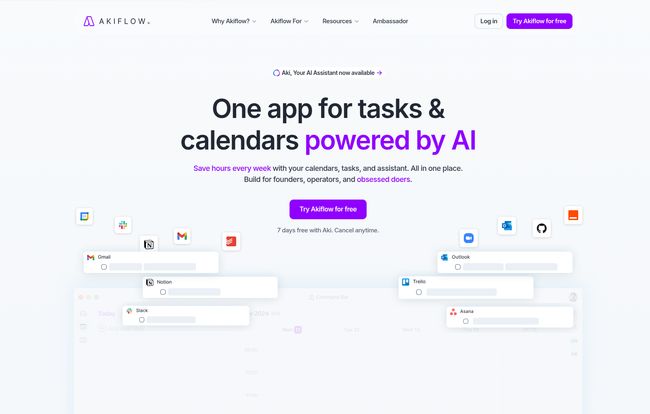
Instead of you jumping between Slack, Asana, Gmail, and your calendar to figure out what you need to do, Akiflow pulls it all into a single, unified inbox. From there, you can drag and drop tasks directly onto your calendar, an action they call time blocking. It’s a simple concept, but the execution is where the magic happens.
Getting Started: More of a Handshake Than a Headache
I’ll be honest, I braced myself for a complicated setup. Tying all my digital loose ends together sounded like a nightmare. But it was… surprisingly smooth. You connect your Google or Outlook Calendar, and then start plugging in your other tools. Gmail, Slack, Asana, Trello, Notion, Todoist—the list of integrations is long and impressive. Within about 15 minutes, I had a firehose of tasks, messages, and reminders all flowing into one place.
The Universal Inbox is a Revelation
Seeing everything in one list for the first time was both terrifying and incredibly liberating. That random Slack message from a colleague, that task I assigned myself in Asana last week, that email I starred to deal with later—it was all there. No more context switching. No more, “Where did I write that down?” It’s all just… there. This feature alone is a massive win for anyone who feels digitally fragmented.
Visit Akiflow
Time Blocking on Autopilot
If you’re a productivity nerd like me, you’ve heard of time blocking. It’s the practice of assigning every minute of your day to a specific task. It works, but it’s also incredibly tedious to do manually. This is where Akiflow really flexes its AI muscles.
You can drag a task from your inbox onto your calendar, and Akiflow automatically creates a block of time for it. It feels so intuitive. But it gets smarter. Akiflow helps you create “Rituals,” or automated workflows. Imagine setting up a rule like this: “Every morning at 7:30 AM, check the weather. If it’s not raining, block out one hour for my run.” That’s not a hypothetical; that’s the kind of granular, personalized automation Akiflow enables. It’s less like using an app and more like having a real, slightly psychic, assistant who gets your weird routines.
Who Is This Really Built For?
Akiflow bills itself as being “Designed for High-Performing Professionals,” and I think that’s spot on. If your job involves juggling multiple projects, clients, or communication channels, this tool could be a lifesaver. Freelancers, managers, executives, and agency owners would feel right at home here.
Who is it not for? Well, if you prefer a very simple, single-purpose to-do list, this might be overkill. There is a slight learning curve to mastering the automations and shortcuts. And if you’re fundamentally uncomfortable with the idea of an AI having access to your calendars and tasks, this might feel a bit like letting a robot organize your sock drawer. For me, the convenience far outweighs that feeling, but it’s a valid point to consider.
The All-Important Question: What’s the Price?
Okay, let’s talk about the investment. Akiflow isn’t the cheapest tool on the block, but it’s not trying to be. It’s positioned as a premium tool for people who value their time. There’s a 7-day free trial, which is plenty of time to see if it clicks for you.
| Plan | Billing Cycle | Price | Best For |
|---|---|---|---|
| Pro Monthly | Monthly | $34 / month | Busy professionals wanting to test the waters. |
| Pro Yearly | Yearly | $19 / month | C-levels and dedicated users committed to the system. |
At first glance, $34 a month might seem steep. But here’s my take: Akiflow claims it can save users up to 2 hours a day. Let’s be conservative and say it saves you just 30 minutes a day. That’s 2.5 hours a week, or about 10 hours a month. What is 10 hours of your focused time worth? I’d wager it’s a hell of a lot more than $34. The 44% discount on the yearly plan makes it a much more palatable $19/month, which feels like a steal for what it delivers.
The Good, The Bad, and The AI
Things I Genuinely Love
The consolidated inbox, the powerful and intuitive time blocking, and the keyboard shortcuts are just fantastic. A user on their site said, “there’s a keyboard shortcut for making the function of every other app,” and they’re not wrong. Once you learn the shortcuts, you can fly through your planning. The sheer number of integrations means it slots into pretty much any existing workflow you might have.
Where It Could Be Better
No tool is perfect. While the basic setup is easy, mastering the more advanced automations and “Rituals” can take a little time and experimentation. It’s powerful, but that power comes with a few dials and knobs you need to learn. Also, the interface, while clean, can feel a little busy at first when you have everything pouring into it. It takes a day or two for your brain to adjust to the new information density.
Frequently Asked Questions about Akiflow
Is Akiflow good for teams?
While it excels as a personal productivity hub, it does have team automation features. It’s great for managers who need to pull in tasks from team-based tools like Asana or Jira to plan their own day, but it’s primarily designed around the individual’s workflow.
What are the main integrations?
The list is extensive, but the big ones are Gmail, Google Calendar, Slack, Asana, Trello, Notion, Jira, GitHub, and Todoist. Basically, if it’s a popular productivity or communication tool, there’s a good chance Akiflow connects to it.
Is the 7-day free trial limited?
Nope. The pricing info suggests you get access to all features during the trial. They want you to experience the full power of the platform to see if it’s a fit, which I respect.
How hard is it to cancel?
The yearly plan explicitly says “Cancel anytime.” While I haven’t canceled myself, this suggests a straightforward process without any hoops to jump through, which is always a good sign.
Final Thoughts: Is Akiflow Worth Your Time and Money?
I came in a skeptic and I’m walking away a convert. Akiflow isn’t just another item on my list of productivity apps; it’s become the app that manages the list. It’s the closest thing I’ve found to a true digital command center that actually reduces anxiety instead of adding to it. It successfully bridges teh gap between all the disparate places where work happens.
If you feel like your digital life is a chaotic mess and you’re ready to invest in a serious tool to fix it, I can’t recommend giving Akiflow’s free trial a shot highly enough. It might just be the thing that finally helps you close some of those open tabs in your brain.


