
Categories: AI Email Assistant, AI Email Generator, AI Email Writer, AI Response Generator
EmailMagic Review: My Honest Take on This AI Email Tool

If you’re in the digital space, your email inbox is probably a warzone. It’s a never-ending flood of ‘gentle reminders’, ‘quick questions’, and newsletters you swore you unsubscribed from. For years, I’ve seen my productivity get swallowed whole by the beast that is Gmail. Some days, I spend more time staring at a blinking cursor, trying to phrase a polite ‘no,’ than I do actually getting work done.
We’ve all been there, right? That feeling of dread when you open your laptop. It’s a modern-day Sisyphus story—we clear our inbox, only for it to fill right back up again.
So, when another AI tool popped onto my radar, I was skeptical. We’re in the middle of an AI gold rush, and frankly, a lot of it is just noise. But this one, EmailMagic.ai, was different. It wasn’t promising to write my next novel; it just promised to help me with my emails. A small, focused promise. That, I could get behind. I decided to give its 7-day free trial a spin. Here’s what I found.
So, What Exactly is EmailMagic?
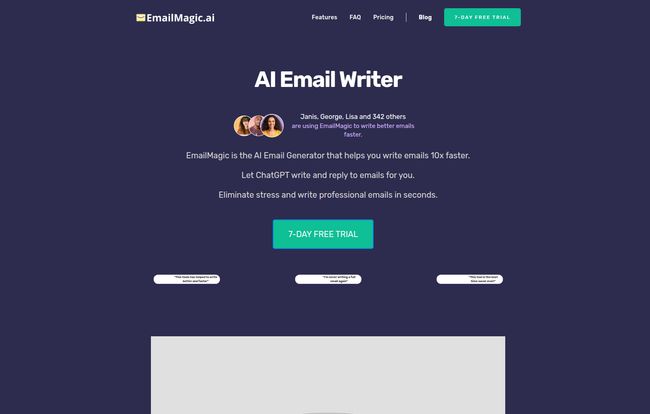
In a nutshell, EmailMagic is an AI assistant that lives directly inside your Gmail as a Chrome extension. Its whole purpose is to help you write and reply to emails ridiculously fast. They claim 10x faster, which is a bold claim for anyone who’s spent 20 minutes crafting a two-sentence email. It’s not a separate app or another tab you have to keep open. It works right where the pain is: inside the composition window.
You give it a few short prompts—like “say no politely” or “ask for an update on the project, sound friendly”—and it generates a draft for you in seconds. It’s like having a little intern who’s weirdly good at corporate-speak, but one you don’t have to get coffee for.
Visit EmailMagic AI
The Things That Genuinely Impressed Me
I went in with my arms crossed, fully expecting to be underwhelmed. But I have to admit, some parts of this tool are pretty slick. It’s not just another GPT-wrapper; the integration is where it shines.
It Is Seriously Fast
Okay, the “less than 10 seconds” claim? It’s true. Replying to a dozen common emails—you know, the check-ins, the confirmations, the ‘thanks for the feedback’ notes—took me minutes instead of the usual half hour. That time adds up. It’s the difference between closing your laptop at 5:30 PM and 6:15 PM. For me, that’s huge. It’s not about being lazy; it’s about reclaiming focus for the deep work that actually moves the needle on my business.
It Speaks More Languages Than I Do
This was an unexpected win. I work with clients and colleagues all over the world, and while our common language is usually English, being able to draft a quick reply in Spanish or German (on the Basic plan) or pretty much any language (on the Pro plan) is a game-changer. It’s a small touch that shows you’re making an effort, and this tool makes that effort… well, effortless. Its a nice feature that goes beyond simple translation.
The Chrome Extension Just Works
I can’t stress this enough. The biggest win for EmailMagic is its integration. The fact that I don’t have to copy an email, paste it into ChatGPT, write a prompt, copy the response, and then paste it back into Gmail is everything. That friction is what stops most people from actually using AI for their daily emails. EmailMagic removes that friction completely. It’s right there, a little magic wand icon waiting to help. Simple, clean, and effective.
Okay, But It’s Not All Sunshine and Rainbows
No tool is perfect, and it’s important to be honest about the trade-offs. I definitely ran into a few things that made me pause.
Living in the Gmail Bubble
This is the big one. Right now, EmailMagic is a Gmail-only party. If your work life runs on Outlook or some other email client, you’re out of luck. They say support for other platforms is coming, and I hope it does. But as of today, you need to be a dedicated Gmail user to get any use out of this. For a huge chunk of the corporate world, that’s a deal-breaker.
You’re on the Clock (or the Count)
The plans come with daily email limits. The Basic plan gives you 5 AI-generated emails a day, and the Pro plan gives you 25. For a light email user, 5 might be fine. But for someone in sales, support, or management? 25 might even feel tight on a busy day. You have to be a bit strategic about which emails you use your ‘magic’ on. It’s not an all-you-can-eat buffet.
The Five-Tweak Limit
You can revise a generated email up to 5 times. Most of the time, this is plenty. The initial drafts are usually pretty good. But if you’re trying to nail a very specific tone for a sensitive message, you might find yourself hitting that limit. It forces you to be clear with your initial prompts, which I guess isn’t a bad thing.
Let’s Talk About the Price Tag
So, what does this magic cost? The pricing is pretty straightforward, which I appreciate. No confusing credit systems or enterprise-level smoke and mirrors.
| Plan | Price | Key Features |
|---|---|---|
| Basic | $59 per year | 5 emails/day, English/Spanish/German, Medium copy originality. |
| Pro | $67 per year | 25 emails/day, All languages, High copy originality, Early access to new features. |
Honestly, the jump from Basic to Pro for only an extra $8 a year seems like a no-brainer. For less than a dollar more per month, you get 5x the emails, all languages, and higher-quality output. If you’re going to pay for it at all, the Pro plan feels like the real deal.
But Can’t I Just Use ChatGPT for Free?
This is the question everyone asks about these specialized AI tools. And yes, you absolutely could copy and paste your emails into a separate AI chat window. But ask yourself: will you? Consistently?
The value of EmailMagic isn’t just the AI model; it’s the workflow. It’s the sheer convenience of having the tool embedded exactly where you need it, saving you clicks, context-switching, and mental energy. You’re not paying for AI, you’re paying for speed and a smoother process. For busy people, that’s often a worthwhile investment.
A Few Lingering Questions
I poked around their site and here are some quick answers to things you might be wondering.
Frequently Asked Questions about EmailMagic.ai
Is my data safe with EmailMagic? Does it read all my emails?
Like any tool that integrates with your email, it needs permission to read the context of the email you’re replying to in order to generate a relevant response. They have a privacy policy on their site that outlines how data is handled. It’s always a good idea to review that before giving any app access to your data.
Does EmailMagic work with Outlook or other clients?
Not right now. It’s a Gmail-exclusive tool, built as a Chrome extension. They’ve mentioned plans to expand in the future, but for now, it’s Gmail or nothing.
How many emails can I write each day?
It depends on your plan. The Basic plan allows for 5 AI-generated emails per day, while the Pro plan gives you a much more generous 25 emails per day.
Can I really write and reply in different languages?
Yes, and it works quite well. The Basic plan supports English, Spanish, and German. The Pro plan opens it up to all supported languages, making it great for international communication.
Is the 7-day free trial actually free?
Yes, it is. You can try out the features for a full week to see if it fits into your workflow before you have to commit any money. I always appreciate a try-before-you-buy model.
The Final Take: Is EmailMagic Worth It?
After a week of using it, my inbox feels less like a monster and more like… a manageable task list. It hasn’t solved all my problems—it can’t make difficult clients disappear—but it has given me back a significant chunk of time and mental bandwidth.
So, who is this for? If you’re a freelancer, a small business owner, a sales rep, or anyone who lives and breathes in Gmail and feels the constant pressure of a full inbox, then yes. I think EmailMagic is absolutely worth the modest yearly cost. The Pro plan, specifically, is a fantastic value.
It’s not a revolution, but it’s a powerful optimization. It’s a smart, focused tool that does one thing really well: it makes the daily grind of email just a little bit easier. And in my book, that’s a kind of magic I’m happy to pay for.


