
Categories: AI Image Generator, AI Image Upscaler, AI Realistic Image Generator, Text to Image
Freepik AI Image Generator: An Honest Review for 2024

Let’s have a little chat. For years, Freepik has been my go-to, my trusty sidekick for stock photos, vectors, and the occasional PSD file I pretend I know how to edit properly. It’s been a reliable workhorse in the chaotic world of digital content. So when I heard they were throwing their hat into the AI image generation ring, my first thought was, “Oh great, another one.”
It feels like every platform with a login button is bolting on an AI feature these days, right? Some are revolutionary. Others are… less so. But given Freepik’s massive library and creative pedigree, I was genuinely curious. Could they make a text-to-image tool that was actually practical for people like us—the bloggers, the marketers, the social media managers—without the steep learning curve of Midjourney or the sometimes-wonky results of other freebies? I decided to take it for a spin. And honestly? The results were pretty surprising.
So, What Exactly Is the Freepik AI Image Generator?
At its heart, the Freepik AI Image Generator is a text-to-image AI tool. You type in a description of something you want to see—a “cyberpunk cat sipping tea on a rainy Tokyo street,” for instance—and the AI brings it to life. Simple concept. We’ve seen it before.
But Freepik’s angle is a bit different. They’ve integrated it directly into their existing ecosystem. This isn’t some standalone science project; it’s designed to feel like part of the creative workflow you might already have on their platform. They boast about creating photorealistic pictures, exploring styles, and generating high-end textures without needing a PhD in prompt engineering. A bold claim, but one I was eager to test.
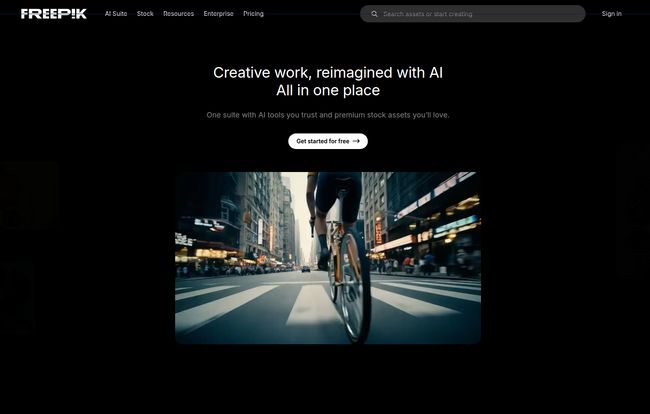
Visit Freepik AI Image Generator
First Impressions: The Magic of Real-Time Generation
Okay, this is where Freepik got my attention. The interface is clean and honestly pretty foolproof. You get a text box, a few style buttons, and that’s about it. But the killer feature is the real-time generation. As you type your prompt, an image starts to form and morph live on your screen. It’s mesmerizing.
I’ve spent countless hours wrestling with prompts in other platforms, hitting ‘generate,’ waiting 60 seconds, hating the result, tweaking a single word, and repeating the cycle. It’s a grind. Seeing an image change from “a dog on a skateboard” to “a happy golden retriever on a skateboard” instantly as you type feels like a glimpse into the future. It’s less like a vending machine where you put in a coin and get a predictable snack, and more like a creative slot machine that shows you the wheels spinning. For brainstorming and rapid ideation, this is an absolute game-changer.
Diving into The Features That Actually Matter
Beyond the live generation, there are a few other tools baked in that are worth talking about.
More Than Just Photos
You’re not just stuck with photorealism. Freepik offers a handful of preset styles right out of the gate: Photo, Digital Art, Painting, and 3D. This makes it easy to get the general vibe you’re after without having to add complicated commands like “unreal engine, cinematic lighting, 8k” to every prompt. You can also pick from different colors and framing options (like portrait, landscape, or square). It’s a simplified approach, but for 90% of my use cases, it’s all I really need.
Upscaling and Reimagining Your Creations
Ever get an AI image that’s almost perfect? The composition is great, but the details are a bit fuzzy or the face looks a little… uncanny. Freepik includes an upscaler to increase the resolution of your favorite generations, making them usable for more than just a tiny thumbnail. There’s also a “Reimagine” or “Variations” tool. This takes your generated image and creates several new versions based on its composition and style. It’s fantastic for when you have a solid concept but want to explore slightly different takes without starting from scratch.
Let’s Talk Quality and That Pesky Copyright Question
So, is it any good? Yes, with a few caveats. The realism can be shockingly good, especially for objects, landscapes, and textures. I generated some food photography that could easily pass for the real thing. However, like most AI tools in this tier, it can still stumble on complex human anatomy, especially hands (the eternal enemy of AI art).
The results can vary. Sometimes a simple prompt yields a masterpiece; other times, a detailed one gives you a beautiful nightmare. You have to play with it. But that’s part of the fun, isn’t it?
Now, for the big one: copyright. This is where things get murky in the AI world. Freepik’s own terms are a bit of a maze. On their free plan, you must attribute the image to Freepik. With a Premium subscription, you don’t need to. But the underlying question of who truly “owns” an AI-generated image is a hot debate in the legal world. My advice for any commercial project? Be cautious. Check their latest terms of service, and if you’re working for a major brand, it’s probably wise to consult with a legal expert or stick to their vast human-created stock library for mission-critical assets. For personal blogs, social media, and internal presentations, it’s likely a non-issue.
Breaking Down the Freepik Pricing Plans
This is where it can get a little confusing, because the AI generator is tied into their main subscription plans. Let’s break it down simply.
- Free Plan: You can get started for absolutely nothing. This gives you a taste of the AI tools, but you’re limited. The biggest limitation is the 20 image generations per day. Perfect for casual use, but you’ll hit that wall fast if you’re working on a project.
- Premium Plans: To really unlock the potential, you need to subscribe. Their paid plans (which start around €10-€15/month if you pay annually) give you significantly more, or even unlimited, AI generations. Crucially, a premium plan also gives you full access to Freepik’s massive library of premium stock photos, videos, and other assets, along with no-attribution-required licensing.
Here’s a simplified look at what you get as you move up the ladder:
| Plan Tier | AI Generations | Stock Asset Access | Best For |
|---|---|---|---|
| Free | 20 per day | Limited Free Assets | Trying it out, very light use |
| Premium | Unlimited | All Premium Assets | Bloggers, marketers, heavy users |
Note: Prices and limits can change, so it’s always best to check their official pricing page for the latest info.
Who Is This Tool Actually Built For?
After playing with it for a while, I have a pretty clear idea of who will love the Freepik AI Image Generator. It’s not necessarily for the high-end digital artist who crafts intricate masterpieces in Midjourney.
Instead, this is a tool for the rest of us. It’s for the SEO content creator who needs a unique featured image for a blog post in five minutes. It’s for the social media manager who needs an eye-catching graphic for a campaign that isn’t the same tired stock photo everyone else is using. It’s for the small business owner who wants to mock up a product idea or create visuals for a presentation without hiring a designer.
It prioritizes speed and ease-of-use over infinite control. And in the fast-paced world of digital marketing, that’s not a weakness—it’s a massive strength.
My Final Verdict on the Freepik AI Generator
So, is Freepik’s AI tool a gimmick? Not at all. It’s a legitimately useful, powerful, and, dare I say, fun addition to their platform. The real-time generation alone is worth the price of admission (which can be free!).
It won’t replace a professional photographer or a high-end AI artist, and it’s not supposed to. It’s a new kind of tool for a new kind of creative workflow—one that’s fast, iterative, and accessible. If you already have a Freepik subscription, using the AI generator is a no-brainer. If you don’t, the generous free tier makes it incredibly easy to try. It has its quirks and the copyright stuff is a bit of a grey area, but for creating unique, high-quality visuals on the fly, it’s earned a permanent spot in my digital toolkit.
Frequently Asked Questions
Can I use Freepik AI images for commercial purposes?
With a Premium subscription, you can use the images commercially without attribution. However, the legal landscape for AI-generated art is still evolving, so for major campaigns, exercising caution or consulting with a legal expert is recommended. The copyright ownership of AI images can be complex.
Is the Freepik AI Generator better than Midjourney or DALL-E 3?
It’s different. Midjourney and DALL-E 3 often offer more granular control and potentially higher artistic quality for complex prompts, but they come with a steeper learning curve and can be slower. Freepik’s tool is built for speed, ease of use, and integration into a content workflow, making it better for marketers and creators who need good results fast.
Do I need a subscription to use the AI image generator?
No, you can start using it for free. The free plan gives you 20 image generations per day, which is great for testing it out. For more extensive use and to remove the attribution requirement, you’ll need a Premium plan.
How good is the realism of the generated images?
It can be surprisingly high, especially for objects, food, and landscapes. The tool excels at creating high-end textures. Like all AI, it can sometimes struggle with fine details like human hands or complex scenes, but for most digital content needs, the quality is more than sufficient.
What are “permutation prompts” in Freepik?
This is a more advanced feature where you can type a prompt with options in curly braces, like “A photo of a {cat, dog, bird} in a hat.” The AI will then generate multiple images, one for each option inside the braces. It’s a powerful way to create many variations of an idea very quickly.


