
Categories: AI Developer Tools, AI Translate, Large Language Models (LLMs)
Globify Review: AI App Localization in Minutes?

I still have nightmares about it. The year was 2019. We were trying to launch a simple utility app in Japan. My job? Handle the localization. What followed was a week-long descent into spreadsheet madness, endless back-and-forth emails with a freelance translator, and a final product that, according to a friend in Tokyo, had button text that translated to “Execute the Honorable Cat.”
Yeah. Not my finest hour.
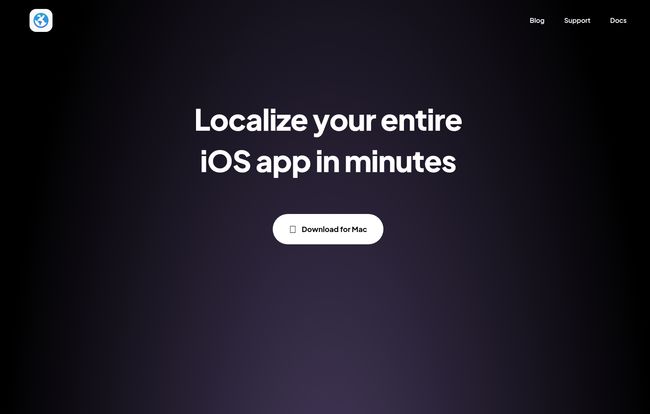
Ever since then, I’ve been on the hunt for a better way. We’ve all seen the rise of AI in content and code, but localization has always felt like the final frontier—a place where nuance is king and machines fear to tread. So when I stumbled upon a sleek-looking Mac app called Globify, which claimed it could “Localize your entire iOS app in minutes,” my cynical blogger-brain immediately kicked in. Minutes? Really?
Challenge accepted. I had to see for myself.
What Exactly is Globify? (And Why Should Indie Devs Care?)
Alright, let’s break it down. Globify isn’t another generic translation API slapped onto a clunky interface. It’s a purpose-built Mac app designed specifically for one thing: translating iOS applications. At its heart, it uses OpenAI’s GPT-4 to power through your string catalogs. Think of it less as a simple translator and more like a multilingual intern who’s frighteningly fast and already knows their way around Xcode’s localization files.
For years, going global meant one of two things: either you had a budget big enough to hire a professional localization agency, or you braced yourself for the spreadsheet nightmare I described. Globify seems to be carving out a third path, one that’s tailor-made for indie developers, bootstrapped startups, and small teams who want to test international markets without betting the farm.
Visit Globify
The Core Features: How Globify Actually Works
So, does it live up to the hype? The feature set is surprisingly focused, which I appreciate. It doesn’t try to be everything to everyone; it just tries to solve the core problem of app localization quickly and efficiently.
The Magic Wand: One-Click Localization
The headline feature is, without a doubt, the “Localize all with a smart button.” You literally sync your string catalog file (the modern .xcstrings format, which is a huge plus), select your target languages, and hit the button. The app then uses GPT-4 to work its way through every single string. The idea that you can go from English-only to supporting ten languages in the time it takes to brew a pot of coffee is just… wild. This is the feature that will make most developers’ ears perk up.
You’re Still the Director: Customization and Control
Now, my biggest fear with any AI tool is losing control. A black box that spits out translations without context is a recipe for disaster (see: Honorable Cat, above). Thankfully, Globify seems to understand this. You can create project-specific glossaries. This is a non-negotiable for me. You need to be able to tell the AI, “Hey, whenever you see ‘Chirp,’ don’t translate it, it’s our brand name.” or “The term ‘Pin’ should always translate to [specific word] in German.”
You can also adjust the tone and style, which is a neat touch. Want your app to sound more formal in French but casual in Brazilian Portuguese? You can set those rules. And most importantly, you can manually edit every single individual localization. The AI does the heavy lifting, but you have the final say. This human-in-the-loop approach is what separates a useful tool from a dangerous one.
Taming the Chaos of Multiple Projects
If you’re an agency or a developer juggling a few apps, the ability to work on multiple projects is a lifesaver. Each project gets its own settings, glossaries, and languages. It keeps everything neat and tidy, preventing the kind of mix-ups that can happen when you’re managing everything in a tangled mess of folders.
My Honest Take: The Good, The Bad, and The GPT-4
I’ve spent some time kicking the tires, and I have some thoughts. This isn’t just a list of pros and cons; this is my gut feeling as someone who lives and breathes this stuff.
The speed is obviously the biggest win. It turns localization from a weeks-long project into an afternoon task. For rapid prototyping or getting an MVP into new markets, it’s a genuine game-changer. It lowers the barrier to entry for global expansion so much that it almost feels unfair to those of us who did it the hard way.
But let’s be real. It relies on GPT-4, and as powerful as GPT-4 is, it’s not perfect. It can occasionally produce translations that are grammatically correct but culturally… off. Or it might miss a very specific piece of context related to a UI element. The claim is that it’s an easy and professional translation tool, and while it’s certainly easy, the ‘professional’ part comes with a big ol’ asterisk.
“My rule of thumb for AI translation: Trust it to do 95% of the work, but always have a native speaker do the final 5% sanity check. Especially for the text your users will see first.”
You absolutely cannot skip the manual review step. I can’t stress this enough. Use Globify to do the grunt work, but please, for the love of all that is holy, have a human—preferably a native speaker—review the output before you ship. Think of Globify as the world’s best first draft generator, not the final publisher.
Who is Globify Actually For?
After playing around with it, a clear picture of the ideal user emerges. Globify is perfect for:
- Indie iOS Developers looking to expand their app’s reach without a big budget.
- Startups that need to validate product-market fit in different countries quickly.
- Small teams that don’t have a dedicated localization manager or workflow.
- Anyone who dreads the thought of managing
.stringsfiles manually.
Who is it not for? Probably large-scale enterprises that already have deeply entrenched localization pipelines with teams of human translators and project managers. They might find it useful for initial drafts, but they’re unlikely to rip out their existing systems for it. And that’s okay. It knows its audience.
The Elephant in the Room: The Price Tag
So, how much does this magic cost? I wish I could tell you. I clicked around the website, looking for a pricing page to see if it was a subscription, a one-time purchase, or something else. And… I hit a “Page Not Found” error.
This is a bit of a wrinkle. It’s a brand new tool, so maybe they’re still figuring it out. Or maybe the page was just temporarily down when I looked. As of this writing, your guess is as good as mine. I’d hope for a one-time purchase price for the Mac app, as that feels right for the target audience, but a subscription model wouldn’t surprise me either. My advice is to head to their site and see for yourself; hopefully, they’ve fixed the link by the time you read this.
Frequently Asked Questions about Globify
Does Globify completely replace human translators?
Nope. It’s an incredibly powerful assistant that gets you 95% of the way there. You should always have a native speaker perform a final review for nuance, cultural context, and accuracy. It replaces the tedious part, not the critical thinking part.
What languages does it support?
Because it uses GPT-4, it theoretically supports any language that the model is trained on, which is a massive number. You manage the specific target languages you want for your project right inside the app.
Is Globify only for iOS apps?
Yes, all signs point to it being an iOS-first tool. It’s a native Mac application built to work with Apple’s .xcstrings string catalog format.
How does the glossary feature help?
It ensures consistency. You can define that your brand name, “Starlight,” should never be translated, or that a technical term like “data sync” always uses a specific, approved translation. This prevents the AI from getting creative where it shouldn’t.
Is my source code safe?
Yes. The app only needs access to your string catalog files, not your entire project’s source code. This is a much safer approach than tools that require full codebase access.
So, What’s the Verdict?
I came in a skeptic, and I’m walking away seriously impressed. Globify is a sharp, focused tool that solves a very real, very painful problem for a specific group of people. It’s not a silver bullet that makes human translators obsolete, and it was never meant to be. Instead, it’s a force multiplier.
It takes the most time-consuming, soul-crushing part of app localization and automates it intelligently. It frees up developers to focus on what they do best: building great apps. While I’m still a little wary of the missing pricing info and the inherent quirks of AI, I can’t deny that this feels like the future. Tools like Globify are making the world smaller, one app at a time. And hopefully, they’ll prevent any more well-meaning developers from asking their users to execute a cat.


