Categories: AI Background Remover, AI Image Enhancer, AI Photo Editor, Object Remover AI
Remove.bg Review: AI Background Removal Magic or a Gimmick?

Let’s have a little heart-to-heart. Remember the hours—no, the days—we used to lose in Photoshop? Patiently tracing around a subject with the Pen Tool, zooming in to 300% to catch those stray hairs, fighting with the Magic Wand tool that was never, ever quite magical enough. It was a rite of passage for any content creator or marketer. A tedious, soul-crushing rite of passage.
Then, AI tools started popping up, promising to do it all in seconds. I was skeptical, to say the least. Most of them were clunky, leaving weird artifacts or chopping off an ear. But then I stumbled upon remove.bg, and honestly, things changed. It felt a bit like the first time you saw a smartphone after using a flip phone. A little bit of a shock, a whole lot of ‘wow’.
So, is it just another overhyped AI toy, or is it a genuinely useful tool that deserves a spot in your marketing stack? I’ve been using it for a while now, and it’s time to lay it all out there.
So What Exactly is Remove.bg?
At its core, remove.bg is a super-focused AI tool that does one thing: it removes the background from any image. And it does it fast. Like, go-grab-a-sip-of-coffee-and-it’s-done fast. Their big claim is “in 5 seconds,” and for the most part, they’re not lying. You upload a photo of a person, a product, a car, even a logo, and its algorithm intelligently identifies the foreground and neatly snips it out, leaving you with a clean, transparent background PNG file.
It’s not just a simple web tool. It’s a whole platform with integrations, an API, and even a desktop app for handling images in bulk. It’s designed for everyone from a random person wanting a clean profile pic to a massive e-commerce brand needing to process thousands of product shots.
How I Actually Use It in My Day-to-Day SEO Grind
Look, a tool is only as good as its practical application, right? For me, remove.bg has become a quiet workhorse. When I’m working on an e-commerce client’s site, getting clean product photos for their Google Shopping feed is non-negotiable. Instead of bugging their design team for 50 different transparent PNGs, I can often just do it myself in minutes. It’s a game-changer for speed.
Another classic case: creating author bio images for blog posts or team pages. A messy background behind a headshot just looks unprofessional. A quick trip through remove.bg gives you a crisp, clean image you can drop onto any background colour or design. Same goes for creating assets for YouTube thumbnails or social media graphics. It just… works.
Visit remove.bg
The Features That Actually Matter
You can read a feature list anywhere. Let’s talk about what makes this thing tick and why it’s more than just a simple gadget.
Its Frighteningly Good Accuracy
The AI is the star of the show. I’ve thrown some tricky images at it—portraits with wavy hair, pictures of my dog (fur is always a tough one), and detailed product shots. Nine times out of ten, it nails the cutout perfectly. It understands the difference between the subject and the background with a level of precision that my old friend the Magic Wand tool could only dream of.
More Than Just a One-Trick Pony
While its main job is removing backgrounds, they’ve added a nifty little AI Photo Editor. Once the background is gone, you can instantly add a new one—be it a solid color, a stock photo, or your own uploaded image. It also has basic ‘Erase’ and ‘Restore’ brushes. This is super helpful for the one time out of ten when the AI gets a little overzealous and snips a bit too much, or misses a small spot between someone’s arm and their body. You can clean it up right there in the browser without having to open another program. A small touch, but a smart one.
It Plays Well with Others: API and Integrations
This is where remove.bg goes from a handy tool to a professional powerhouse. They have an API that lets developers build the background removal functionality right into their own apps or workflows. Imagine an e-commerce platform where a seller uploads a product photo, and the background is automatically removed and standardized. That’s what the API enables. They also have official plugins for tools that we marketers live in, like Photoshop, Figma, and various e-commerce platforms. This focus on integration shows they understand professional workflows.
The Big Question: What Does Remove.bg Cost?
Ah, the money talk. This is where things get a little more complex. You can use remove.bg for free, which is awesome. The catch? The free downloads are low-resolution previews. They’re fine for a quick social media post or a small web graphic, but for anything professional, you’ll need to pay up for high-resolution downloads. And you pay with ‘credits’.
Here’s a rough breakdown of their pricing model:
- Free Account: You get 1 free credit to start and 50 free low-res previews per month.
- Pay-as-you-go: Perfect for occasional use. You can buy credits as you need them. For instance, you can grab 3 credits for around $3. Simple.
- Subscription Plans: If you’re a heavy user, this is the way to go. The cost per image drops significantly. As of my last check, the plans looked something like this (prices are often cheaper if you bill yearly):
- Lite: Around $8 a month for 40 credits. Great for small business owners or freelancers.
- Pro: About $35 a month for 200 credits. Aimed at professionals with regular needs.
- Volume+: For the big players, starting around $80 for 500 credits, with larger plans available.
I personally started with pay-as-you-go and then moved to a small subscription once I realized how much time it was saving me. The time I save is worth way more than the cost of a few credits.
Let’s Be Real: The Good and The Not-So-Good
No tool is perfect, and a real review has to cover both sides. So let’s get down to it.
What’s great? The speed and automation are just incredible. The time saved is the single biggest selling point. The quality is consistently high for most common images, and the fact that it has an API and integrations with design tools makes it a serious contender for professional workflows. And hey, having a free option to test the waters or for small, non-critical tasks is always a plus.
On the other hand, the credit system for high-resolution downloads can feel a bit restrictive, especially if you’re just starting out. For extensive use, you really do need a subscription, which is another monthly bill to add to the pile. And while the quality is usually great, I have seen it struggle with super complex images—think very fine mesh, intricate tree branches, or semi-transparent objects. The results can ocassionally be a bit mushy in those edge cases.
A Healthy Ecosystem is a Good Sign
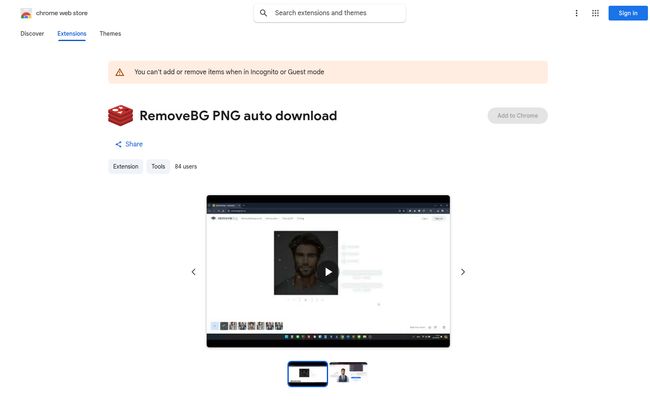
Here’s something interesting I’ve noticed. When a tool becomes genuinely popular and useful, a mini-ecosystem of third-party tools springs up around it. I was browsing the Chrome Web Store the other day and saw extensions designed specifically to streamline the download process from remove.bg. People are literally building tools for the tool. To me, that’s a huge vote of confidence. It means there’s a passionate user base that is so invested in the workflow that they’re actively trying to make it even more efficient. You don’t see that for a flash-in-the-pan gimmick.
My Final Verdict
So, should you use remove.bg? In my opinion, absolutely. At least give the free version a shot.
If you’re a content creator, marketer, e-commerce manager, or designer who regularly needs to isolate subjects from their backgrounds, this tool isn’t just a convenience; it’s a massive time-saver. It turns a 15-minute Photoshop task into a 15-second automated process. The subscription cost can be easily justified by the hours you get back. It’s not a complete replacement for a skilled graphic designer with Photoshop for those high-stakes, incredibly complex images. But for 90% of everyday marketing tasks? It’s more than good enough. It has earned its place in my bookmarks bar, and I think it might just earn a place in yours too.
Frequently Asked Questions
- Is remove.bg really free?
- Yes and no. You can process images and get a low-resolution preview for free, which is great for testing or small web use. For a full, high-resolution download, you need to use a credit, which you either buy or get through a subscription.
- How good is the quality of remove.bg?
- For most subjects like people, products, and animals, the quality is excellent and often indistinguishable from a manual cutout. It can sometimes struggle with extremely fine details like flyaway hair or semi-transparent objects, but it handles most common scenarios beautifully.
- Can remove.bg handle bulk image processing?
- Yes! This is a major feature for professionals. You can process images in bulk using their desktop application or by integrating with their API, which is ideal for e-commerce stores or large projects.
- What is a ‘credit’ in remove.bg?
- Think of it as a token. One credit typically allows you to download one high-resolution image. Your subscription plan gives you a certain number of credits per month, or you can buy them on a pay-as-you-go basis.
- Are there good alternatives to remove.bg?
- Definitely. The space is getting competitive. Tools like Canva Pro have a very good built-in background remover, and Adobe Express offers a similar free tool. However, remove.bg’s dedicated focus and powerful API often give it an edge for users who need this specific function integrated into their workflow.