
Categories: AI API, AI PPT Maker, AI Presentation Generator
SlidesGPT Review: An AI PPT Maker That Actually Works?

If you’ve ever stared at a blank PowerPoint or Google Slides window at 11 PM, with a presentation due the next morning, you know the feeling. That special kind of dread. It’s a unique mix of panic and the soul-crushing boredom of aligning text boxes. For years, I’ve told myself, “There has to be a better way.”
Well, folks, the robots are finally coming for our most tedious tasks. I’ve been hearing the buzz about AI presentation makers for a while now, and my inner cynic usually just scoffs. But then I stumbled upon SlidesGPT, and my curiosity got the better of me. An AI that claims to create entire presentations from a simple text prompt? Using the ChatGPT API? Okay, you have my attention. I decided to take it for a spin and see if it could genuinely save me from my next slide-building spiral.
So, What Exactly is This SlidesGPT Thing?
In simple terms, SlidesGPT is an AI PowerPoint Generator. You feed it an idea—a topic, a title, a short description—and it builds a whole presentation for you. We’re talking title slide, agenda, content slides filled with text and relevant images, and even a conclusion. It’s like having a junior assistant who’s ridiculously fast and never needs a coffee break.
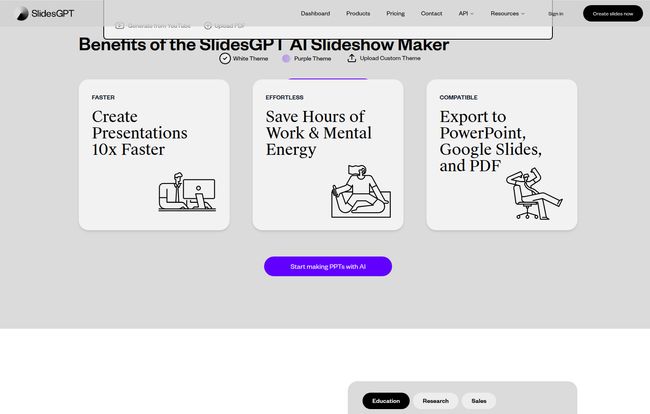
The biggest hook for me? It doesn’t lock you into some weird, proprietary format. It generates presentations that are fully compatible with Microsoft PowerPoint, Google Slides, and even PDF. This is huge. It means you’re not just getting a pretty-looking web slideshow; you’re getting a real, editable file you can download and tweak in the software you already use.
Visit SlidesGPT
Putting it to the Test: From Prompt to Presentation
The website promises a simple process, and honestly, it is. The user interface is clean, no fluff. You’re basically looking at a text box that says, “Go on, tell me what you need.”
For my first attempt, I gave it a prompt I’d recently worked on for a client: “A presentation on the importance of local SEO for small businesses in 2024.” I hit generate and… waited. For about 45 seconds. What it spat out was… surprisingly good. A solid 10-slide deck covering the basics: what local SEO is, the importance of Google Business Profile, the role of reviews, and a call to action. It even included speaker notes for each slide, which was a nice touch I wasn’t expecting.
It wasn’t perfect, of course. A couple of the images were a bit generic, and I had to rephrase some of the text to match my own voice. But the structure? The core ideas? They were all there. It took a task that would have easily eaten up two hours of my day and condensed it into about 15 minutes of editing. That’s a win in my book.
The Good, The Bad, and The AI-Generated
After playing around with it for a few days, I’ve got a pretty good feel for where SlidesGPT shines and where it, well, doesn’t. No tool is perfect, right?
What I Absolutely Loved
The time-saving is the obvious one. The site claims it saves “Hours of Work & Mental Energy,” and they’re not wrong. It completely demolishes the ‘blank page’ problem. Instead of building from scratch, you’re editing and refining. It’s a total mindset shift. The ease of use is another major plus. There’s no learning curve. If you can write a tweet, you can generate a presentation. And the multi-format support (PPTX, Google Slides) is just clutch for anyone working in a professional environment.
Some Room for Improvement
Now for the reality check. The AI, while impressive, isn’t a mind reader. The output is a fantastic starting point, but you’ll almost always need to do some manual editing to get it to 100%. Don’t expect to generate a deck and immediately present it to your CEO without a once-over. The other main constraint is the download limits on the free and lower-tier plans. If you’re a casual user, it’s fine. But if you’re a consultant or marketer churning out decks every week, you’ll need to factor that into your decision.
Let’s Talk Money: The SlidesGPT Pricing Breakdown
Ah, the all-important question: what’s this going to cost me? I’ve seen some different numbers floating around, so I’m pulling this directly from their pricing page as of writing this. They have a pretty straightforward tiered system that seems to cover most user types.
| Plan | Price | Key Features |
|---|---|---|
| Free Starter | $0 / month | Unlimited creations & views, share presentations, 10 downloads/month. |
| Pro | $7.50 / month | Everything in Free, plus 50 downloads/month and offline use. |
| Pro XL | $22.50 / month | Everything in Pro, but with a whopping 250 downloads/month. |
They also have Developer API and Enterprise plans for the power users and big teams, which include cool stuff like custom templates and pulling context from your own documents. For most people, though, that Free or Pro plan is going to be the sweet spot.
Who Is This AI Presentation Tool Really For?
I’ve been thinking about this a lot. Who gets the most out of SlidesGPT?
- The Busy Professional or Marketer: You need to create a deck for a client meeting, like, yesterday. This will get you 80% of the way there in minutes.
- The Student: Last-minute class presentation? This is your new best friend. It helps organize your thoughts and gives you a visual structure to work from.
- The Small Business Owner: You don’t have a design team, but you need to pitch your idea or report on progress. This is a life saver.
Who is it not for? Probably high-end graphic designers who need absolute, pixel-perfect control and bespoke animations. This is a tool for speed and efficiency, not for creating the next Apple keynote design masterpiece from the ground up.
Final Verdict: Is SlidesGPT Worth It?
So, after all this, do I recommend it? Yes, with a caveat.
SlidesGPT is an incredibly powerful assistant. It is not a replacement for human creativity and oversight. Think of it as a force multiplier. It won’t make you a brilliant presenter, but it will give you a brilliant head start. It takes the most tedious, soul-sucking parts of creating a presentation and automates them, freeing you up to focus on what actually matters: your content, your message, and your delivery.
For the price (especially with a free plan this generous), it’s a no-brainer to have in your digital toolkit. It’s already saved me a few hours of work, and that alone makes it worth its weight in gold. No more staring at that blank slide. Thank goodness.
Frequently Asked Questions
- Can SlidesGPT generate presentations from existing documents?
- According to their site, the Enterprise plan allows you to use context from your own PDFs, Docs, or links to generate presentations, which is a pretty powerful feature for businesses.
- Is SlidesGPT just another name for an AI Slide Generator?
- Pretty much, yes. It’s a specific brand of AI presentation maker or AI slide generator. It uses the ChatGPT API as its brain, which is a key differentiator.
- Is SlidesGPT actually free?
- Yes, it has a robust free plan! You can create and share unlimited presentations, but you’re limited to 10 downloads per month. For many people, that’s more than enough to get started.
- Can I export my presentation to Google Slides?
- Absolutely. It generates standard .pptx files which can be opened directly in PowerPoint or easily imported into Google Slides with all formatting intact.
- Does the AI choose good images?
- It does a decent job of finding relevant, royalty-free images to complement the text on each slide. I found them to be a good starting point, but you might want to swap some out with your own branded or more specific imagery.


