
Categories: AI Productivity Tools, AI Project Management, AI Scheduling, AI Task Management, AI Workflow
TimeHero Review: Let AI Tame Your Chaotic Schedule?

If you’re in SEO, marketing, or really any knowledge-based field, your calendar probably looks less like a schedule and more like a game of Tetris you’re losing. Badly. Tasks pile up, meetings appear out of nowhere, and the list of ‘must-do’ items just… grows. We’ve all been there, staring at a Trello board overflowing with cards, feeling that creeping sense of dread. We have all the tools to list what we need to do, but the real bottleneck is figuring out when we can possibly do it.
For years, I’ve cycled through every project management app under the sun. Asana, Monday, ClickUp—you name it, I’ve probably signed up for a free trial. They’re all great at holding tasks. But they still require me to do the heavy mental lifting of planning my week. That’s the part that burns you out, right? The constant reshuffling.
So when I heard about TimeHero, a tool that claims to use AI to automatically plan your work for you, my curiosity was piqued. An AI that acts like a personal assistant, slotting tasks into the free gaps in my Google Calendar? Sounds like science fiction. But could it actually work? I had to find out.
So, What Exactly Is TimeHero Anyway?
Think of TimeHero as a project manager with a brain. Instead of just giving you a list of tasks and their due dates, it actively looks at your connected calendars, sees when you’re free, and schedules your tasks for you. It’s a simple concept, but the implications are huge. You stop spending an hour every Monday morning trying to map out your week and instead, you just… start working on what TimeHero tells you to work on next.
It’s built for teams, especially remote ones, who struggle to see who’s doing what and when. It connects to the tools you’re already using—like Slack and Asana—to pull in tasks and put them on a real, tangible schedule. No more guessing if your designer has the bandwidth for that last-minute request. TimeHero aims to give you a clear, data-driven answer.
The Magic Behind the Curtain: Key TimeHero Features
It’s not just a one-trick pony. While the auto-scheduling is the main event, there’s a whole ecosystem of features holding it up. Let’s break down the most interesting parts.
The AI-Powered Auto-Scheduler Is The Star of the Show
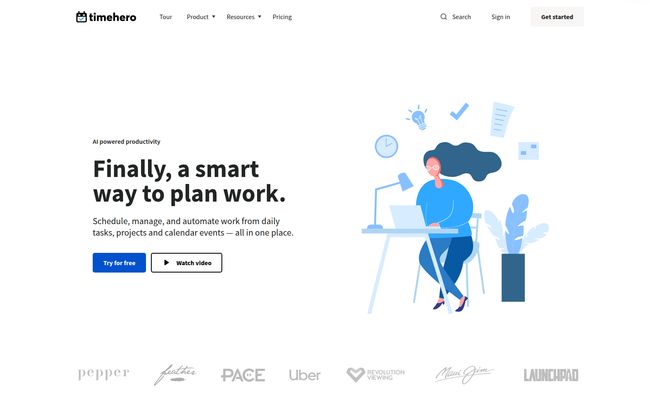
This is the core of TimeHero. You dump a task into the system, estimate how long it’ll take, and set a due date. TimeHero’s AI then scans your calendar for an open slot and pencils it in. A meeting gets booked over it? No sweat. The AI automatically finds a new home for your task. This is the adaptive planning everyone’s talking about, and honestly, it feels a little like magic when you first see it work. It takes away the constant, low-level stress of manual rescheduling. You just have to trust the system, which, for a control freak like me, was a bit of a challenge at first.
Visit TimeHero
Taming Your Projects with Smarter Management
Beyond individual tasks, TimeHero handles full-blown projects. You can lay out all the steps, dependencies, and deadlines. But here’s where it gets cool: it offers project forecasting and automatic risk detection. Based on your team’s current workload and schedule, it can flag projects that are at risk of running late. Before they run late. For any manager, that’s the holy grail. It’s the difference between putting out fires and preventing them from ever starting. It also provides insights into team capacity, so you can see at a glance that, no, you can’t cram another “quick” project into this sprint.
Finally, All Your Apps in One Place
A tool is only as good as its ability to play nice with others. TimeHero knows this. It integrates directly with Google and Microsoft calendars, which is a must. But it also pulls in tasks from project management giants like Asana and Jira, and communicates through Slack. This is a big deal. It means you don’t have to completely abandon your current systems. TimeHero can act as the ‘scheduling layer’ on top of your existing workflow, creating a centralized command center without forcing a painful migration. I’ve seen so many tools fail because they try to be a walled garden; TimeHero’s approach is much smarter.
My Honest Take: The Good, The Bad, and The AI
Okay, so after spending some quality time with the platform, here’s my unfiltered opinion. No tool is perfect, and TimeHero is no exception. But it gets a lot of things right.
What I loved most was the sheer mental relief. The time I used to spend planning and re-planning was suddenly free. It was like I’d outsourced a part of my brain I didn’t even realize was so overworked. The adaptive nature is its biggest strength. Life is messy, and a client call going 30 minutes over used to derail my entire afternoon. With TimeHero, the schedule just… adjusts. It’s a much more resilient way to work.
However, it’s not all sunshine and automated rainbows. The initial setup requires a bit of patience. You have to connect your calendars, your apps, and spend some time teaching teh system your work patterns. It’s an investment. And, as mentioned in their own materials, some of the killer features, like advanced reporting and more integrations, are locked behind the higher-tier plans. That’s pretty standard for SaaS, but still something to be aware of.
The biggest hurdle, though, is psychological. You have to be willing to hand over the reins to an algorithm. There were times I’d look at my schedule and think, “I don’t feel like working on that report right now.” But the system works best when you follow it. It forces a level of discipline that can be uncomfortable at first, but ultimately leads to getting more done. It’s a trade-off: less spontaneity for more productivity.
Who Is TimeHero Actually For?
So, who should drop everything and sign up? In my opinion, TimeHero shines for a few specific groups.
- The Overwhelmed Project Manager: If your job is to manage the workloads of multiple people, TimeHero’s capacity planning and risk detection could be a lifesaver. You get a real-time view of who’s swamped and who has room, backed by actual calendar data.
- Small to Mid-Sized Agencies: Juggling multiple clients, projects, and deadlines is what agencies do. TimeHero can bring order to that chaos, ensuring billable work is scheduled efficiently across the team.
- Busy Freelancers and Consultants: When you’re a one-person show, your time is literally money. Automating your schedule means more time for client work and less time on administrative overhead.
- Remote Teams: Without the physical cues of an office, it’s hard to know what everyone is working on. TimeHero creates a transparent, shared schedule that keeps everyone in sync, no matter their time zone.
Who might want to skip it? If you’re a solo user with a very simple workflow, it might be overkill. A basic to-do list app could suffice. Also, if your work is purely reactive (like customer support), the forward-planning nature might not be as beneficial.
Let’s Talk Money: TimeHero Pricing Breakdown
Price is always a factor. TimeHero uses a pretty standard per-user, per-month subscription model with a discount for paying annually. Here’s how it breaks down:
| Plan | Price (Monthly) | Price (Yearly) | Best For |
|---|---|---|---|
| Basic | $5 /user | $4.60 /user | Individuals or very small teams just needing to schedule daily to-dos around their calendar. The included Asana connector is a nice touch. |
| Professional | $12 /user | $10 /user | This feels like the sweet spot for most businesses. You get the smart project management, recurring tasks, and more integrations. |
| Premium | $27 /user | $22 /user | Power users and larger teams that need the full suite of automation, advanced reporting, and workflow features. |
My take? The Professional plan probably offers the best bang for your buck for a growing team. The Basic plan is a great entry point, but you’ll quickly want the features from the next level up. As always, I recommend starting with the free trial to see which features you actually use before you commit.
Also Read: Corvus Link Review: Taming Change with AI?
Frequently Asked Questions about TimeHero
I get a lot of questions about tools like this, so here are some quick answers to the common ones.
- 1. Is TimeHero difficult to set up?
- It takes a bit more setup than a simple to-do list, yes. You need to connect your accounts and let it sync. Plan to spend an hour or two getting everything configured properly. The payoff for that initial time investment is pretty significant, though.
- 2. How is this different from Asana or Trello?
- Asana and Trello are fantastic for organizing what you need to do (your projects and tasks). TimeHero’s main focus is on figuring out when you’ll do it. It complements those tools rather than replaces them, which is why the integrations are so important.
- 3. Is there a discount for non-profits?
- Yes! The pricing page mentions to get in touch if you’re a non-profit or educational facility for special pricing. That’s always great to see.
- 4. What happens when my free trial ends?
- Like most SaaS platforms, you’ll be prompted to choose a paid plan to continue using the service. Your data and projects should remain intact, waiting for you to subscribe.
- 5. Can I override the AI if I don’t like what it scheduled?
- Absolutely. You can still manually drag and drop tasks on your calendar. The AI will then re-plan the rest of your work around your manual changes. You’re still in control, the AI is just a very proactive assistant.
Conclusion: Should You Make Time for TimeHero?
After diving in, I can say that TimeHero isn’t just another app on the productivity pile. It’s trying to solve a different, and arguably harder, problem. It’s not about listing your work; it’s about getting it done in the limited hours you have.
If you feel like you’re constantly fighting your own schedule and losing valuable time just on the act of planning, then I wholeheartedly think you should give TimeHero a spin. It addresses a core pain point that many other tools ignore. The idea of handing your schedule over to an AI might seem strange, but in a world where we’re all stretched thin, maybe a little bit of robotic help is exactly what we need.
Reference and Sources
- TimeHero Official Website
- TimeHero Pricing Page
- “The Cost of Interrupted Work: More Speed and Stress” – Harvard Business Review – An interesting read on the effects of context switching, a problem smart scheduling aims to solve.


